

Timber Trailer Info


Timber Trailer Info

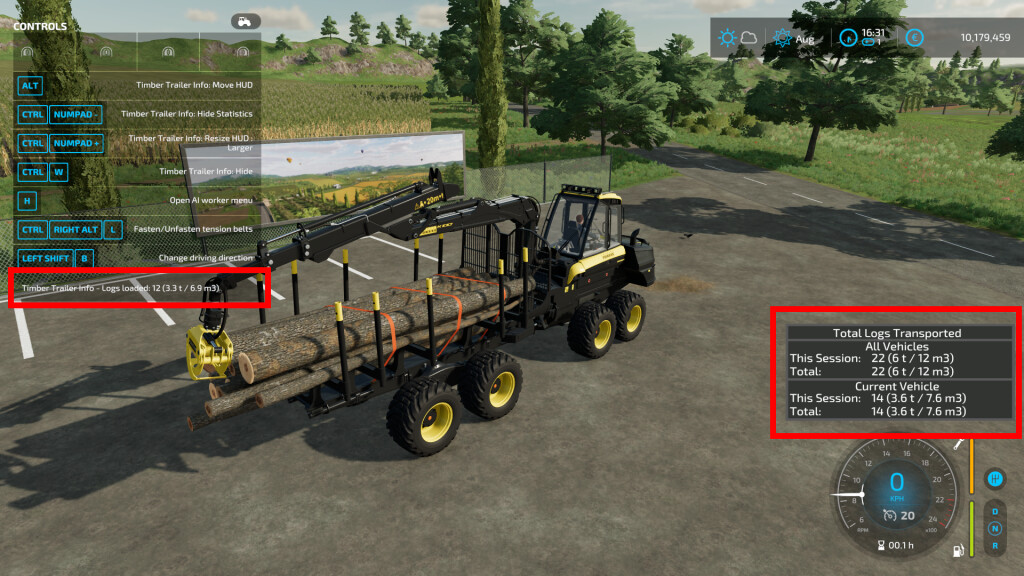
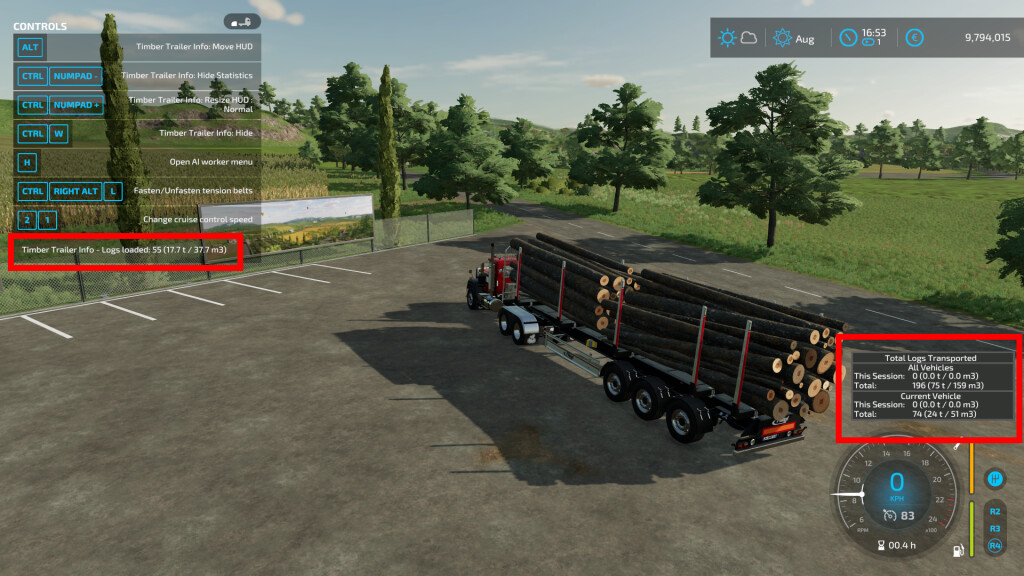
This mod shows you additional info about loaded tree logs on your trailer.
– Count, total mass and volume of tree logs are displayed in F1 menu
– Mod function is added to all vehicles / trailers with “tensionBelt” specialization
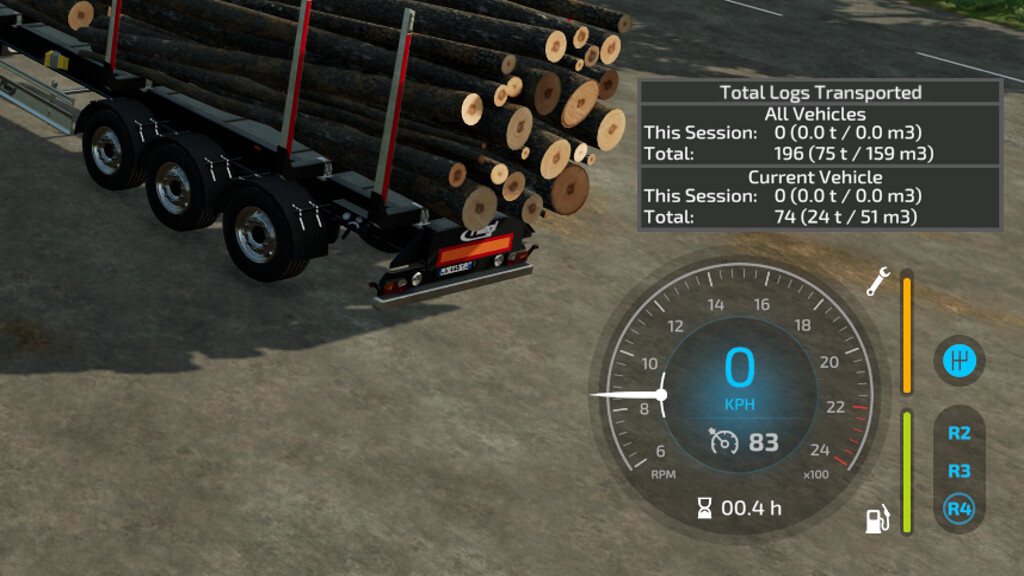
– Total transported tree logs count (per session/all time) is displayed in small HUD next to speedometer
– You can resize HUD (you can toggle between 4 sizes or set size manually in xml config file)
– You can move HUD on your screen
– You can activate / deactivate mod function for each vehicle (saved in xml config file)
– All controls can be set in your Inputbindings
Default controls:
KEY_lctrl KEY_w – turn on / off mod function for current vehicle
KEY_lctrl KEY_KP_minus – show / hide statistics HUD
KEY_lctrl KEY_KP_plus – resize HUD
KEY_lalt KEY_KP_4 / 6 – move HUD left / right
KEY_lalt KEY_KP_8 / 5 – move HUD up / down
If you find any errors or issues, let me know in comment or to [email protected] and i will fix it in next version.
kenny456
Farming Simulator 22
How do I install Farming Simulator mods?
Find a mod that you like and want to download first. Then, on your PC, download a mod. Mods are typically in.zip format. However, it is sometimes in.rar format. If the mod file is in.zip format, no additional actions are required. If a file is in.rar format, you must unarchive it using software such as WinRar or Zip7. Windows 10 users do not need to use archive software; Win10 includes an unarchive feature.
The next step is to locate the mods folder on your computer. It is typically found in Documents/My Games/Farming Simulator [Your FS game version, e.g. 2022]. Open the "mods" folder and place the downloaded.zip archive or unarchived.rar file there.
The final step. Have fun with Farming Simulator mods!