

Ursus C330M v 1.0

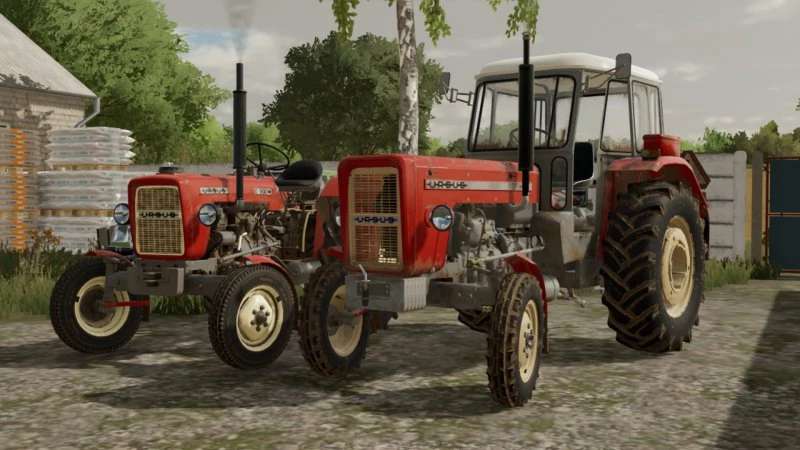
Ursus C330M v 1.0

Configurations:
– Tires – R16 Stomil and R16 Dębica (rescaled R20)
– Colors – Grille, Body, Rims and Fenders with Hood
– Cabins – Yes or No
– Mask – Yes or No
– Front Fenders – Yes or No
– Stickers – Beige, Black or Gray
– Grille – Without, Old or New
– Mud Flaps – None, Rear or Front, all
– Rear Weight – Rim, Body or all
– Front weight – Yes or No
– Search light – Yes or No
Elements added during editing:
– New tires instead of road R16 – Dębica ANP5
– New configuration in the selection of grilles – No grille (standard)
– Removable or put on mask (in the configurator)
– Changed order in sticker configuration: No stickers, standard
– Removable or attachable search light (in the configurator)
Speedy, CZAPELSKYY VwTi
Farming Simulator 22
How do I install Farming Simulator mods?
Find a mod that you like and want to download first. Then, on your PC, download a mod. Mods are typically in.zip format. However, it is sometimes in.rar format. If the mod file is in.zip format, no additional actions are required. If a file is in.rar format, you must unarchive it using software such as WinRar or Zip7. Windows 10 users do not need to use archive software; Win10 includes an unarchive feature.
The next step is to locate the mods folder on your computer. It is typically found in Documents/My Games/Farming Simulator [Your FS game version, e.g. 2022]. Open the "mods" folder and place the downloaded.zip archive or unarchived.rar file there.
The final step. Have fun with Farming Simulator mods!