

Valtra T Series CVT South America v 1.0

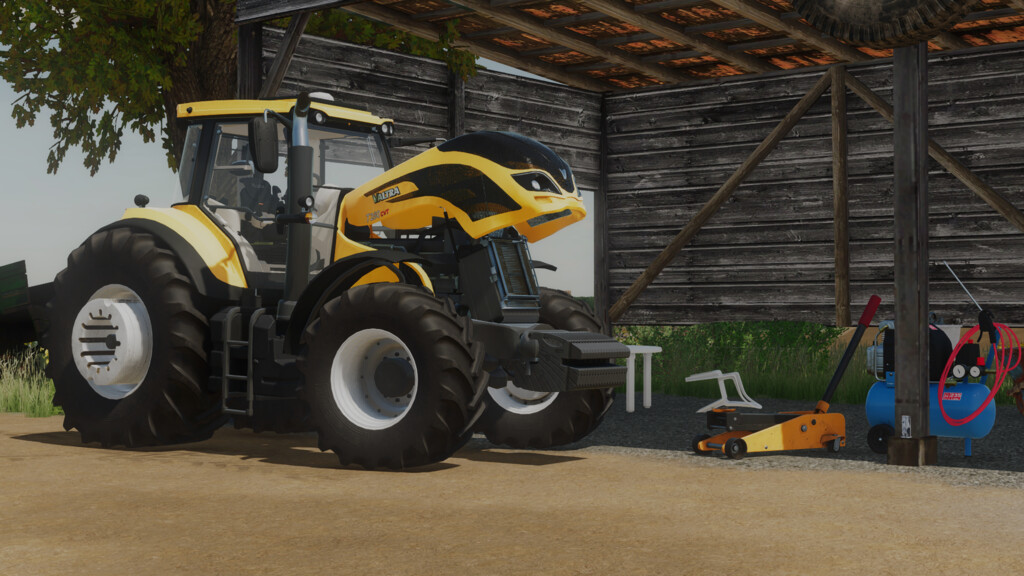
Valtra T Series CVT South America v 1.0


– Engine Setup: 195 hp, 210 hp, 230 hp, 250 hp, 280 hp, 320 hp
– Wheels: Standard, Standard With Hubs, Wide tires, Dual tires, Open Gauge Cane tires, Rice tires
– Animations: Hand throttle, Manche, PowerShuttle, Light Buttons, Alert Light Button, Monitor, Monitor Startup Animation when Starting the Engine
– Controllable Animations: Door, Rear Window, Hood, Sun Shade, Steering Column Prick, Steering Column Turn, Hydraulic Front Suspension Adjustment
– Configurations: Fenders, Wheels, Lights, GPS, Glasses, Weights and Canavieiras Protections, Wheel Counterweights, Cab Design, Exhausts, FL Coupler, Engine
– Colors: Base, Exhaust Color, Counter Weights Color, Wheel Color, Barrel Crown Color
– Price 135000
SrVertex, Pedro Amorim
Farming Simulator 22
How do I install Farming Simulator mods?
Find a mod that you like and want to download first. Then, on your PC, download a mod. Mods are typically in.zip format. However, it is sometimes in.rar format. If the mod file is in.zip format, no additional actions are required. If a file is in.rar format, you must unarchive it using software such as WinRar or Zip7. Windows 10 users do not need to use archive software; Win10 includes an unarchive feature.
The next step is to locate the mods folder on your computer. It is typically found in Documents/My Games/Farming Simulator [Your FS game version, e.g. 2022]. Open the "mods" folder and place the downloaded.zip archive or unarchived.rar file there.
The final step. Have fun with Farming Simulator mods!