

XL Farms X1 Map v 1.0.2.2

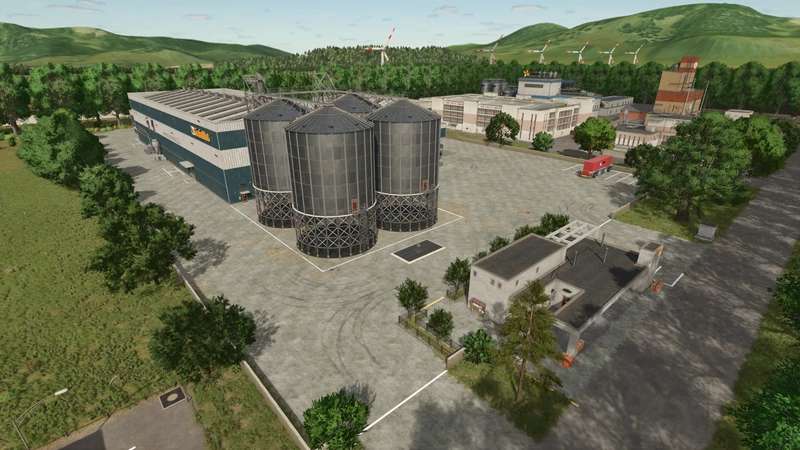
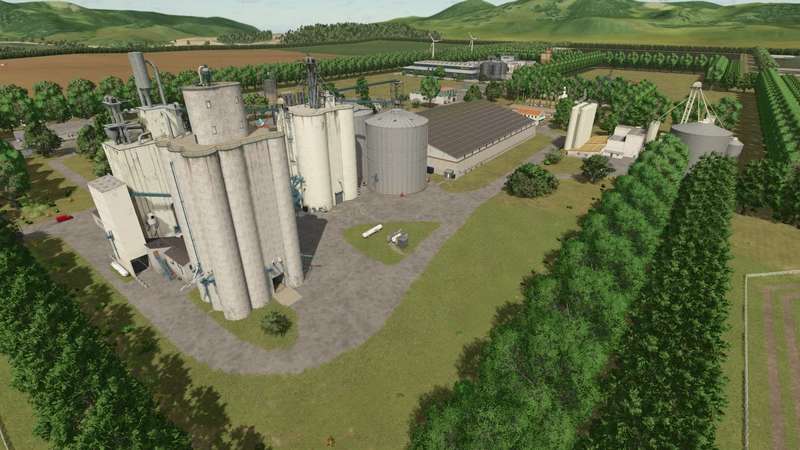

XL Farms X1 Map v 1.0.2.2

– Total field size: 276.82
– Large fields for cultivating a variety of crops
– Centralized flat fields – ideal for irrigated rice, potatoes, vineyards, and olive groves
– Dirt roads covering the entire map
– Complete splines – AutoDrive can use them for route planning
– Secondary splines for optimized logistics with CoursePlay and AutoDrive
– Dense vegetation generated using procedural algorithms
– Wind turbine locations for passive income generation
– Main Farm – storage, processing, and expansion space
– Central sales point with a grain elevator
– Career Mode Start: One field, a house, garage, workshop, and grain silo
– Edited production chains with increased processing capacity
– Starter vehicles and equipment for operations from planting to harvesting
Version 1.0.2.2:
* Fixed Train Spline
XLFarms
How do I install Farming Simulator mods?
Find a mod that you like and want to download first. Then, on your PC, download a mod. Mods are typically in.zip format. However, it is sometimes in.rar format. If the mod file is in.zip format, no additional actions are required. If a file is in.rar format, you must unarchive it using software such as WinRar or Zip7. Windows 10 users do not need to use archive software; Win10 includes an unarchive feature.
The next step is to locate the mods folder on your computer. It is typically found in Documents/My Games/Farming Simulator [Your FS game version, e.g. 2022]. Open the "mods" folder and place the downloaded.zip archive or unarchived.rar file there.
The final step. Have fun with Farming Simulator mods!