

ZCA Railroads v 1.0

ZCA Railroads v 1.0

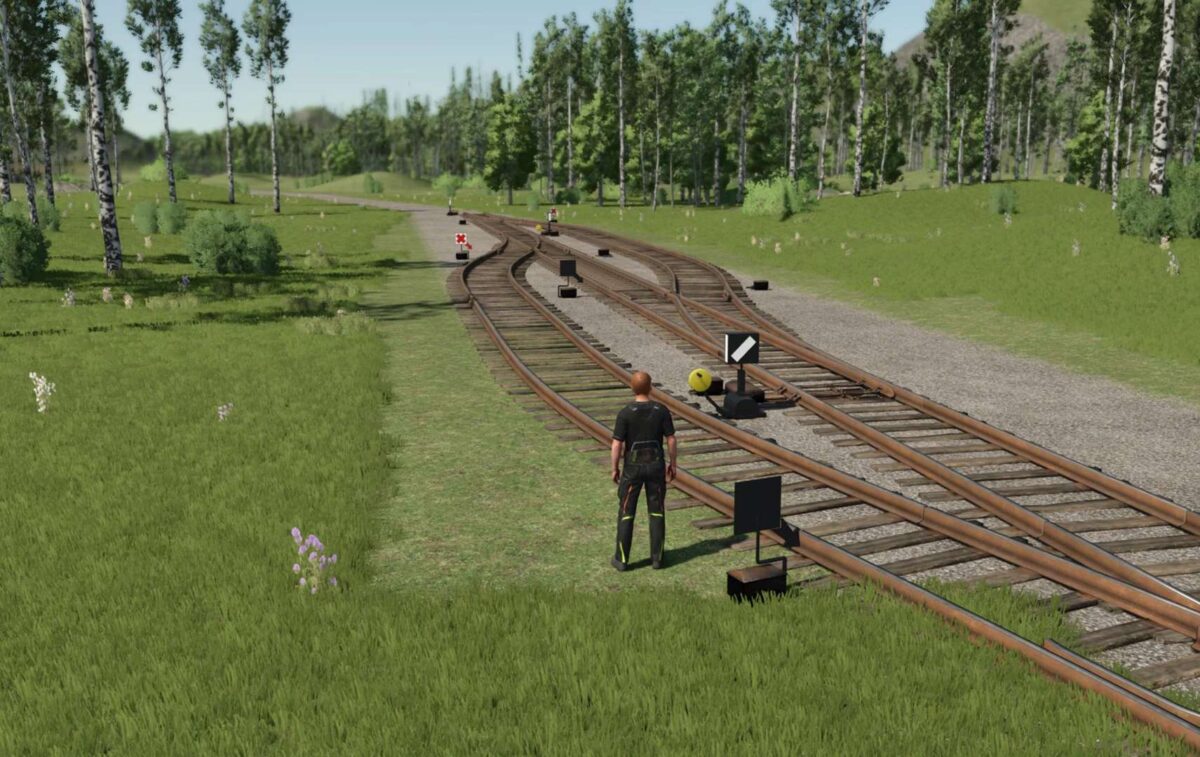
This mod introduces a railroad system to Farming Simulator 25, enhancing the game’s transportation and logistics options. Drawing inspiration from developers like JWeezy, it aims to provide users with the tools necessary to incorporate railroads effectively into their farming operations. The railroads are designed as placeable objects located in a separate section of the decoration tab, making them easily accessible.
The game’s grid is set to 25cm x 25cm, with the ability to rotate pieces every 7.5 degrees. When using the tracks tagged with [GRID], players can ensure that their layouts align perfectly when snap mode is enabled. For connections between non-synced pieces, retractable tracks are included in the mod. Users are also guided to use the Switch Cap for completing turns while maintaining grid alignment. This release is still in beta, allowing for feedback and reporting of any issues that may arise.
Additionally, this mod offers compatibility with other railroad mods, encouraging users to explore the broader railroad ecosystem within Farming Simulator 25.
– Placeable railroads in decoration menu
– Game grid: 25cm x 25cm
– Rotation: every 7.5 degrees
– Tracks with [GRID] tag for alignment
– Retractable tracks for connection adjustments
zcaalock
How do I install Farming Simulator mods?
Find a mod that you like and want to download first. Then, on your PC, download a mod. Mods are typically in.zip format. However, it is sometimes in.rar format. If the mod file is in.zip format, no additional actions are required. If a file is in.rar format, you must unarchive it using software such as WinRar or Zip7. Windows 10 users do not need to use archive software; Win10 includes an unarchive feature.
The next step is to locate the mods folder on your computer. It is typically found in Documents/My Games/Farming Simulator [Your FS game version, e.g. 2022]. Open the "mods" folder and place the downloaded.zip archive or unarchived.rar file there.
The final step. Have fun with Farming Simulator mods!