

Objects Pack v 1.0

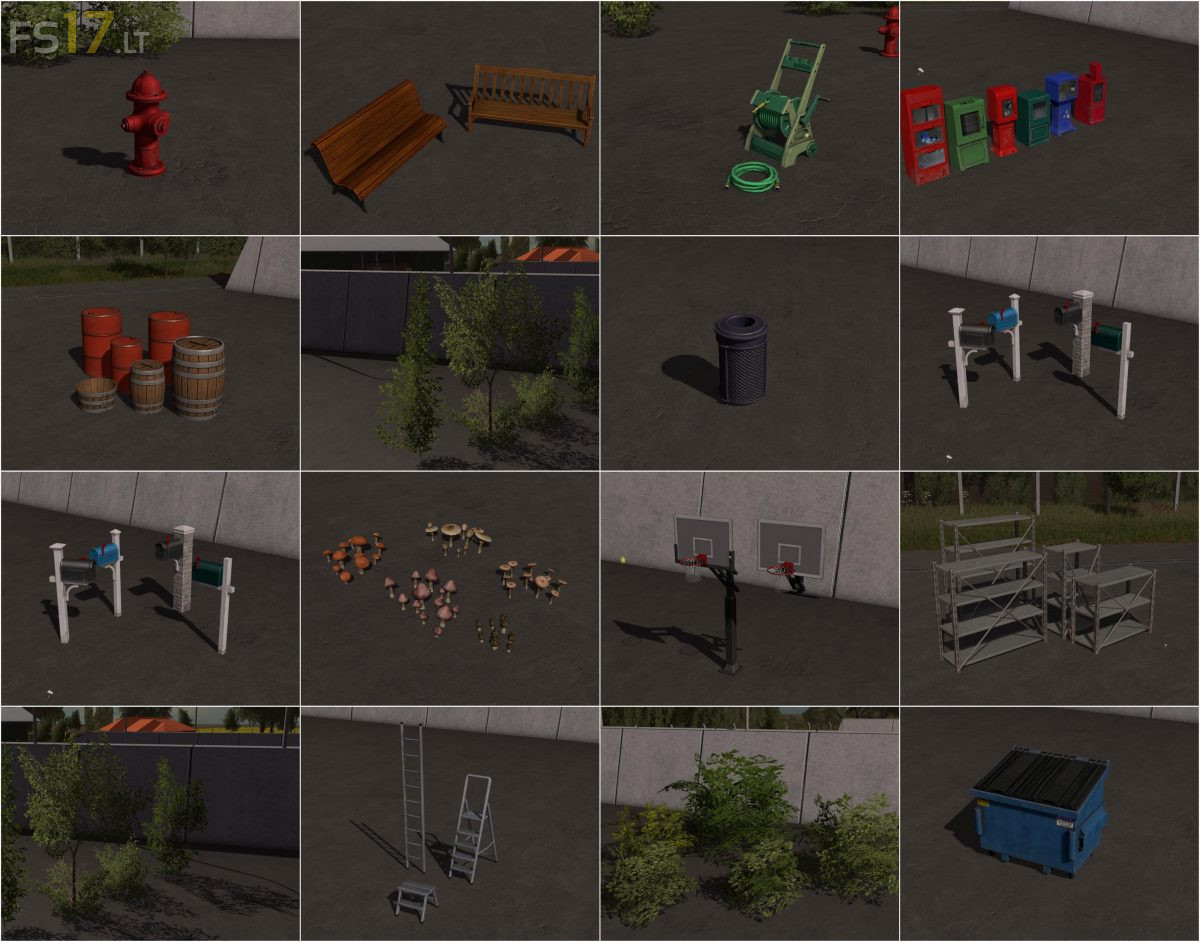
Objects Pack v 1.0
1. Barrels (Prefab*)
Barrels are for decoration.
2. Plants for decoration (Prefab*)
Plants are meant to decorate the landscape.
3. Benches (Prefab*)
Benches are used to sit on it.
4. Basketball Hoops (Prefab*)
Is used to throw in a ball
5. Bushes (Prefab*)
Bushes are meant to decorate the landscape.
6. Water hose and drum (Prefab*)
Water hose and drum for decoration of a garden.
7. Hydrants (Prefab*)
Hydrants are used to tap water.
8. Ladders (Prefab*)
Ladders are used to get to higher located objects.
9. Mailbox (Prefab*)
Letters are thrown in here.
10. Trashcan (Prefab*)
Trash can is used to dispose of garbage.
11. Shrooms (Prefab*)
Mushrooms are meant to decorate the landscape.
12. Postbox (Prefab*)
Letters come in a postbox
13. Shelves (Prefab*)
Shelves are used to store things in it.
14. Trash Container (Prefab*)
Dumpsters are used to dispose of garbage.