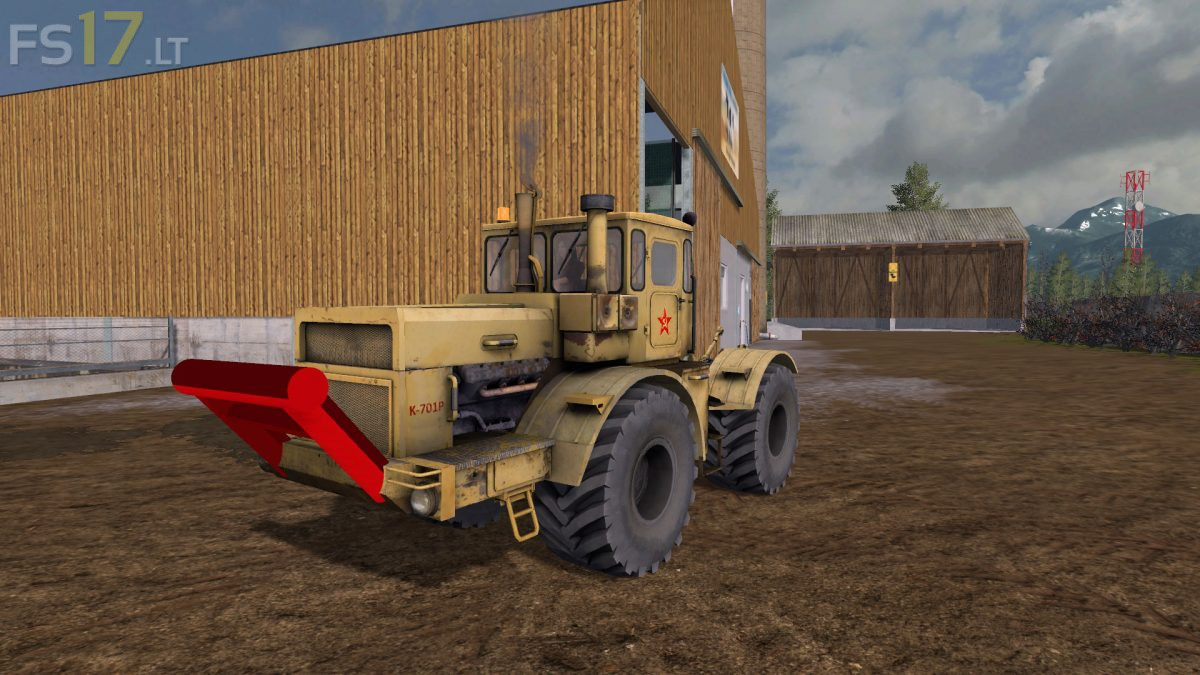
Kirovec K 701P v 1.0

FS19 mods

About the mod:

Configurations:
– Engine: 300 hp (30 km / h), 360 hp (30 km / h), 400 hp (30 km / h), 650 hp (60 km / h)
– Tires: old tires, Belshina, Belshina twins
– Rim color (Belshina): yellow / gray
– RUL: none, rear left, rear right, rear both, front two roof lights
– Decals: with / without Soviet Union sticker doors
– Extras: with / without bumper
– Bumper color: gray, yellow, black, red

Changelog:
– IC installed (windscreen wipers front / rear, doors, windows)
– Dynamic pants, new exhaust effects, license plate script & co-driver script installed
– GB registered
– Turn signals and taillights have been removed

Credits:
SFM-Modding, [BP]TY

How to install FS17 mods?

Firstly find a mod which you like and want to download. Then download a mod to your PC. Mods are usually in .zip format file. But sometimes it can be in .rar. If a mod file is a .zip format no needed additional actions. If a file is in .rar, then you must unarchive mod with software like WinRar or Zip7. Windows 10 users no need to use software for archives, Win10 itself has a feature to unarchive files.

The next step is to find mods folder in your PC. Usually, it is in Documents/My Games/Farming Simulator 17/2017. Open the "mods" folder and put downloaded .zip archive or unarchived .rar file to this folder.

Last step. Enjoy of FS17 mods!

Leave a Reply

Your email address will not be published. Required fields are marked *