

Kirovec K 701P v 1.0

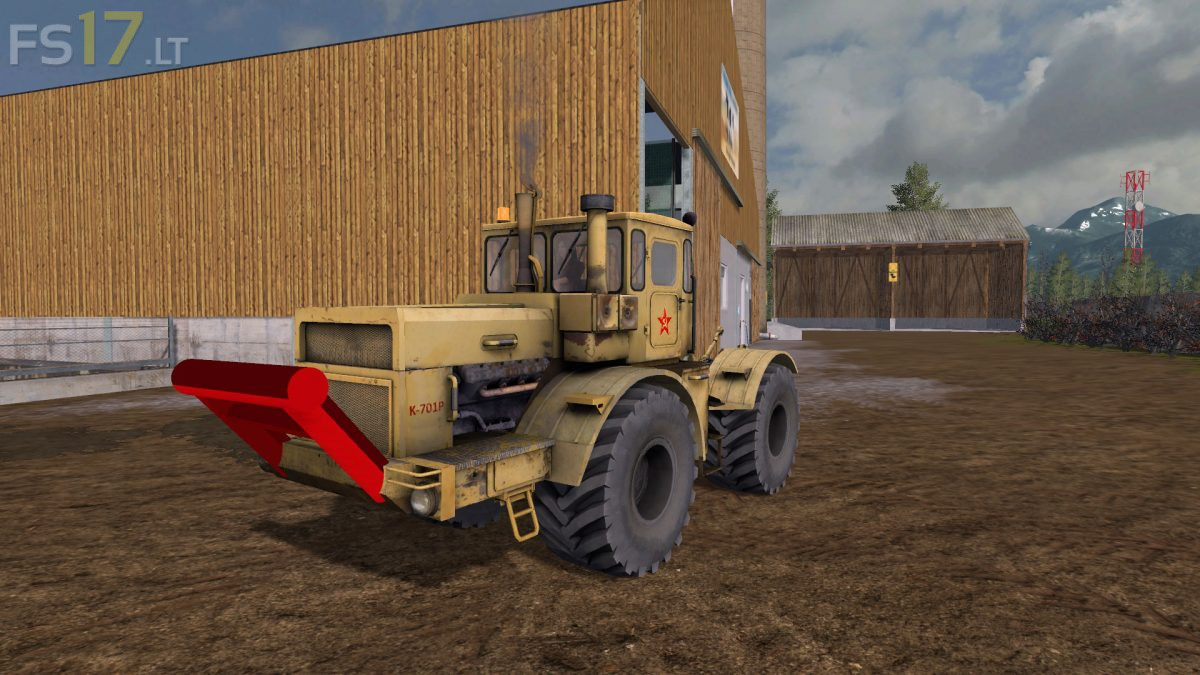
Kirovec K 701P v 1.0
About the mod:
Configurations:
– Engine: 300 hp (30 km / h), 360 hp (30 km / h), 400 hp (30 km / h), 650 hp (60 km / h)
– Tires: old tires, Belshina, Belshina twins
– Rim color (Belshina): yellow / gray
– RUL: none, rear left, rear right, rear both, front two roof lights
– Decals: with / without Soviet Union sticker doors
– Extras: with / without bumper
– Bumper color: gray, yellow, black, red
Changelog:
– IC installed (windscreen wipers front / rear, doors, windows)
– Dynamic pants, new exhaust effects, license plate script & co-driver script installed
– GB registered
– Turn signals and taillights have been removed
Credits:
SFM-Modding, [BP]TY