

Arcusin FSX 63.72 Hirschfeld Edition v 1.0.0.1

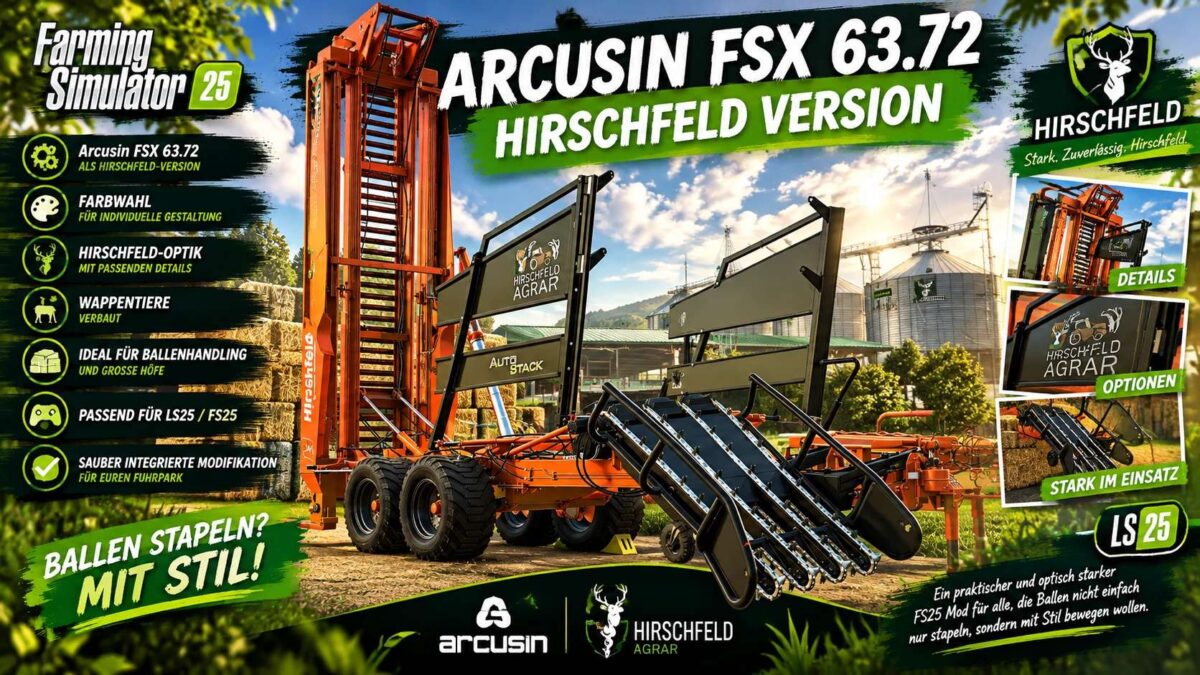
Arcusin FSX 63.72 Hirschfeld Edition v 1.0.0.1
The Hirschfeld edition of the Arcusin FSX 63.72 brings a powerful bale stacker to your farm—a machine that is both a workhorse and an eye-catcher.
This LS25 mod has been reworked specifically for Hof Hirschfeld, visually customized, and finished with loving attention to detail.
The bale stacker is ideal for anyone looking to move, collect, and neatly stack large numbers of bales in Farming Simulator 25.
Thanks to the new color selection options, you can visually match the Arcusin to the rest of your fleet.
Naturally, the machine has also been given the signature “Hirschfeld” treatment, featuring the farm’s iconic heraldic animals.
Features:
Arcusin FSX 63.72 Hirschfeld Edition
Color selection for customization
Hirschfeld visual style with matching details
Heraldic animal branding included
Ideal for bale handling and large farms
Compatible with LS25 / FS25
Seamlessly integrated mod for your fleet
A practical and visually impressive FS25 mod for those who want to move bales with style, not just stack them.