

Attachment Color v 1.2.1.0

Attachment Color v 1.2.1.0
This mod adds an improved indicator that shows you your currently selected implement at all times.
Attachment Color Pro is the ultimate tool for all Farming Simulator 25 players who want full control over their HUD.
This mod solves the problem of cluttered implement selections by adding a sleek,
fully configurable indicator line under the currently selected implement in the HUD.
Highlights:
Custom Color Selection: Set your absolute favorite color via RGBA value in the XML file.
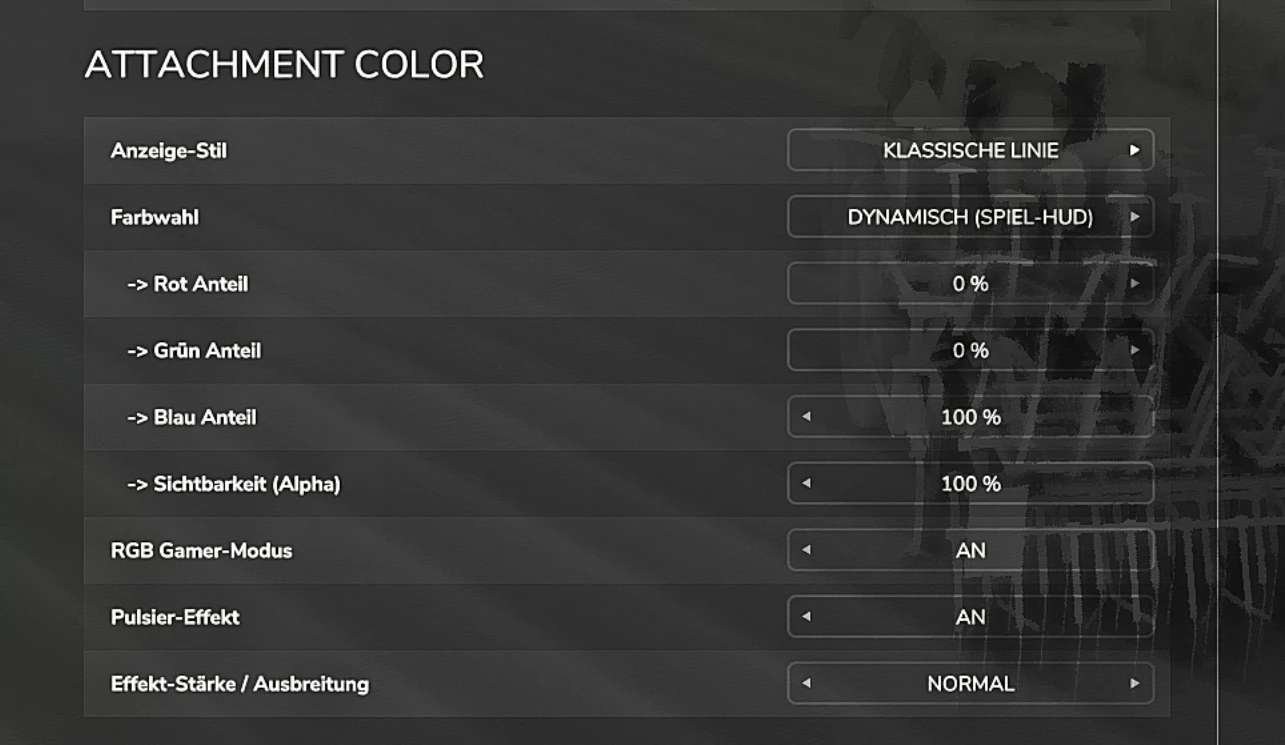
RGB / Gamer Mode: Get the rainbow effect! A smooth color transition creates a true gaming experience.
Pulse Effect: A gently pulsating “breathing effect” makes the HUD more dynamic (optionally toggleable).
Live Reload Function: The ultimate feature for tinkerers! Change values in the XML file and type `acReload` into the console – the changes will be applied instantly in the running game, without restarting!
Perfect Dimensions: You decide how thick the line is and how far it sits below the icon.
Operation & Configuration:
After the first launch, a configuration file is automatically created: …/Documents/My Games/FarmingSimulator2025/modSettings/FS25_AttachmentColor/settings.xml
Console Command:
acReload – Instantly reloads the settings from the XML file.
The mod is written entirely with Gemini.
If anyone wants to take over and improve the mod, I’m completely open to that.
Version 1.2.1.0:
* Added English translation
* Fixed the mod icon