

Bank and Credit v 1.0

Bank and Credit v 1.0
Bank & Credit adds a fractional-reserve bank to Farming Simulator 25. Borrow money, manage your debt and grow your credit capacity by farming.
The bank is a standalone virtual entity with its own equity, funded by the interest it collects. Credit is not granted automatically: it is evaluated based on your income and assets.
Features:
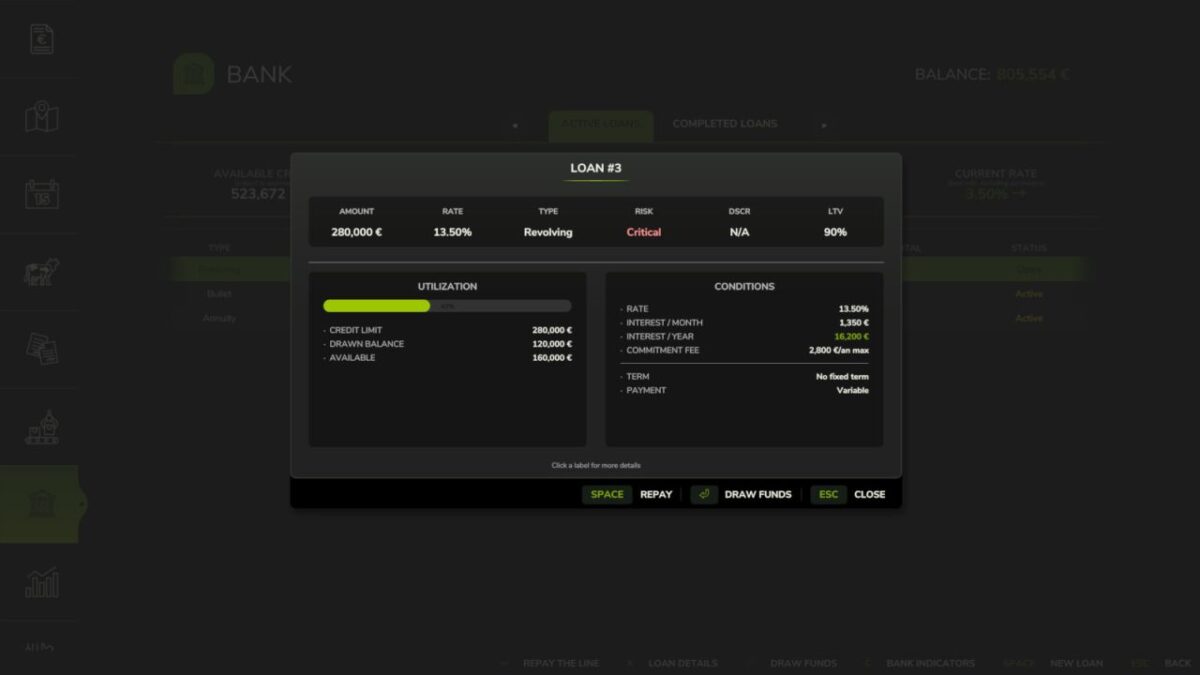
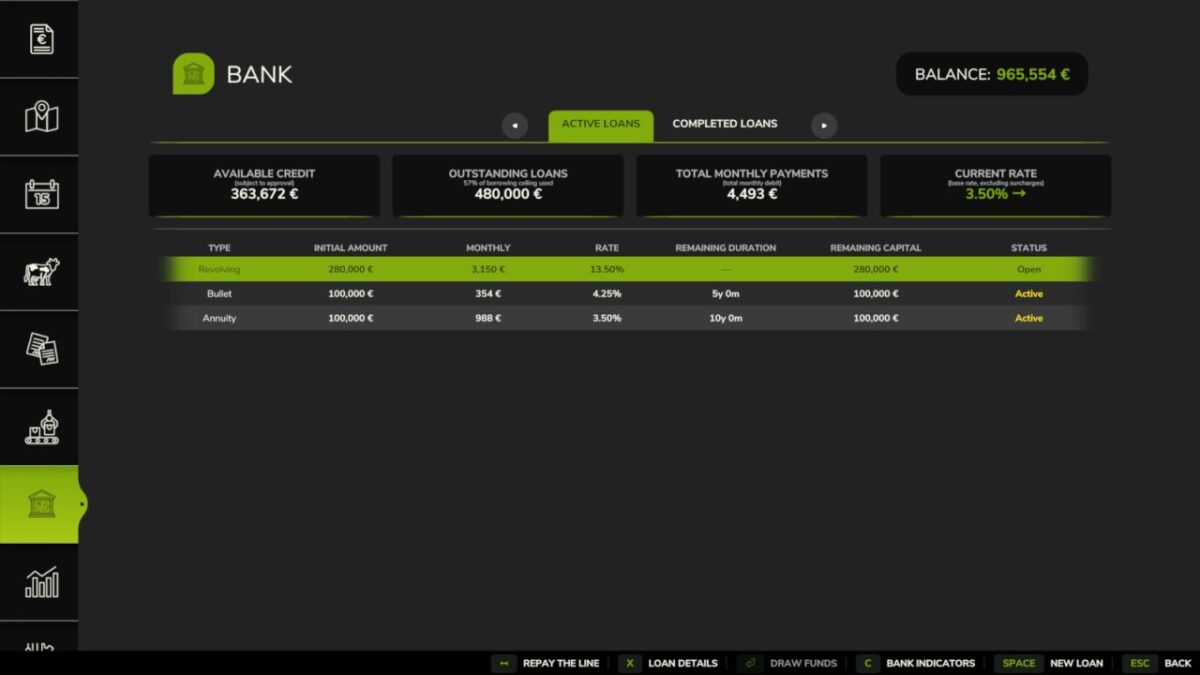
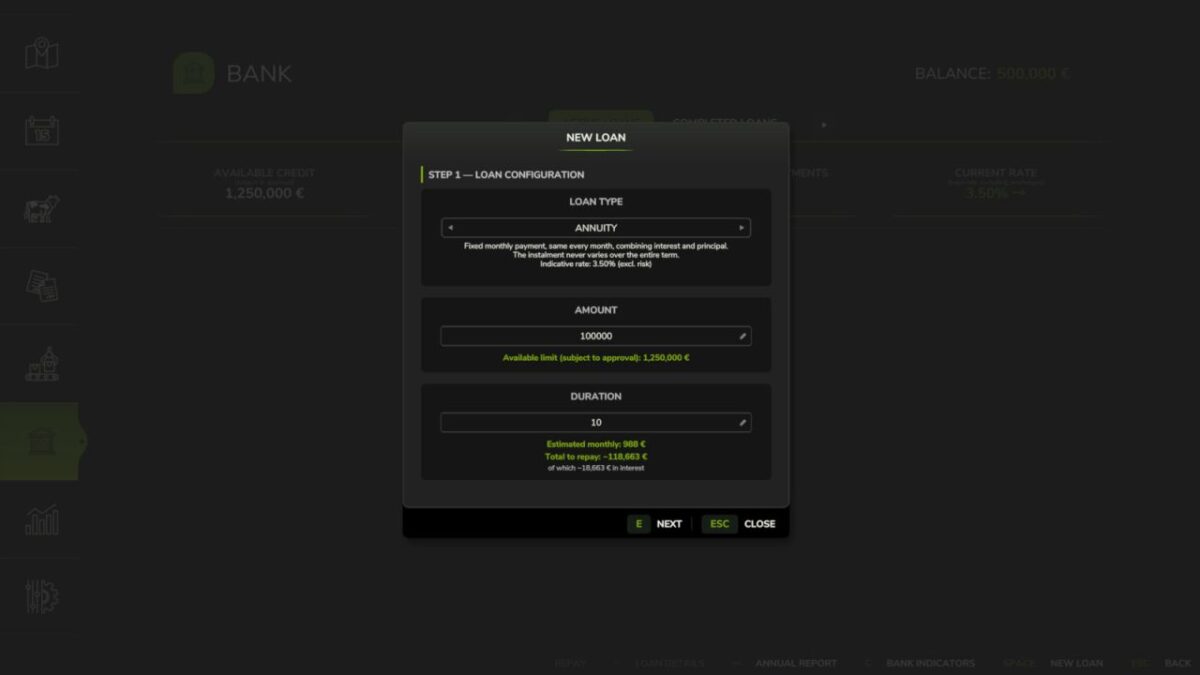
– Three loan types: Annuity (fixed monthly payment), Bullet (interest-only, full principal at maturity), Revolving (draw and repay freely, no fixed term)
– Revolving: 1%/year commitment fee on the undrawn portion; voluntary closure when balance is zero
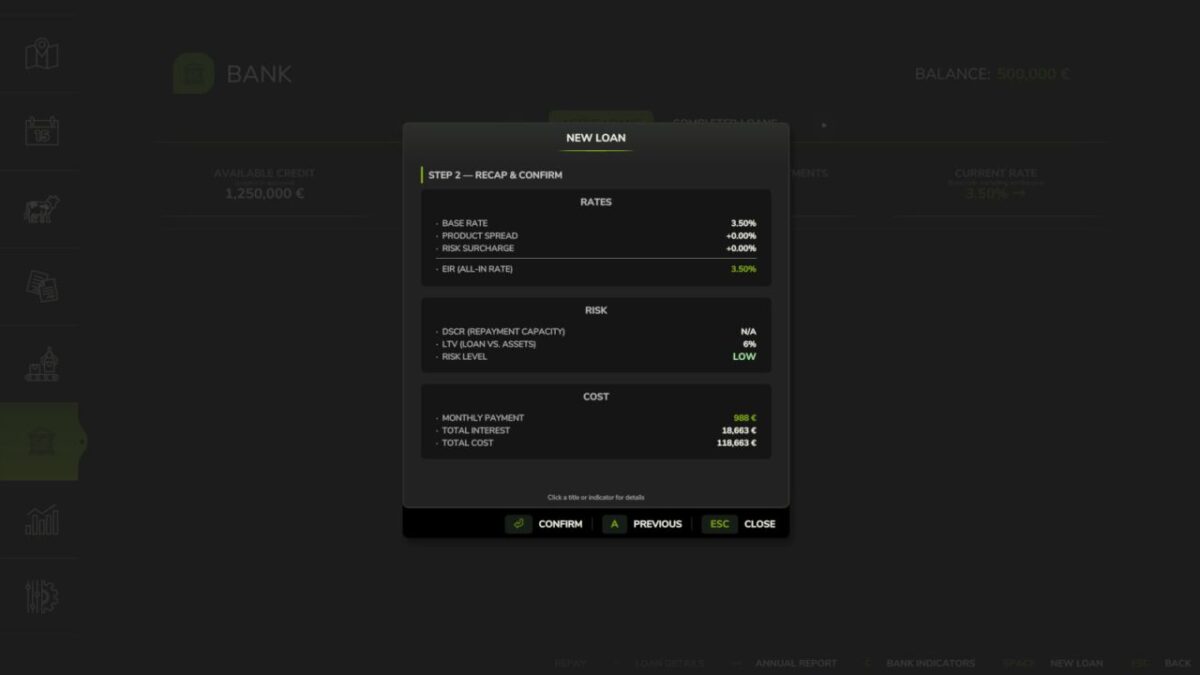
– Credit scoring via DSCR (12-month decay-weighted income history) and LTV (asset liquidation value with per-category haircuts)
– Five risk levels: LOW / MODERATE / HIGH / CRITICAL / REFUSED – transparent rate breakdown and explicit refusal reasons
– Risk surcharges on top of base rate: LOW +0%, MODERATE +0.75%, HIGH +2%, CRITICAL +5%
– CRITICAL applications are auto-capped at 50% of the requested amount (the bank still lends, but at a reduced size)
– Asset haircuts by category: farmland 70%, livestock 60%, buildings 55%, inventory 50%, tools 50%, tractors 40%, cash 30%
– Borrower limit: liquidated asset value plus 24-month income projection, minus existing outstanding debt
– Concentration cap: a single farm cannot exceed 25% of the bank’s total lending capacity
– Loan detail view: full amortisation schedule (Annuity, Bullet) or draw and repayment panel (Revolving)
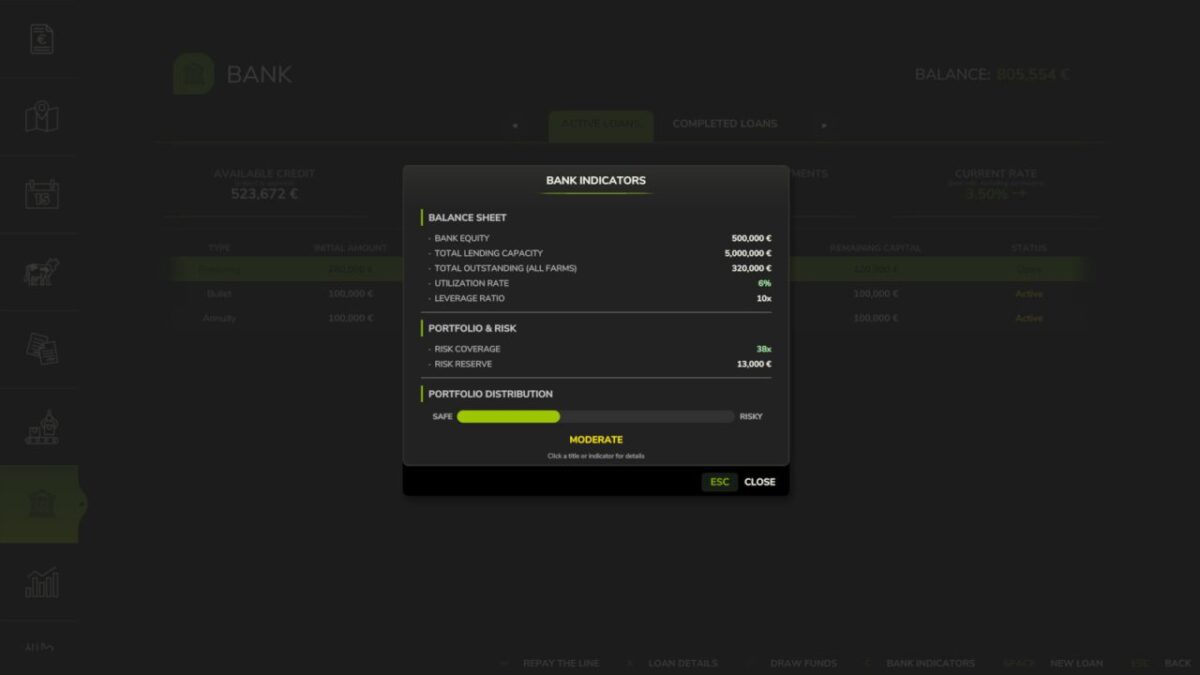
– Bank health dashboard: equity, leverage ratio, outstanding portfolio, internal loss reserve (not player-loan reimbursement), coverage ratio
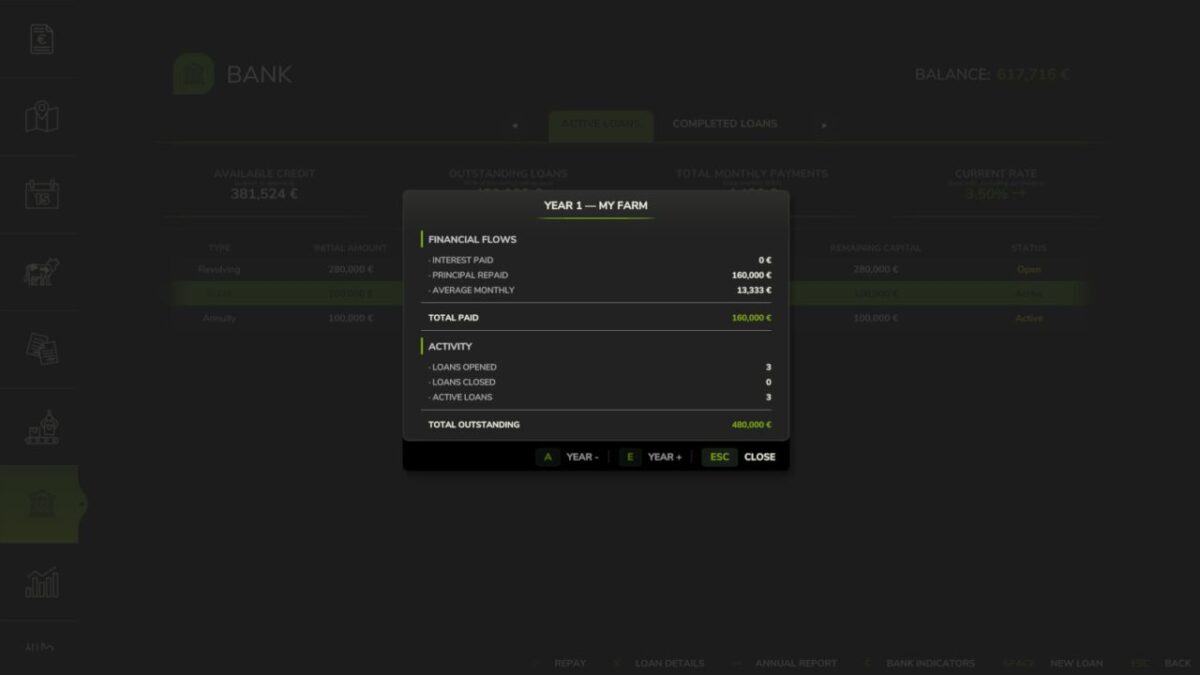
– Annual financial report per farm
– Base rate with mean-reversion, updated quarterly (1% – 12%, configurable anchor)
– Type spreads: Annuity +0%, Bullet +0.75%, Revolving +5%
– Early repayment on Annuity and Bullet loans: full or partial by number of months (configurable penalty 0% – 5%)
– Settings (in Game Settings): starting capital (100 k€ – 5 M€), leverage ratio (5x – 20x), base rate, dynamic rate, early repayment penalty
– Separate Interest and Principal entries in the Finance tab
– Solo and multiplayer: in multiplayer, bank equity and portfolio are shared server-side across all farms
– Compatible with FS25_Invoices: invoice income counts in DSCR history
– Compatible with FS25_RedTape: subsidy and grant income counts in DSCR history
Important: this mod replaces the vanilla loan system. Any vanilla loan balance is automatically cleared at game start.
Access via the dedicated tab in the InGame Menu (ESC).