

Clearance Radar v1.1.1

Clearance Radar v1.1.1
Clearance Radar helps you maneuver near walls, doors, roofs, trees and other vehicles in Farming Simulator 25.
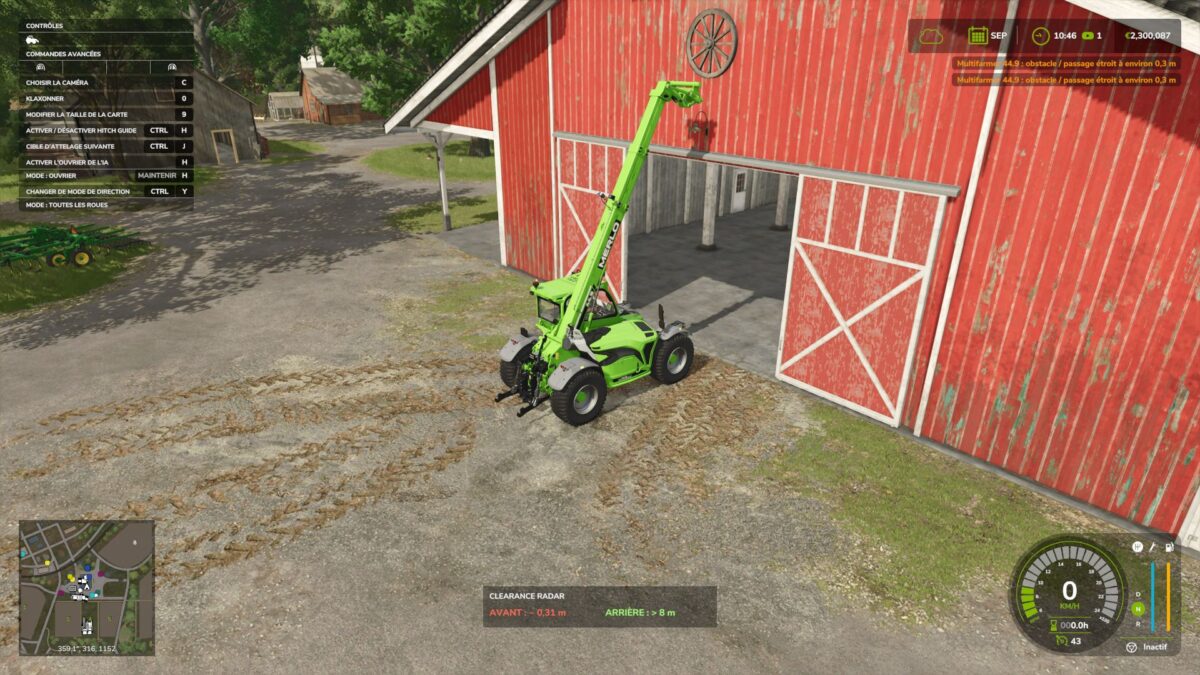
The radar monitors the driven vehicle and, optionally, its attached implements. Collisions with moving parts are taken into account, including raised arms on telehandlers.
FEATURES
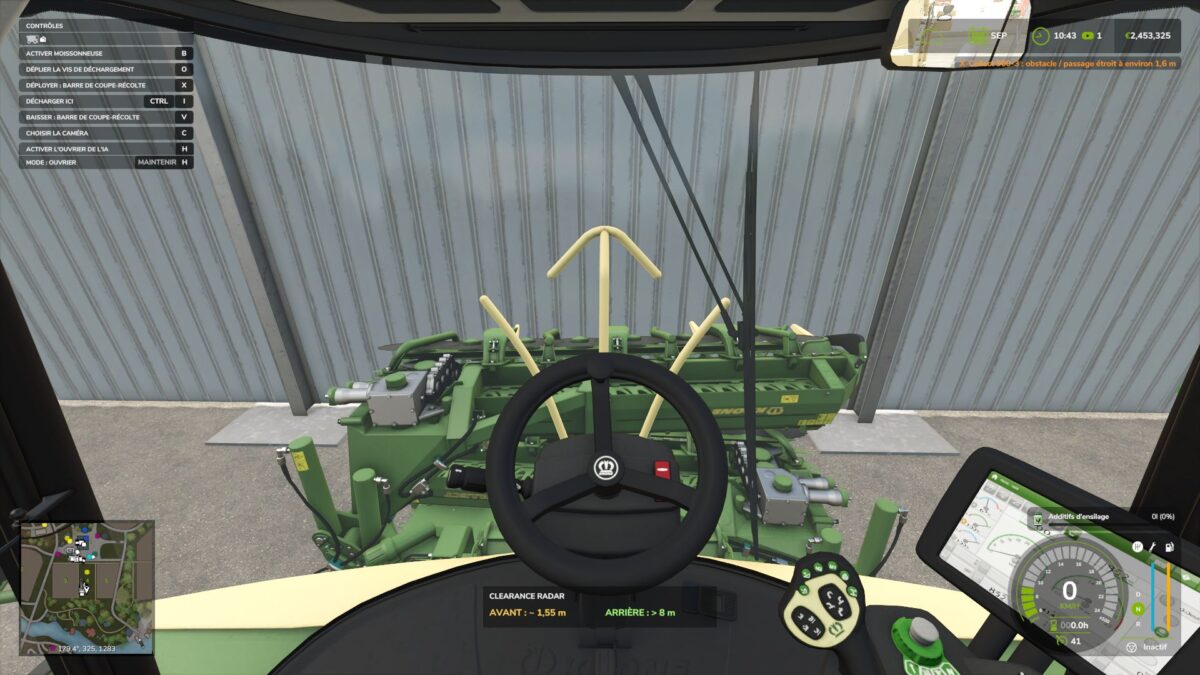
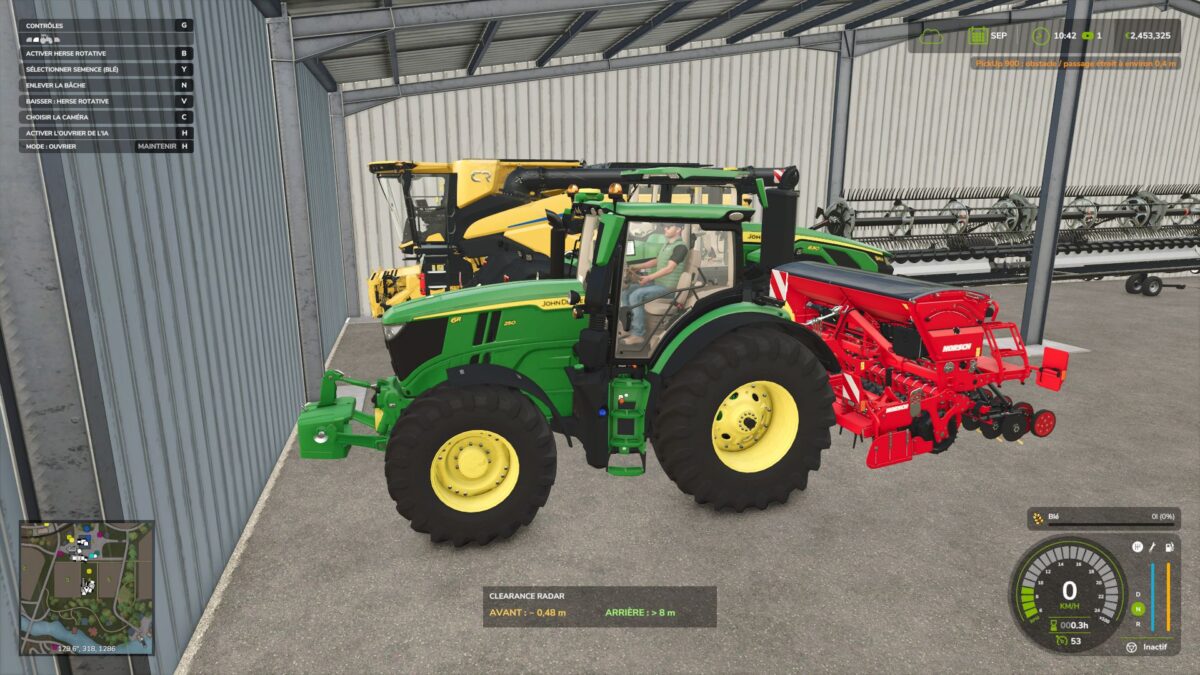
Orange in-game notifications with the machine name and the estimated distance to the obstacle.
Front and rear radar with independent distances, useful for parking a vehicle combination at the back of a shed.
Small distance panel and stationary detection for maneuvering.
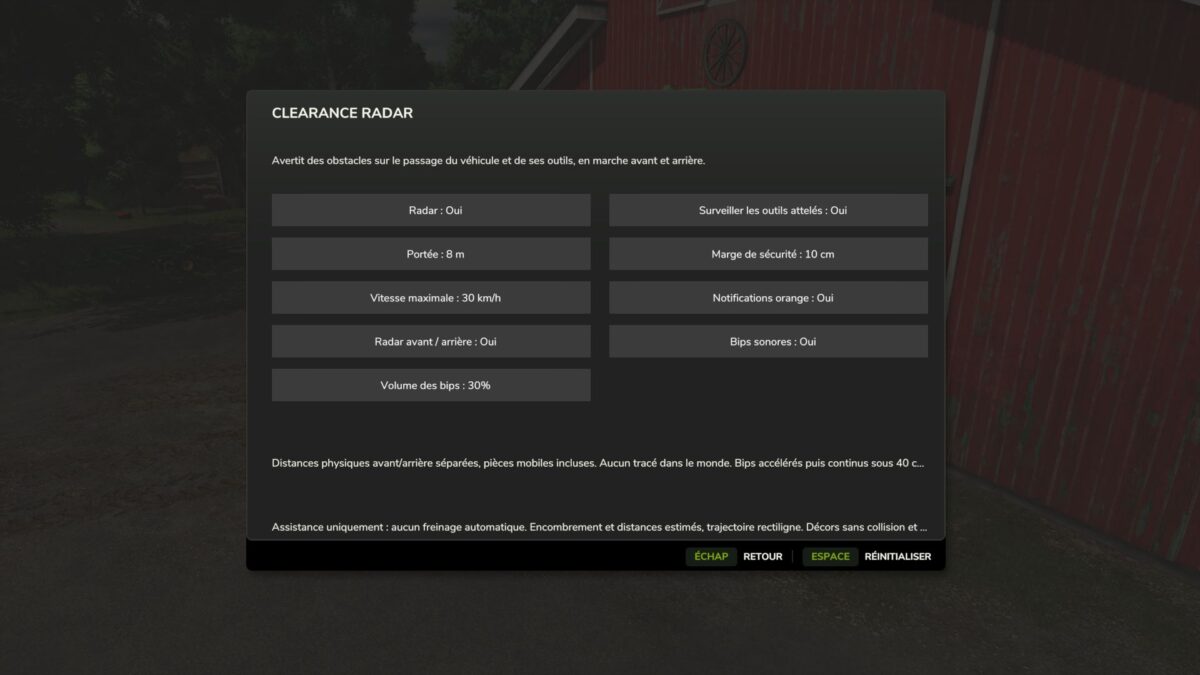
Beeps that accelerate as you approach an obstacle, then become continuous below 40 cm.
Sound can be disabled and volume adjustable from 0 to 100%.
Monitoring of attached implements can be enabled or disabled.
Adjustable range, safety margin, maximum speed and notifications.
Interface in the FS25 style and settings saved automatically.
Translations included in all 27 languages of the game.
DEFAULT CONTROLS
Left Ctrl + R: enable or disable the radar.
Left Ctrl + Left Shift + R: open the settings.
The controls can be changed in the game settings.
MULTIPLAYER
Compatible with single-player, multiplayer and dedicated PC/Mac servers. Install the same ZIP on the server and with the players. Each player keeps their own settings, alerts and sound volume.
The mod provides assistance: distances are estimated from available collisions and a straight-line trajectory. Scenery without collisions is not detected. No automatic braking: remain in control of the vehicle and visually check the passage.
No other mod required.