

Custom HUD Crosshair v 1.0

Custom HUD Crosshair v 1.0
About the mod:
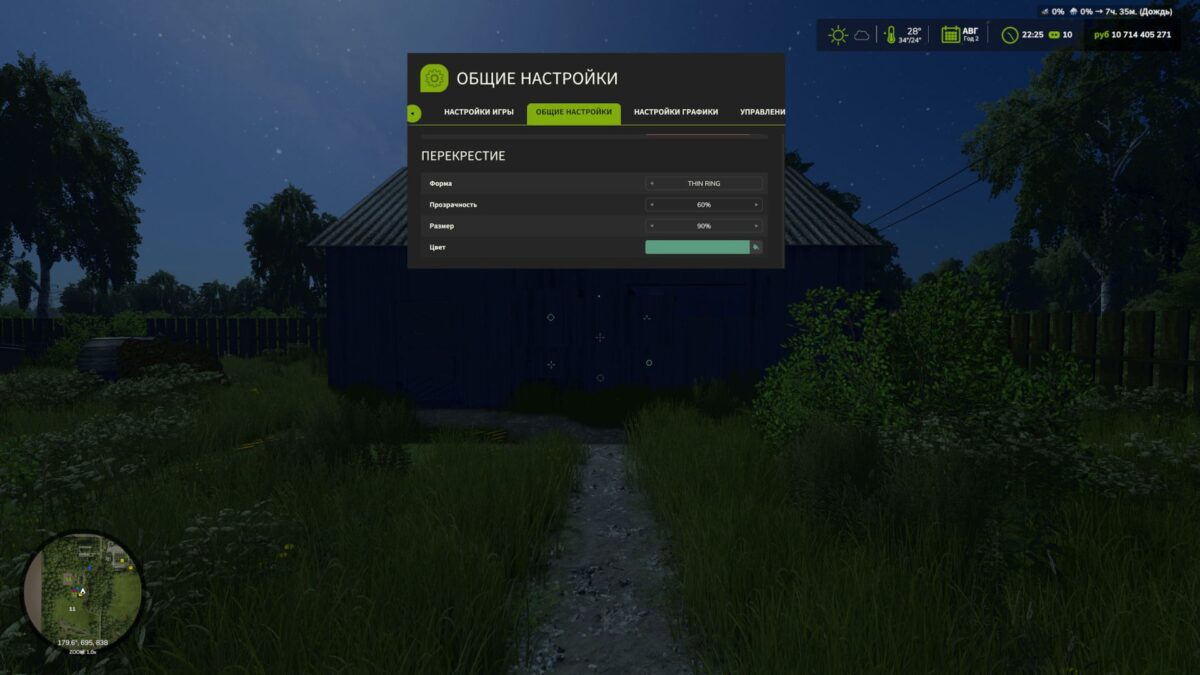
Customize the crosshair in Farming Simulator 25 to suit your preferences. This mod lets you change the shape, color, transparency and size of the standard crosshair when playing on foot.
Mod features:
9 shape options: standard, dot, ring, cross, T-shaped crosshair, corner brackets, diamond, cross with a dot and thin ring.
Choose a color from the palette or customize your own shade.
Adjust visibility from 0 to 100% — the crosshair can be completely hidden.
Change the size from 50 to 300% relative to the standard size.
The settings are available in the “Crosshair” section of the game settings menu. The mod also changes the standard crosshair when using a chainsaw and horse brush.
Thanks: Helfer B.
Credits:
BMProd