

Deutz Fahr Series 9 Designer Edition v 1.1.1

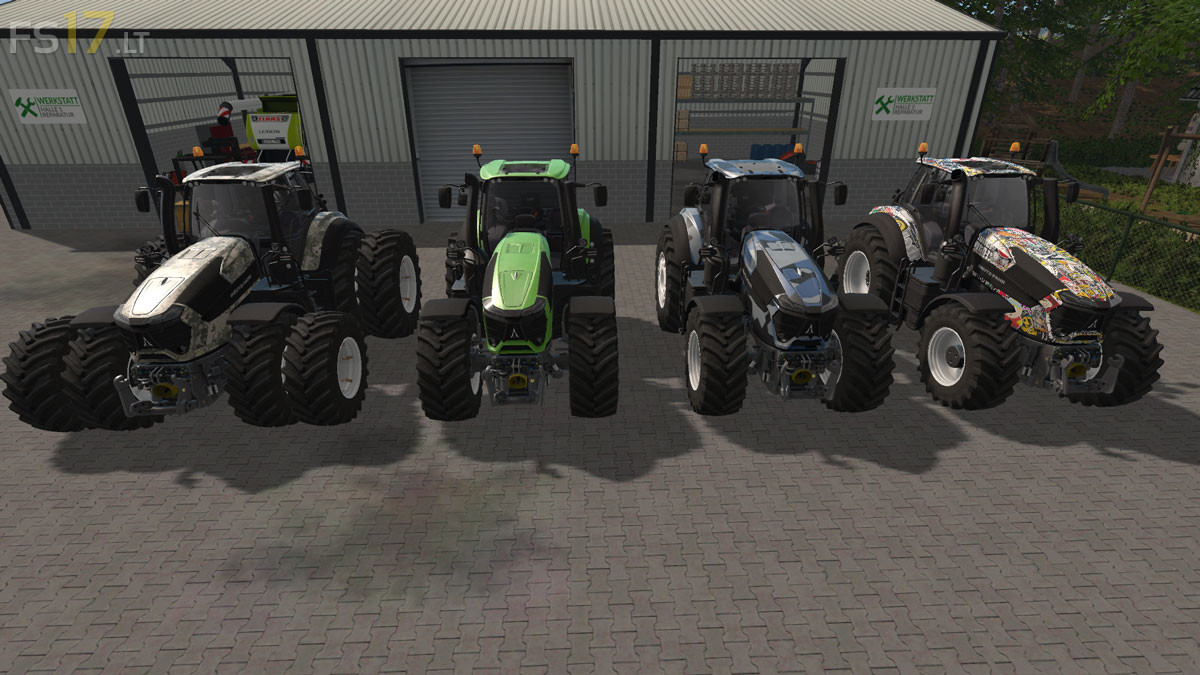
Deutz Fahr Series 9 Designer Edition v 1.1.1
About the mod:
– Engine Setup: 295 hp, 312 hp, 336 hp
– Wheels Setup: Standard Wheels, Twin Wheels, Wheel Weights, Broad with Weights
– Selectable Rim Color
– Design: Standard, Camo, Stickerbomb, Digicamo, Deutz Green
– Daytime running LED
– Interior Light
– Xenon installed & Beam expanded (low beam, labor and reversing light)
Version 1.1.1:
* Bunker Compression is increased
* Small fixes
* Rough Cube and Specular of slices
Credits:
Giants, H4nnib4l22
my+log+Error:+Can’t+load+resource+’C:/Users/JeanMichel/Documents/My+Games/FarmingSimulator2017/mods/Deutz_Series9_Design/shared/window_specular_1.dds’.
C:/Users/JeanMichel/Documents/My+Games/FarmingSimulator2017/mods/Deutz_Series9_Design/deutzFahrSeries9.i3d+(490.87)+ms
Physics+System
my log Error: Can’t load resource ‘C:/Users/JeanMichel/Documents/My Games/FarmingSimulator2017/mods/Deutz_Series9_Design/shared/window_specular_1.dds’.
C:/Users/JeanMichel/Documents/My Games/FarmingSimulator2017/mods/Deutz_Series9_Design/deutzFahrSeries9.i3d (490.87) ms
Physics System