

Easy Logging v 1.0

Easy Logging v 1.0
Easy Logging is a lightweight script mod that improves chainsaw forestry gameplay by reducing repetitive manual cutting after a tree has been felled.
Features:
Automatically cuts felled trees into configurable log lengths.
Includes a short fall delay before auto-cutting so the tree can begin to settle naturally.
Supports thicker and more complex tree shapes by detecting long dynamic split-shapes and cutting from the nearest valid end.
Includes a safe delimb assist option for chainsaw use.
Includes an in-game settings menu opened with Alt + M.
Includes quick cut-length cycling with Alt + L.
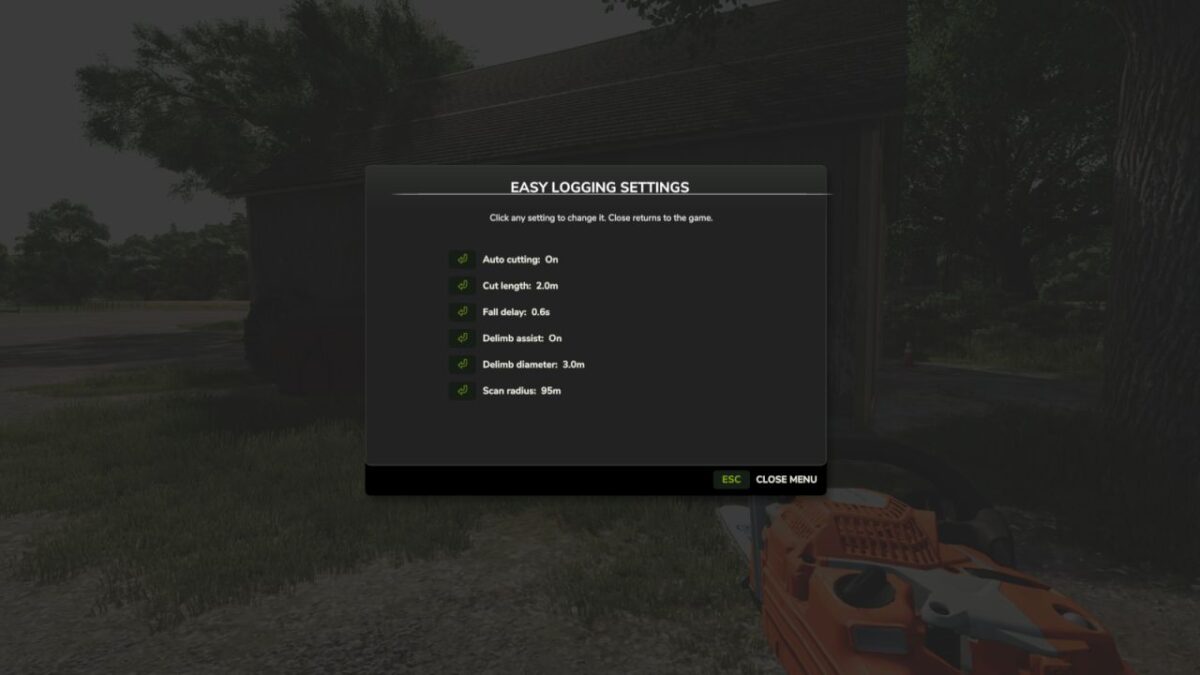
Menu settings include auto cutting, cut length, fall delay, delimb assist, delimb diameter, and scan radius.
Uses real split-shape cutting behavior and does not spawn fake logs.
Supports English, German, French, and Ukrainian localization.
The mod is designed to be simple, non-intrusive, and focused only on chainsaw forestry quality-of-life improvements.