

Fendt Favorit 500 C Series Pack v 5.0

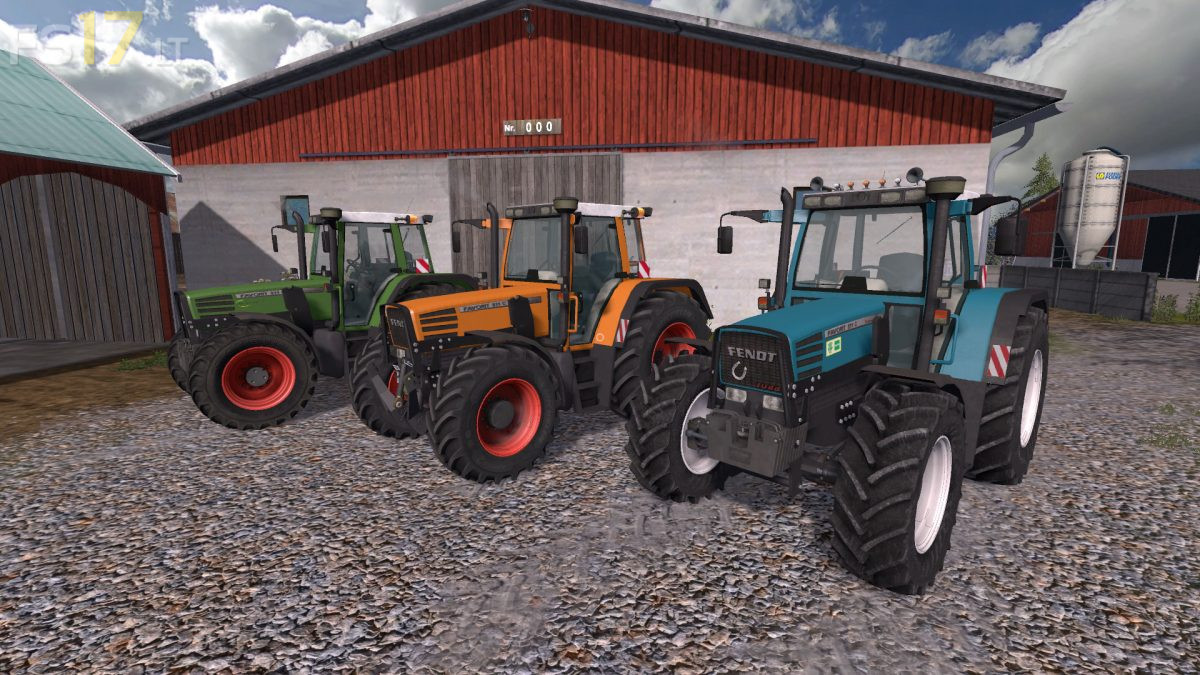
Fendt Favorit 500 C Series Pack v 5.0
About the mod:
3 Fendt Favorit 500 C Series Tractors:
– Fendt Favorit 500 C Series
– Fendt Favorit 500 C Series Kommunal
– Fendt Favorit 500 C Series Petrol
Features:
– Engine Setup: 115 hp, 125 hp, 140 hp, 150 hp
– Frontloader Attacher
– Selectable Attachers
– Selectable Wheels
– Selectable Design
– IC Control
– Washable
Version 5.0:
* Fixed Color Textures
* Fixed Gloss
* Added RDA in wheels
* Added Dynamic Hoses for FL console
* Added Michelin Tires
* New windows Textures
* New visual configurations
* Logo Configuration (Agravis Technik, ZG Raiffeisen Technik and BayWa)
Credits:
Fendtfahrer92, Brzeziol, Rysiu_77_