

Fendt Vario 1000 v 1.0 Update

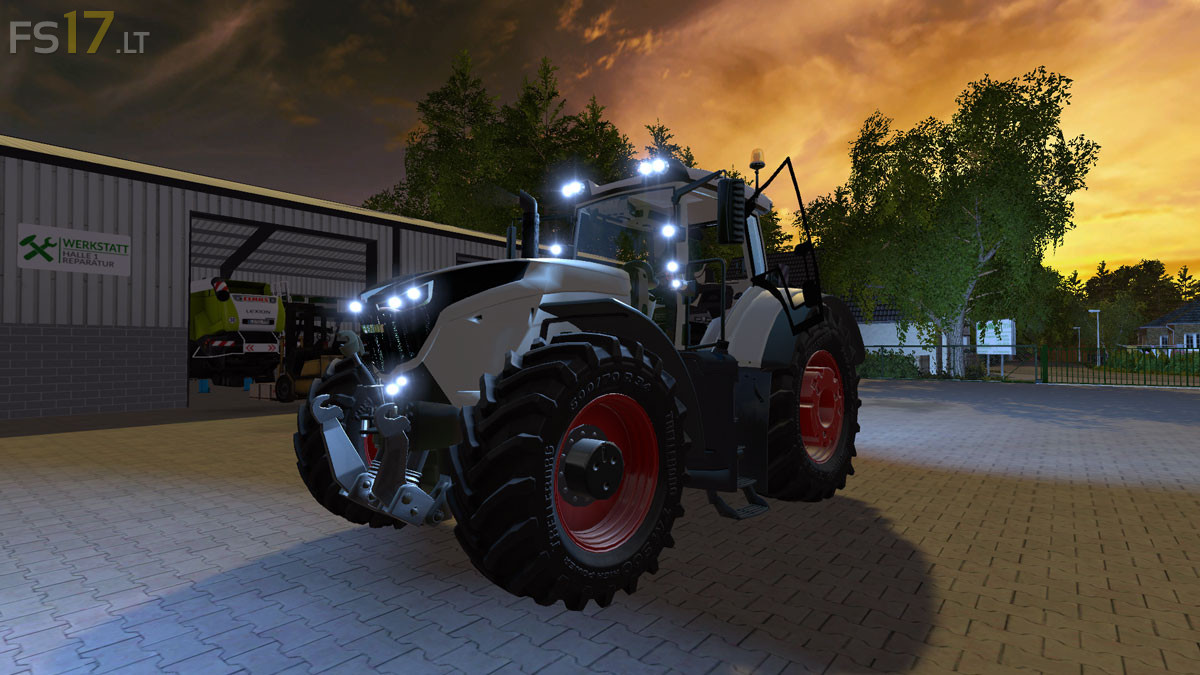
Fendt Vario 1000 v 1.0 Update
About the mod:
– Engine Setup: 396 hp, 435 hp, 476 hp, 517 hp, 800 hp
– Wheels Setup: Standard Wheels, Twin Wheels, Wide Tires, Wheel Weights
– Design: Default Lights, Halogen Lights
– Choice of Color ( 7 Colors )
– Selectable Rim Color ( 8 Colors )
– Very detailed IC Control: door, protection, bonnet, steering wheel, coolbox, panel, wiper, sunshade, sunroof, back window, passenger, warning sign
– Dirt / washable
Update:
* Some faster Round Lights
* Textures were exchanged
Price: 332.000 €
Credits:
Steph33, agra-tech, Bunka81
Space character not recommended in filename: ‘texturen/nouveau fendtchassi.dds’
Space character not recommended in filename: ‘texturen/nouveau fendtchassi_normal.dds’
errors