
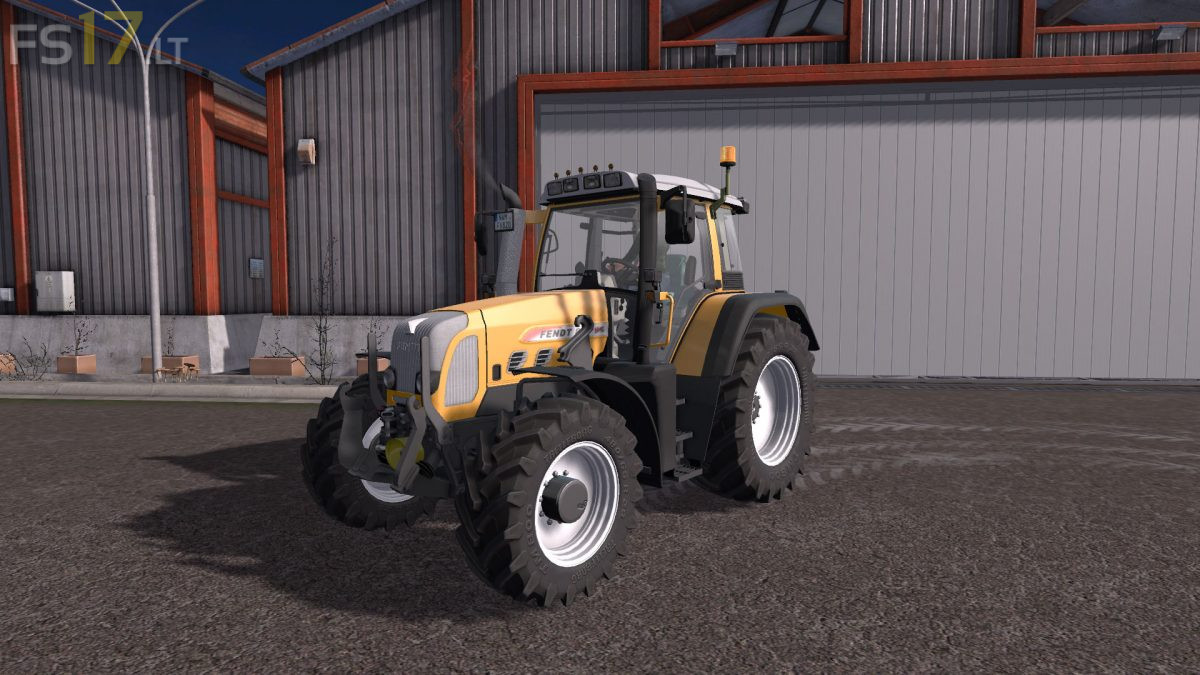
Fendt Vario 800 TMS Series Pack v 1.0
FS19 mods

About the mod:

Two Fendt Vario 800 TMS Series Tractors:

Fendt Vario 800 TMS Series 1st Gen:
– Engine Setup: 168 hp, 180 hp, 195 hp
– Frontloader Attacher
– Selectable Attachers
– Selectable Wheels
– Selectable Rim Color (5 Colors)
– Selectable Design
– Selectable Roof Extras
– Choice of Color (7 Colors)
– Top Lights
– IC Control
– Washable

Fendt Vario 800 TMS Series 2st Gen:
– Engine Setup: 192 hp, 212 hp
– Frontloader Attacher
– Selectable Attachers
– Selectable Wheels
– Selectable Rim Color (5 Colors)
– Selectable Design
– Selectable Roof Extras
– Choice of Color (7 Colors)
– Top Lights
– IC Control
– Washable

Credits:
xXMalleXx, LexikCZ

How to install FS17 mods?

Firstly find a mod which you like and want to download. Then download a mod to your PC. Mods are usually in .zip format file. But sometimes it can be in .rar. If a mod file is a .zip format no needed additional actions. If a file is in .rar, then you must unarchive mod with software like WinRar or Zip7. Windows 10 users no need to use software for archives, Win10 itself has a feature to unarchive files.

The next step is to find mods folder in your PC. Usually, it is in Documents/My Games/Farming Simulator 17/2017. Open the "mods" folder and put downloaded .zip archive or unarchived .rar file to this folder.

Last step. Enjoy of FS17 mods!

One thought on “Fendt Vario 800 TMS Series Pack v 1.0

  • Benjami n says:
    2018-10-30 at 05:05

    de leuke tractor met lekker geleid wil zeker hebben.groetjes Benjamin

Leave a Reply

Your email address will not be published. Required fields are marked *