Fill Plane Mining & Construction Economy v 02
About the mod:
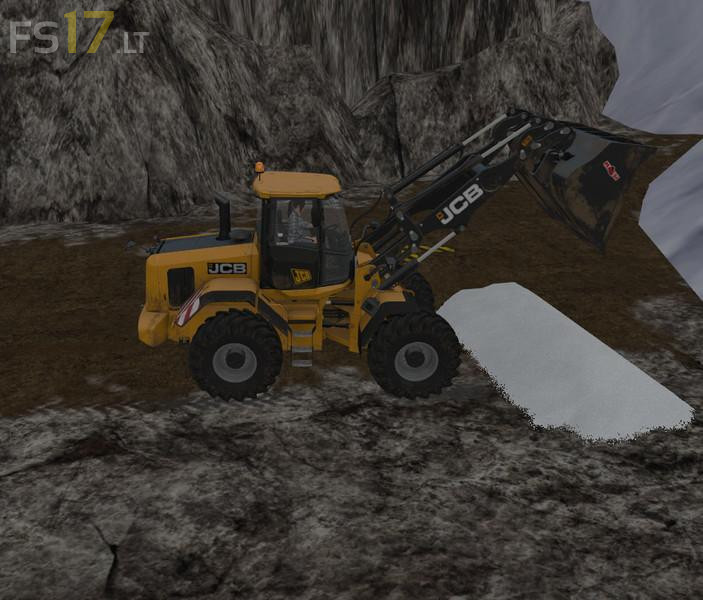
New created Fill Plane for the Mining & Construction Economy Map to available you are coal, cement and so on.
Credits:
Dieter 123
How to install FS17 mods?
Firstly find a mod which you like and want to download. Then download a mod to your PC. Mods are usually in .zip format file. But sometimes it can be in .rar. If a mod file is a .zip format no needed additional actions. If a file is in .rar, then you must unarchive mod with software like WinRar or Zip7. Windows 10 users no need to use software for archives, Win10 itself has a feature to unarchive files.
The next step is to find mods folder in your PC. Usually, it is in Documents/My Games/Farming Simulator 17/2017. Open the "mods" folder and put downloaded .zip archive or unarchived .rar file to this folder.
Last step. Enjoy of FS17 mods!



mne+ten+mod+nefunguje+a+neviem+preco+.porad+dava+sa+do+mods?
How do you install this mod?
I already put it in the mod folder and it did not work
U need the Mining & Construction Economy Map for this mod
ne sert a rien car aucune explication n’est fourni pour l’installer et le dossier est en rar …
FR / QC
il suffit de l’installer dans le répertoire C:\Users\******\Documents\My Games\FarmingSimulator2017\mods\mining_construction_economy.zip\maps\pSystem\fillPlanes , et vous remplacer les fichiers , pensez a extraire et recompresser apres.
US / EN
Just install it in the C: \ Users \ ****** \ Documents \ My Games \ FarmingSimulator2017 \ mods \ mining_construction_economy.zip \ maps \ pSystem \ fillPlanes directory and replace the files, Recompress afterwards.