Freightliner Cascadia Truck Mod v 1.0

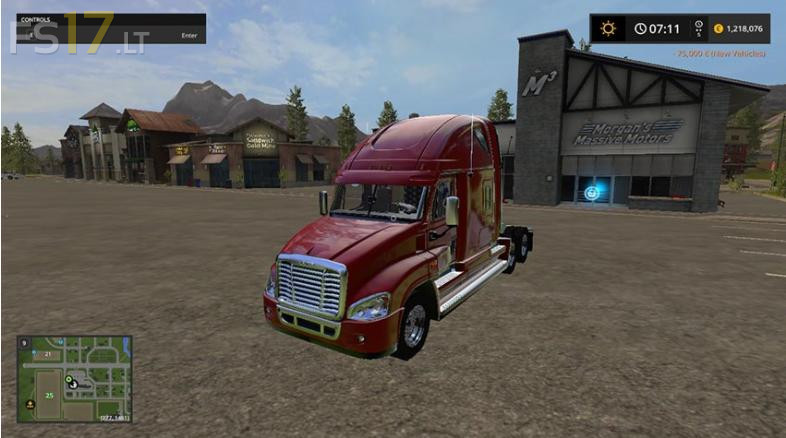
Freightliner Cascadia Truck Mod v 1.0
About the mod:
Freightliner Cascadia Truck for FS17
Credits:
winston9587


Freightliner Cascadia Truck for FS17
How to install FS17 mods?
Firstly find a mod which you like and want to download. Then download a mod to your PC. Mods are usually in .zip format file. But sometimes it can be in .rar. If a mod file is a .zip format no needed additional actions. If a file is in .rar, then you must unarchive mod with software like WinRar or Zip7. Windows 10 users no need to use software for archives, Win10 itself has a feature to unarchive files.
The next step is to find mods folder in your PC. Usually, it is in Documents/My Games/Farming Simulator 17/2017. Open the "mods" folder and put downloaded .zip archive or unarchived .rar file to this folder.
Last step. Enjoy of FS17 mods!
Amazing work lots of potential. make as multicolor pls
Awsome+looking+truck,can’t+wait+to+use+it!
I used this truck, to be honest…this is one of the best trucks I’ve gotten! Good work!
ONE AWESOME TRUCK!!! Except…. if youd move the 5th wheel back a bit, (it catches on the corners of some of my trailers and wont straighten out) make it paintable, and washable, You could just color in the rest of that last star, and call it a day! I’d probably just retire my Petes. This rig really has th’ right stuff!! WELL DONE!
also try to put it in trucks catagory bc when i go to winston catagory when trying to buy it, it just stays stuck as “your selection is being purchased” and it wouldn’t buy it