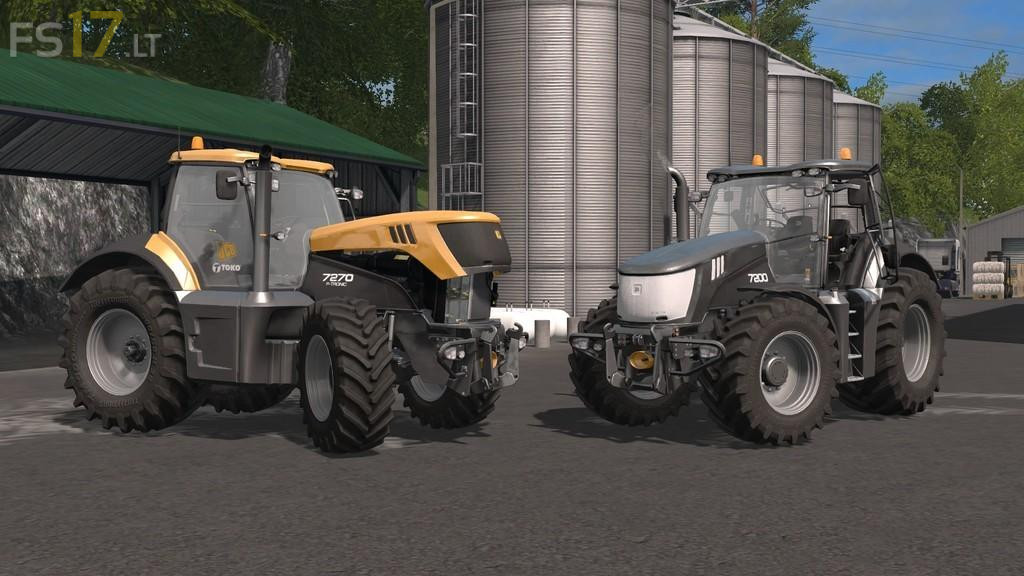
JCB Fastrac 7000 v 1.2
Version 1.2:
* Added Nokian wheels configuration
* Added grill color configuration (black, white, gold)
* Added rims color configuration
* Added Fastrac color configuration
Version 1.2:
* Added Nokian wheels configuration
* Added grill color configuration (black, white, gold)
* Added rims color configuration
* Added Fastrac color configuration
How to install FS17 mods?
Firstly find a mod which you like and want to download. Then download a mod to your PC. Mods are usually in .zip format file. But sometimes it can be in .rar. If a mod file is a .zip format no needed additional actions. If a file is in .rar, then you must unarchive mod with software like WinRar or Zip7. Windows 10 users no need to use software for archives, Win10 itself has a feature to unarchive files.
The next step is to find mods folder in your PC. Usually, it is in Documents/My Games/Farming Simulator 17/2017. Open the "mods" folder and put downloaded .zip archive or unarchived .rar file to this folder.
Last step. Enjoy of FS17 mods!
Great looking tractor! An issue I have is I take a fairly large hit on frame rate… I have a decent rig, i7-7700K 1080Ti 11GB, 32 GB ram, Farming Sim 17 is running on SSD 960 EVO 500 GB. I run at max settings with over 65 mods and maintain a constant 60 FPS. However, when I purchase this tractor and use it, the frame rate drops and fluctuates between the 40’s and 50’s and becomes stuttery. I downloaded the May 30 version from FS ModHub.