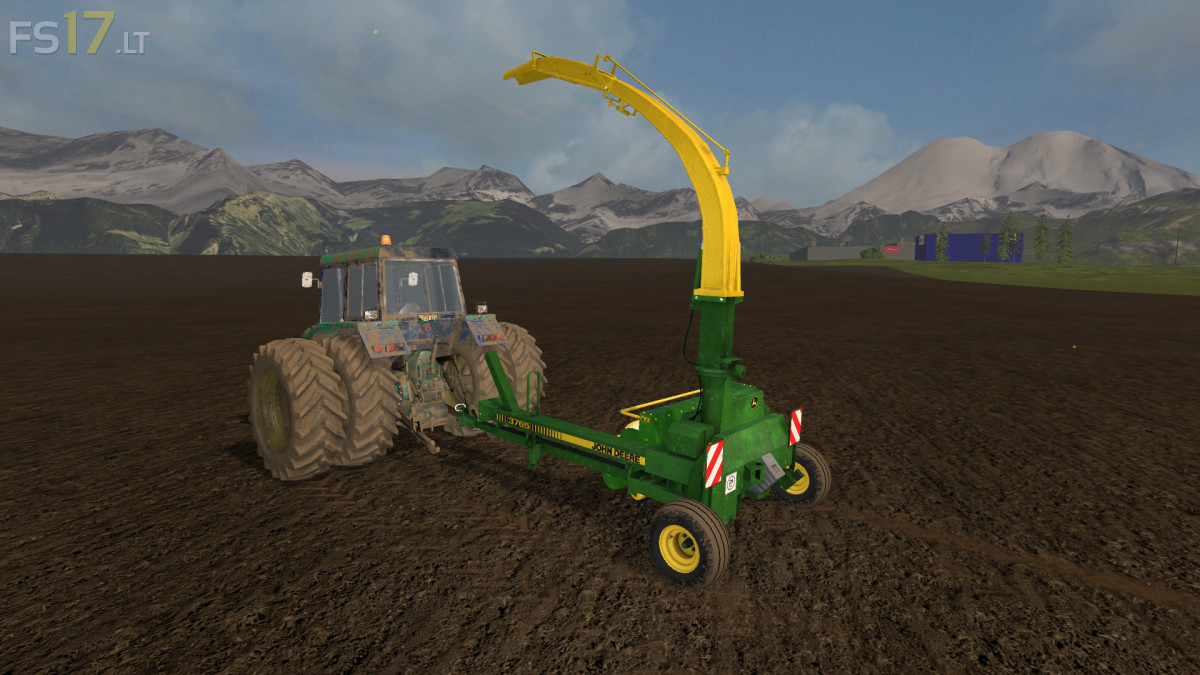
John Deere 3765 v 1.0
About the mod:
John Deere 3765 Forager Harvester.
Working speed 10 km/h
Credits:
Kieran_fs, mick cross
How to install FS17 mods?
Firstly find a mod which you like and want to download. Then download a mod to your PC. Mods are usually in .zip format file. But sometimes it can be in .rar. If a mod file is a .zip format no needed additional actions. If a file is in .rar, then you must unarchive mod with software like WinRar or Zip7. Windows 10 users no need to use software for archives, Win10 itself has a feature to unarchive files.
The next step is to find mods folder in your PC. Usually, it is in Documents/My Games/Farming Simulator 17/2017. Open the "mods" folder and put downloaded .zip archive or unarchived .rar file to this folder.
Last step. Enjoy of FS17 mods!



I am in no way taking any credit for this mod being converted to 17
Why have I been tagged in the credits? I have played no part in tgis conversion or original model… please remove
Its amazing when the 2 guys mentioned in a mod denies ever having anything to do with it . Great mod guys
The best credits ever !!!!
Having downloaded and tested this mod, well I can understand why the two people mentioned in the credits would wish not to be associated with it. Log full of errors, unsupported fill types listed etc etc etc .
Neded power?