

John Deere 6230R/6250R v 4.0 FINAL

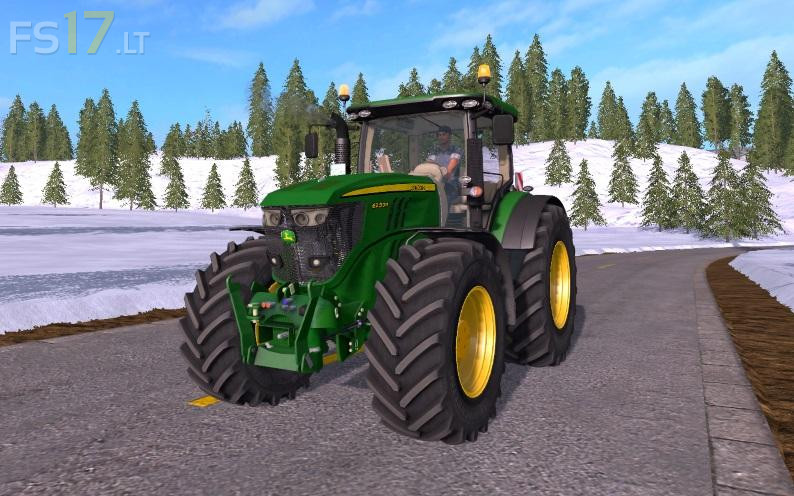
John Deere 6230R/6250R v 4.0 FINAL
Version 4.0 FINAL:
* Added Full Dynamic Hose
* Frontloader Console With Dynamic Hoses
* All Textures changes
* New Texture on mask with new dirt
* Improved steering panel model and added new steering wheel!
* Improved mask scale
* Improved front axle position
* New Grill (More Realistic)
* Added more realistic power to engines and added one on chip, up to 290 hp
* Fixed lights and beaconlights position
* Corrected Attacher Configurations
* 2 x Weight Option to choose and Laforge FH
* Corrected All Tires Configuartions
* New Michelin and Trelleborg tire texture
* New Interactive Control Buttons
* New Interactive Control Animations
* Foldable FH (With IC)
* Added Foldable Warning Signs (With IC)
* Added RDA in Wheels (With IC)
* GPS Starfire (With IC)
* Animated wiper (With IC)
* Fenders on button (With IC)
* Foldable Steering Column (With IC)
* Door and Back window animation (With IC)
* Openable door also from outside
* Corrected Hydraulic (Front and Rear)
* Added engine block in front section
* Dynamic exhaust (New Realistic Script)
* Indoor Sounds
* All animated indoor inndicators
* Corrected Camera Position
* Beifahrer/Passenger Script
* Better optimization in the game
* Corrected log errors, it is clean now
* Some visual changes and much more