

John Deere 7R Series Pack v 1.0.0.1

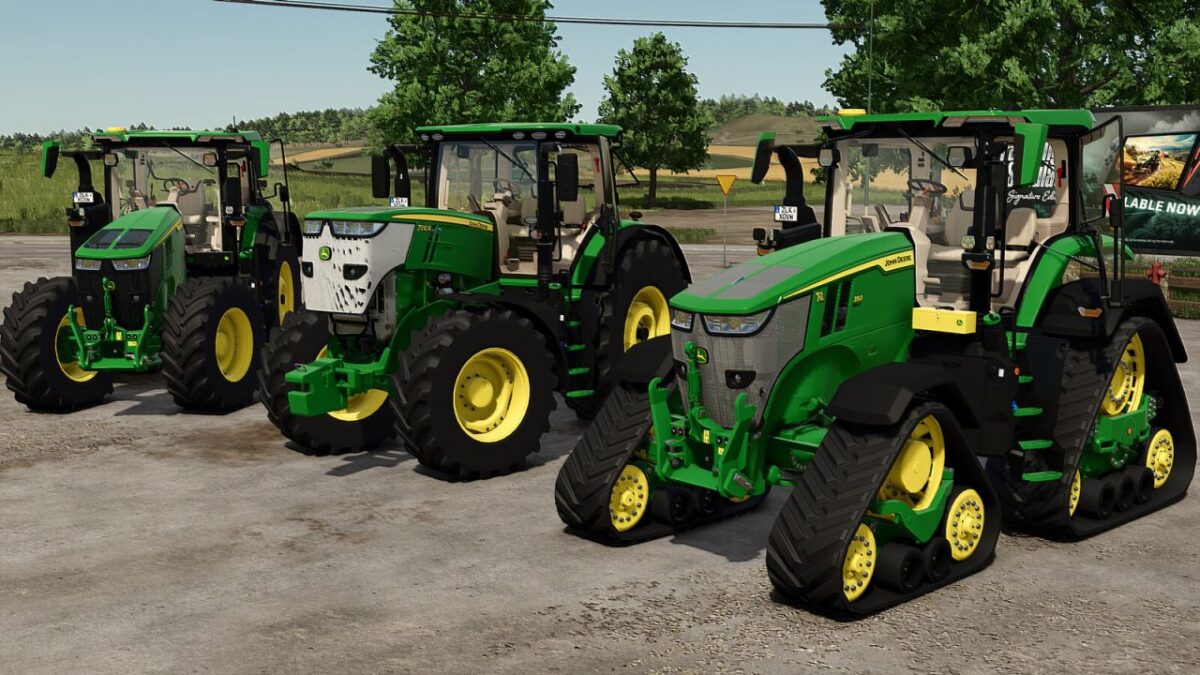
John Deere 7R Series Pack v 1.0.0.1
This pack includes three tractors :
1 John Deere 7R – Gen1 Series
Available animations (controlled via mouse or with the Interactive Control mod):
Doors
Rear window
Hood
Steering wheel
Terminal
Mirrors
Driver and passenger seats
Available configurations:
Wheels
EU or US design
Fenders
Warning signs
Beacon
Front loader
Front linkage
Animation selection
Main color
Engine grille color
Category: Large tractor
Price : 218 500 $
Power : 269 – 352 hp
Top speed : 50 km/h
2 John Deere 7R – Gen2 Series :
Available animations (controlled via mouse or with the Interactive Control mod):
Doors
Rear window
Hood
Steering wheel
Terminal
Mirrors
Driver and passenger seats
Configurations disponibles:
Wheels
EU or US design
Fenders
Real GPS (uniquement pour PC/Mac)
Beacon
Front loader
Front linkage
Animation selection
Main color
Engine grille color
Category : Large tractor
Price : 258 500 $
Power : 305 – 388 hp
Top speed : 50 km/h
3 John Deere 7RX – Gen2 Series :
Available animations (controlled via mouse or with the Interactive Control mod):
Doors
Rear window
Hood
Steering wheel
Terminal
Mirrors
Driver and passenger seats
Available configurations:
Wheels
EU or US design
Fenders
Rear fender design
Real GPS (uniquement pour PC/Mac)
Beacon
Front loader
Front linkage
Animation selection
Main color
Engine grille color
Category : Large tractor
Price : 258 500 $
Power : 305 – 388 hp
Top speed : 50 km/h
Version 1.0.0.1:
* Added the ability to sit in the passenger seat (multiplayer only)