

John Deere 8320R/8345R v 2.0 FINAL

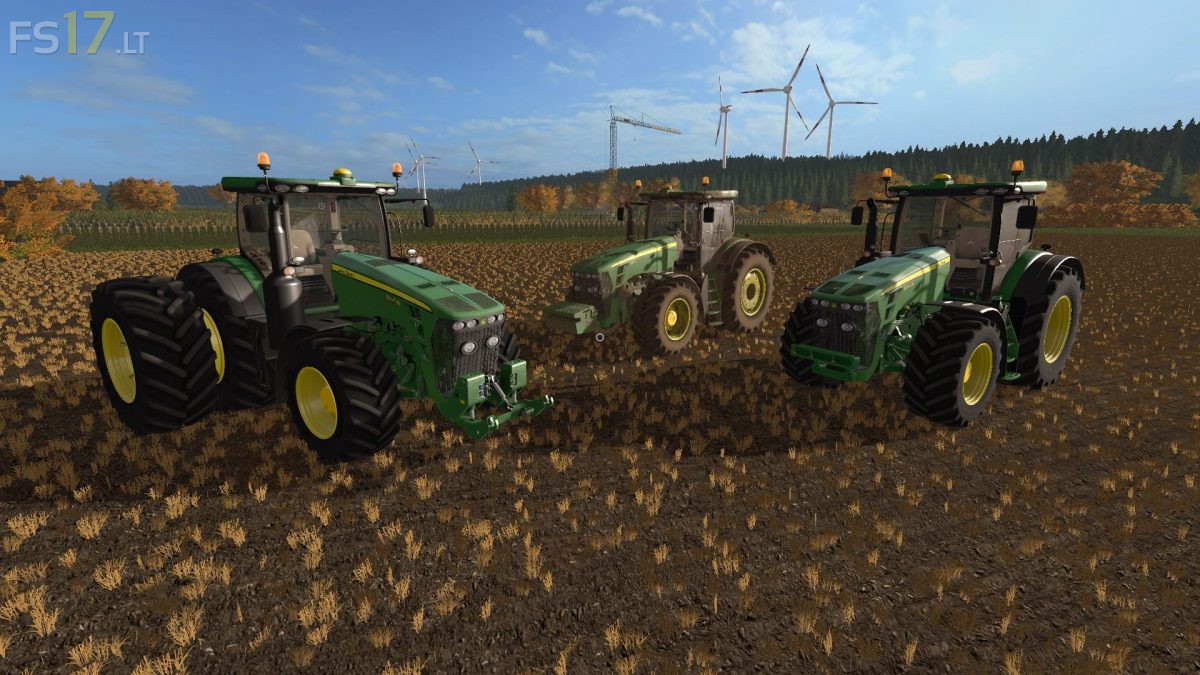
John Deere 8320R/8345R v 2.0 FINAL
About the mod:
– Engine Setup: 320 hp, 345 hp, 395 hp
– Selectable Wheels
– Selectable Design
– IC Control
– Washable
Version 2.0 FINAL:
* Added Dynamic Hose
* Added New Engine -> 8345R
* Changed engine power and added one on chip, up to 395hp!
* Texture changes
* Fixed lights
* New Michelin tire texture
* Corrected Fronthydraulic
* Added engine block in front section
* New Interactive Control Animations
* Dynamic exhaust
* Beifahrer/Passenger Script
* Washable changes
* Better optimization in the game
* Corrected log errors, it is clean now!
* Visual changes and much more
Credits:
T0bi69, Hulalo Modding, Sotillo, Marthu