

Krone GX AgriLiner 520 v 1.0.1.0

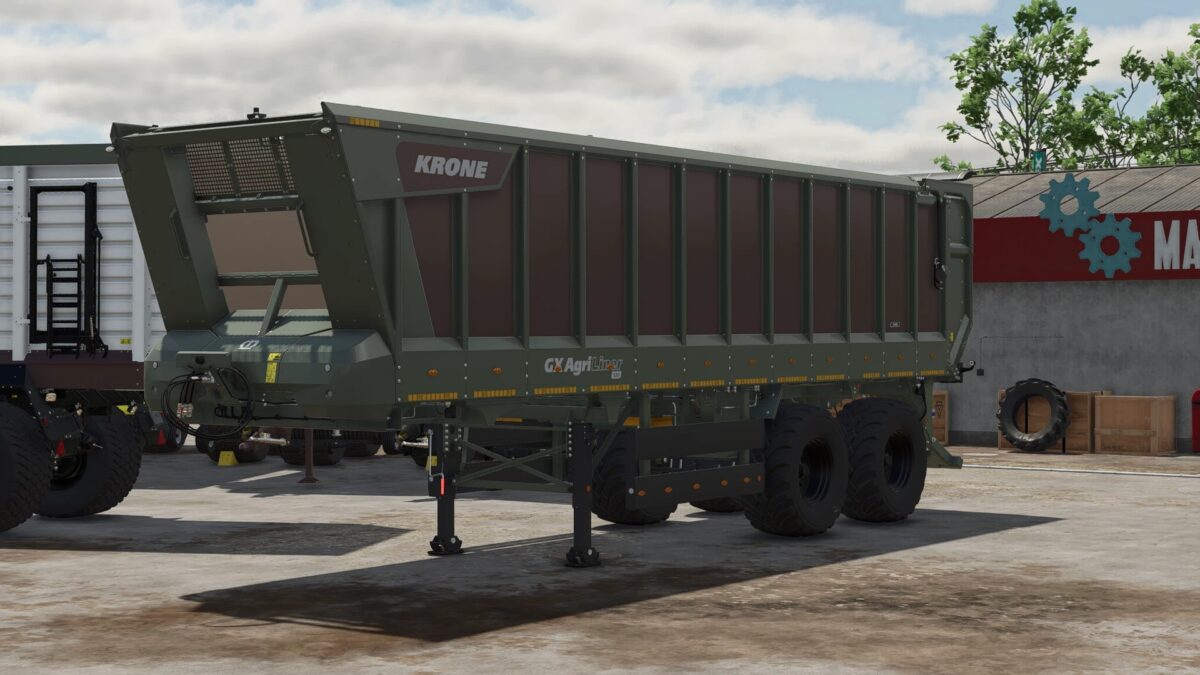
Krone GX AgriLiner 520 v 1.0.1.0

This mod brings the KRONE GX AgriLiner 520 to Farming Simulator 25.
This powerful agricultural trailer is perfect for transporting large quantities of crops and is an ideal fit for modern farms.
The trailer features adjusted driving physics, making it feel more realistic – especially when fully loaded
or at higher speeds on farm tracks and roads. This makes transport feel much more authentic in the game.
Thanks to its large loading area and high capacity, the AgriLiner 520 is ideal for long transport distances between the field and the farm.
Technical Specifications:
Capacity: 52,000 liters
Price: €95,000
Unladen weight: approx. 9,200 kg
Maximum gross weight: 32,000 kg
Category: Semi-trailer
Configurations:
Tire options
600/55 R26.5
710/50 R26.5 (wide tires)
Features:
Realistic driving physics
Steering axle for improved maneuverability
Realistic suspension and handling
Large transport capacity for efficient work
Have fun with the KRONE GX AgriLiner 520 in Farming Simulator 25
Version 1.0.1.0:
* Bug fixes
xHaZePrinZzx
How do I install Farming Simulator mods?
Find a mod that you like and want to download first. Then, on your PC, download a mod. Mods are typically in.zip format. However, it is sometimes in.rar format. If the mod file is in.zip format, no additional actions are required. If a file is in.rar format, you must unarchive it using software such as WinRar or Zip7. Windows 10 users do not need to use archive software; Win10 includes an unarchive feature.
The next step is to locate the mods folder on your computer. It is typically found in Documents/My Games/Farming Simulator [Your FS game version, e.g. 2022]. Open the "mods" folder and place the downloaded.zip archive or unarchived.rar file there.
The final step. Have fun with Farming Simulator mods!