
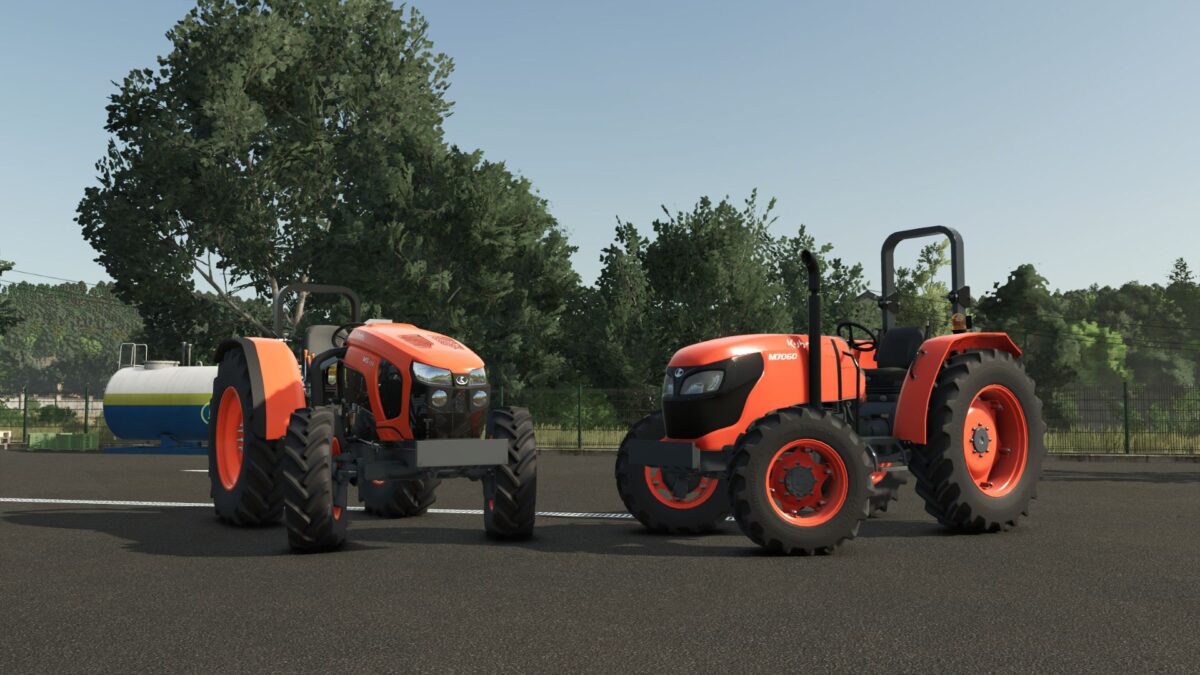
Kubota M7060 & M5001 v 1.0.0.7

FS25 mods

Kubota M7060 & M5001 v 1.0.0.7

1 Star2 Stars3 Stars4 Stars5 Stars
About mod:

– Powerful and efficient engine: Highly reliable Kubota diesel engine options, with excellent torque for heavy duty work
– Multiple configurations: Different track widths, tire types (standard, industrial or field), adjustable weight ballasts and transmission options
– Full compatibility: Prepared for front loader, rear implements and all types of agricultural implements
– Highly detailed open cockpit/station: Fully animated interior with realistic steering wheel, pedals, levers, instrument panel and controls, even in the version without cockpit where the exposed mechanics are better appreciated
– True-to-life design: High quality textures, original Kubota sounds and fluid animations offer an immersive experience.
– Whether for heavy tasks in the open field with the M5001 series or for more precise and agile work with the M7060, these tractors will become the indispensable workhorses of your farm in FS25
– Solid, reliable and ready for any challenge

Version 1.0.0.7:
* Corrected Warnings in the Console

Credits:

SeviModding

* By clicking [Download this mod from filehost] button you agree to leave this website. The link opens in the new tab. File is hosted in the external website. We are not responsible for the content of the external page and the possibility of free download of the file.

How do I install Farming Simulator mods?
Find a mod that you like and want to download first. Then, on your PC, download a mod. Mods are typically in.zip format. However, it is sometimes in.rar format. If the mod file is in.zip format, no additional actions are required. If a file is in.rar format, you must unarchive it using software such as WinRar or Zip7. Windows 10 users do not need to use archive software; Win10 includes an unarchive feature.

The next step is to locate the mods folder on your computer. It is typically found in Documents/My Games/Farming Simulator [Your FS game version, e.g. 2022]. Open the "mods" folder and place the downloaded.zip archive or unarchived.rar file there.

The final step. Have fun with Farming Simulator mods!

Leave a Reply

Your email address will not be published. Required fields are marked *