

Livestock Trailers Pack (Chicken Edition) v 1.0

Livestock Trailers Pack (Chicken Edition) v 1.0
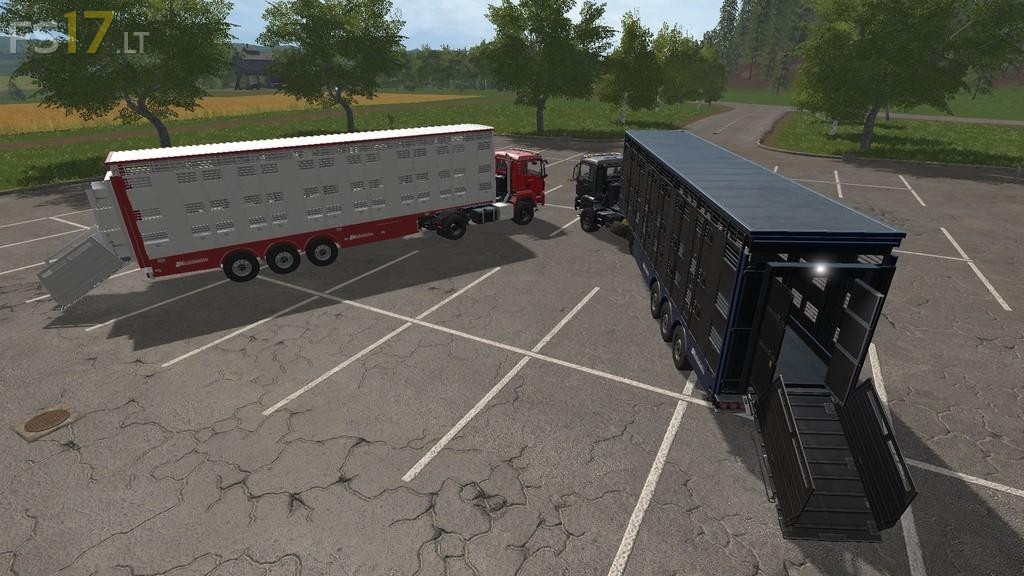
These Livestock Trailers have been modified primarily to be used with the “Enhanced Chicken Pack”. Both standard in game trailers are included.
Michieletto AM19 – Along with the addition of Chickens this trailer now features two levels, so now you can carry a larger number of animals. The roof and windows are automatically opened when animals are added
along with the 18 fully operating fans your Livestock will be cool and calm when travailing. There is now also the ability to open the rear doors by standing behind the trailer. When empty the roof can also
be operated from this point if required. Finally the addition of Fill Display signs on the rear of the trailer depending on the animal you are carrying.
Capacity: 28 Cow, 42 Pigs, 48 Sheep, 180 Chickens.
Joskin Betimax RDS 7500 – Chickens have been added and Colour options for the cover and rims are now also available.
Capacity: 6 Cow, 10 Pigs, 9 Sheep, 50 Chickens.