

MAN TGE Ambulance v1.0.0.4

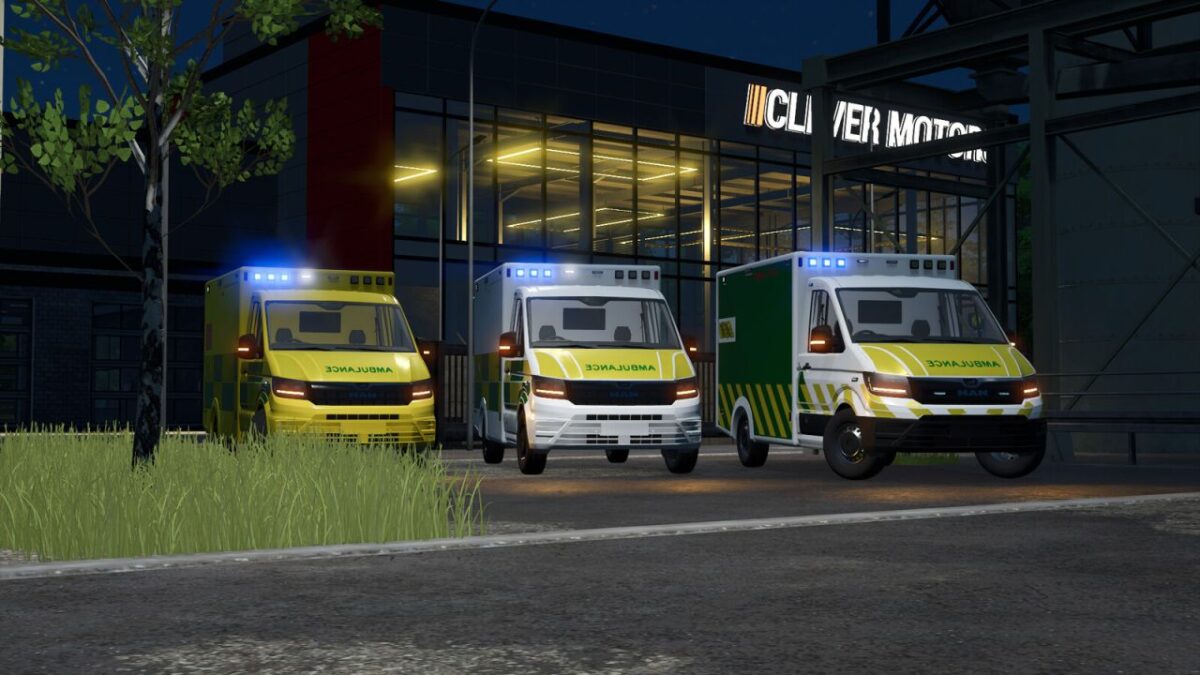
MAN TGE Ambulance v1.0.0.4
The MAN TGE 2018 in the ambulance (Rettungswagen) version is a compact, agile, and yet powerful emergency vehicle used in daily rescue services in numerous countries. Thanks to its modern construction and reliable technology, it offers an ideal combination of speed, stability, and functionality perfectly tailored to the requirements of medical emergency operations.
Particularly noteworthy is the vehicle’s versatility: the MAN TGE can be customized and individually adapted in various configurations to meet the respective needs of rescue services and organizations. This creates an ambulance that impresses not only with its technical equipment, but also with its exterior appearance.
Different foil wrap variants are available for the exterior design—including an English, a German, and an Austrian version. Each of these variants reflects country-specific design standards and color schemes, ensuring that the ambulance is immediately recognizable as such, regardless of the country in which it is used.
Configurations:
Rim color
Bumper color
Foil wraps
Left and right-hand drive
Special signal systems (front and rear)
Running board color
Front and side strobes
Functions:
Horn can be turned on via “Open cover”
Rear warning beacon can be turned on via “Unfold”
Doors open via IC, or without IC with MouseControl
RealGPS installed
Maximum speed: 150 km/h
Price: €154,000
Power: 125 kW (170 hp)
Category: “Vehicles / Cars”
V1.0.0.4
Fixed a hole in the bodywork on the UK version
Added translations for: Czech, Spanish, Dutch, Russian, Portuguese and Turkish