

MAN TGS 18.480 with Jenz Hem 583 v 2.0

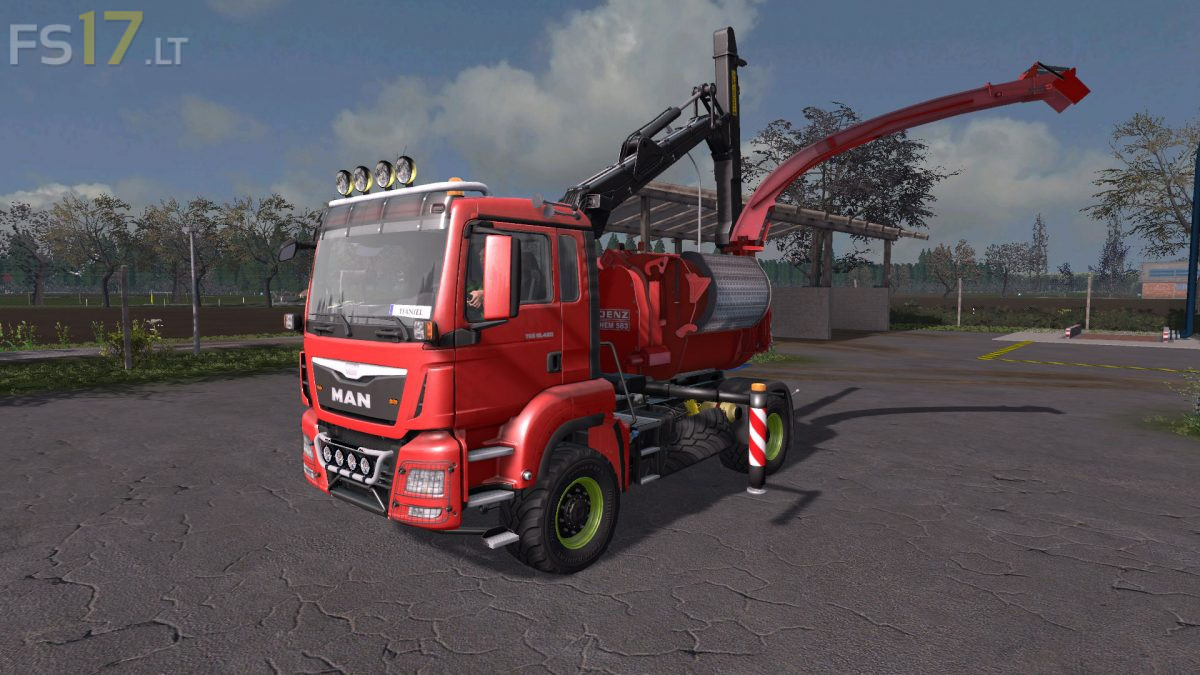
MAN TGS 18.480 with Jenz Hem 583 v 2.0
– Power 480 hp
– Selectable Attacher
– Selectable Rim Color
– Selectable Design Color
– Choice of Color
– Capacity 5000 liters
– Washable
Version 2.0:
* Crane Fix (the cables were wrongly rotated when turning the gripper, resulting in clipping errors)
* New mod icon
* Minor fixes in the code
* Added surveillance cameras. This feature has 3 different surveillance cameras on the vehicle. Via the left ALT key the mouse menu can be activated and thus the cameras can be selected in the HUD on the lower right on the numbers 1-5. Camera 1 offers a return camera, Camera 2 is used to monitor the chopper table, so you can safely and straight introduce tree trunks. Camera 3 is a pipe-cam, which is located on the ejector tube and thus monitors the shredded material ejection. If you do not want this feature, the classic version without camera is also available in the shop.
This mod is not created only by Endless Dark and Giants. Almost every accessory is added by me – DG22!!!
Also who posted that without my premissions and why?