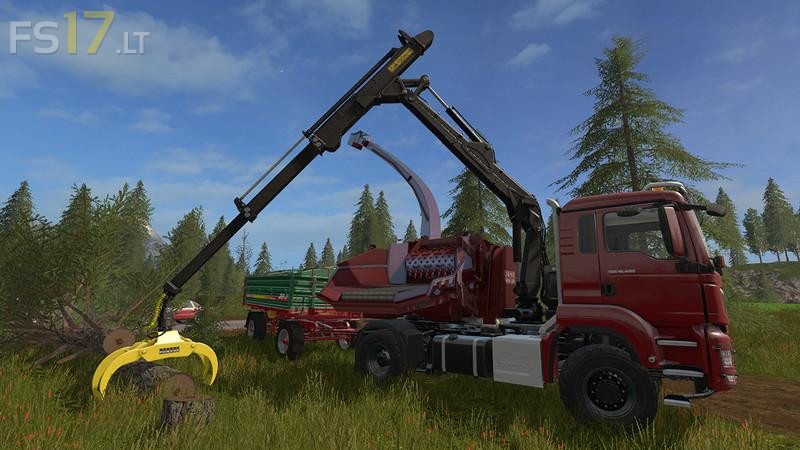
MAN TGS 18.480 with Jenz Hem 583 Woodcrusher v 1.4

FS19 mods

About the mod:

Version 1.4:
* Ejection is now fully controllable with the mouse and can thus also be tilted downwards by 90 ° in order to be able to eject the wood chips directly next to the chopper. Left click to hold the first ejection, hold down the right mouse button to control the second ejection. Note: the control is not possible when the auto-aim of the tube detects a trailer near it and is aimed at it.
* Fixed an animation error when the pipe was opened. The pipe now no longer turns obliquely upwards, but laterally as it should be.

Credits:
Giants, Endless Dark

How to install FS17 mods?

Firstly find a mod which you like and want to download. Then download a mod to your PC. Mods are usually in .zip format file. But sometimes it can be in .rar. If a mod file is a .zip format no needed additional actions. If a file is in .rar, then you must unarchive mod with software like WinRar or Zip7. Windows 10 users no need to use software for archives, Win10 itself has a feature to unarchive files.

The next step is to find mods folder in your PC. Usually, it is in Documents/My Games/Farming Simulator 17/2017. Open the "mods" folder and put downloaded .zip archive or unarchived .rar file to this folder.

Last step. Enjoy of FS17 mods!

Leave a Reply

Your email address will not be published. Required fields are marked *