

MAN TGS 8×8 with Fliegl Extension v 3.0 Multicolor

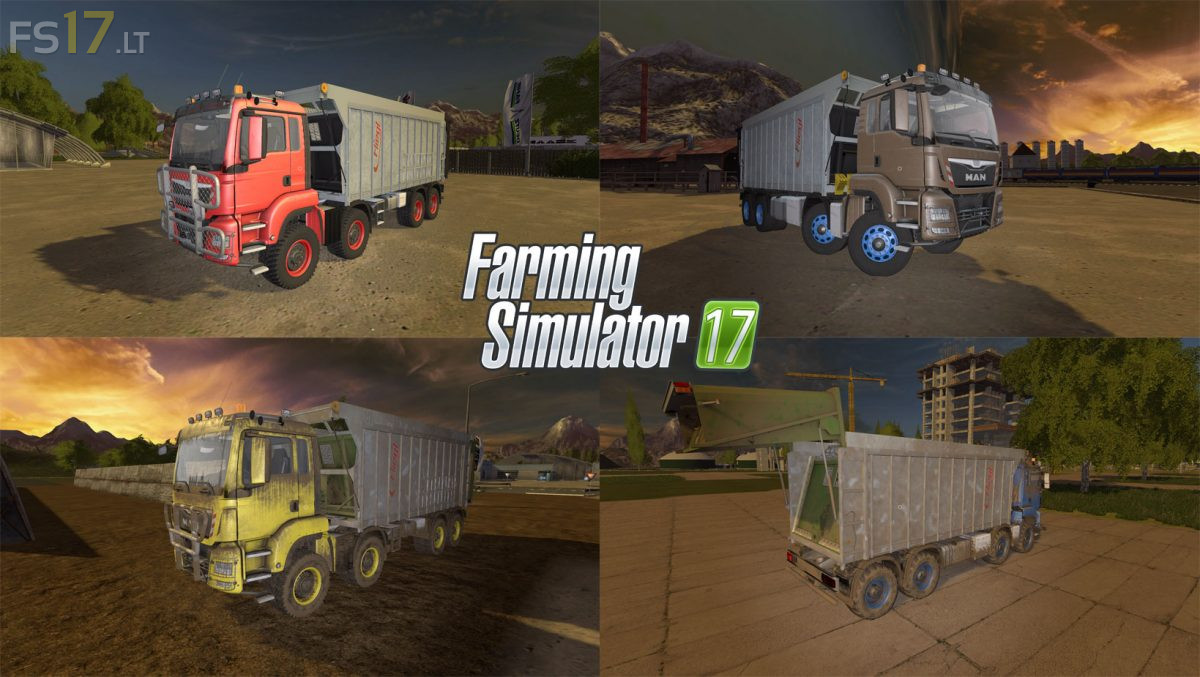
MAN TGS 8×8 with Fliegl Extension v 3.0 Multicolor
About the mod:
– Selectable Engine: 440 hp, 480 hp, 520 hp
– Selectable Wheels: Street Wheels, Agrar Wheels, Tatra Agrar Wheels, Tatra Offroad Wheels, MAN Agrar Wheels, MAN Offroad Wheels
– Selectable Rim Color
– Selectable Design: Without Front Bumper, Small Front Bumper, Medium Front Bumper, Large Front Bumper
– Selectable Attachers: Standard, Back
– Choice of Color
– Capacity 34500 liters
– Dirt / washable
Version 3.0:
* Fixed bug: last axis was not driven
* Change in the purchase menu – Menu point Design: Added new design
* There were some things on the Fillplane, at least as far as the unloading is concerned
* The tarpaulin has been removed
Credits:
Giants, Klawkalash, Cougii