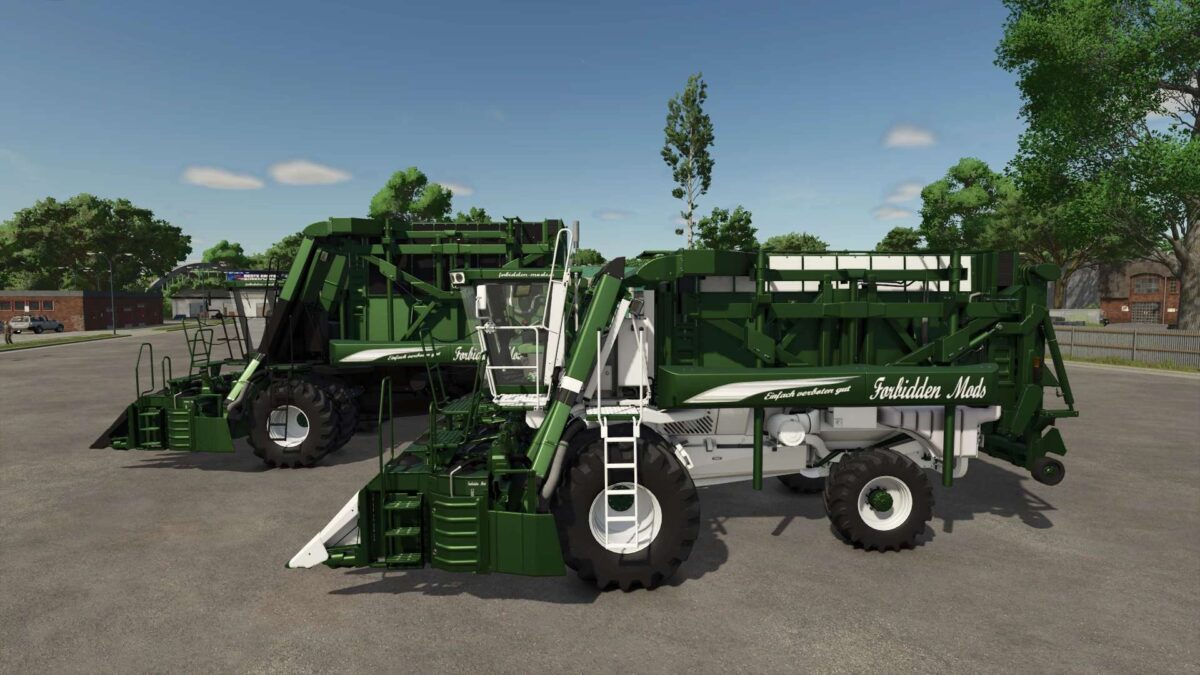
Module Express 635 Limited Edition v 1.0
TestRunner public 0.9.17 checked
Shop category: Cotton harvesters
Price: €436,000
Working width: 8 m
Working speed: 15 km/h
Engine options: Standard, Limited Edition 635 hp, and Premium 935 hp
Speed: 40 km/h
Decal options
Rear logo options
Front logo options
Sticker options
Seat decal options
Passenger seat logo options
Color options for main color, design color, interior design, headliner, seat, FBM.de, and rim color
Increased repair interval
Dolphin
How do I install Farming Simulator mods?
Find a mod that you like and want to download first. Then, on your PC, download a mod. Mods are typically in.zip format. However, it is sometimes in.rar format. If the mod file is in.zip format, no additional actions are required. If a file is in.rar format, you must unarchive it using software such as WinRar or Zip7. Windows 10 users do not need to use archive software; Win10 includes an unarchive feature.
The next step is to locate the mods folder on your computer. It is typically found in Documents/My Games/Farming Simulator [Your FS game version, e.g. 2022]. Open the "mods" folder and place the downloaded.zip archive or unarchived.rar file there.
The final step. Have fun with Farming Simulator mods!