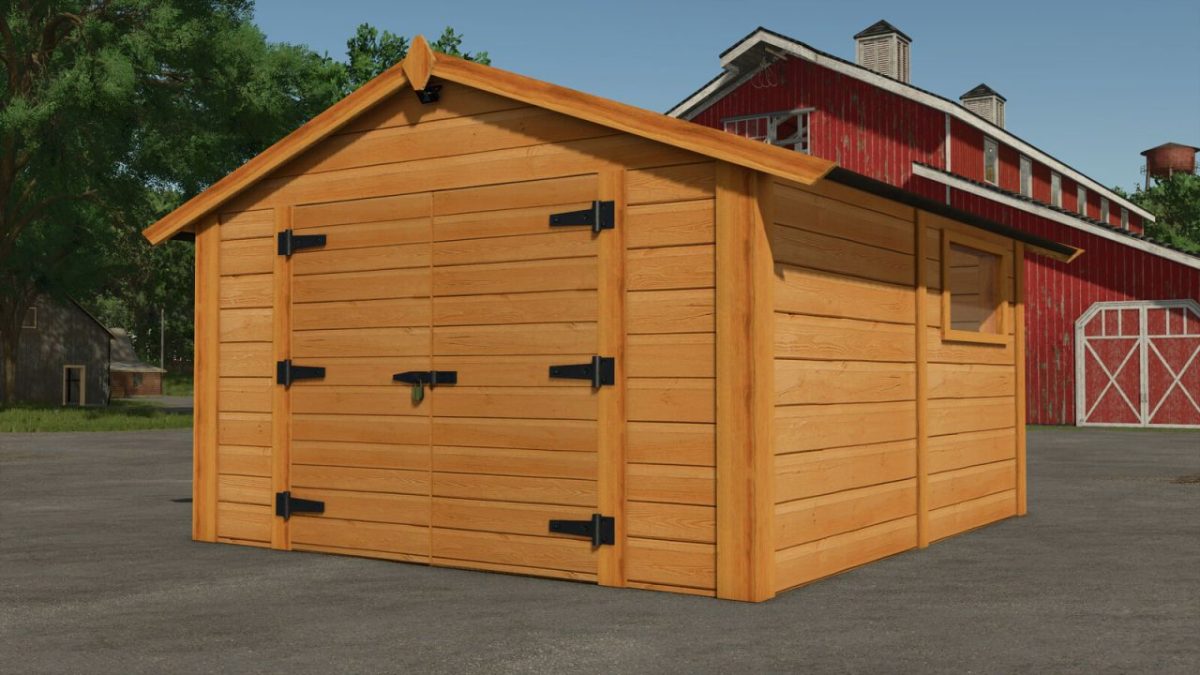
New England Shed v 1.1
About the mod:
A classic New England style shed. Stained with a cherry pine finish, the shed will withstand that harshest weather.
Features:
– Animated Doors
– Animated Lights
– Snow and Icicles in the winter
– Optional Solar Panel configurations
Price: $500
Daily Upkeep: $2
Hourly Income: $60 (When Solar Panel Configuration is set to active)
Version 1.1:
* Added a handtool storage bench with a spot hold 4 chainsaws
* Added storage spots for your horse brushes and spray cans
* Added automatic flood lights on the front and rear of the shed
* Added French translations
Credits:
Squigglze
How to install FS17 mods?
Firstly find a mod which you like and want to download. Then download a mod to your PC. Mods are usually in .zip format file. But sometimes it can be in .rar. If a mod file is a .zip format no needed additional actions. If a file is in .rar, then you must unarchive mod with software like WinRar or Zip7. Windows 10 users no need to use software for archives, Win10 itself has a feature to unarchive files.
The next step is to find mods folder in your PC. Usually, it is in Documents/My Games/Farming Simulator 17/2017. Open the "mods" folder and put downloaded .zip archive or unarchived .rar file to this folder.
Last step. Enjoy of FS17 mods!