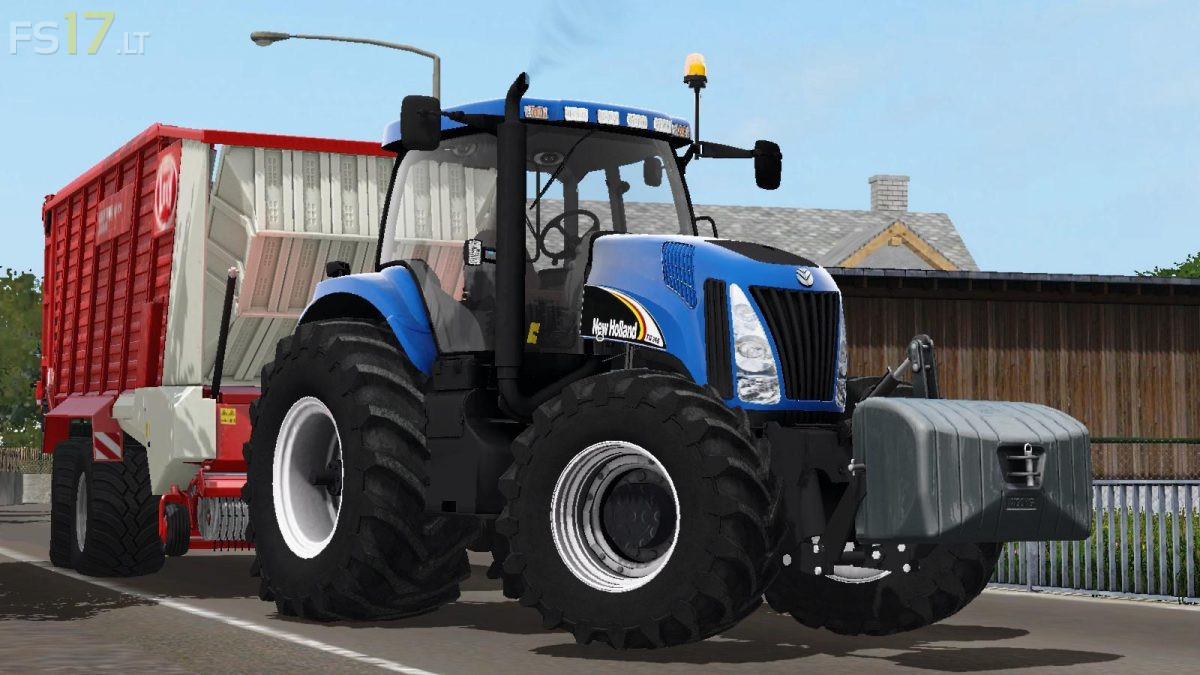
New Holland TG Series v 1.0

FS19 mods

About the mod:

Characteristics: More Realistic addon, Black smoke when the tractor is switched on and an animated tool, entrances and descent, partial internal lighting, dirt (now available only in wheels, lift and engine), engine vibration, animated fan, dynamics homes addon, passegger script, display controls, warning signs, buttons, sounds and interactive controls (doors, lifts control, engine ignition and lights, and opacity signs), realistic lights and lights. engine configuration (215 to 305), design with lift or weight, normal or fog lights, full optional (logo, dimmer, antenna, flashing) and various options for choice and customization, and wheel configuration (weight, or new ones).

Credits:
Neyther and Lucky modding

How to install FS17 mods?

Firstly find a mod which you like and want to download. Then download a mod to your PC. Mods are usually in .zip format file. But sometimes it can be in .rar. If a mod file is a .zip format no needed additional actions. If a file is in .rar, then you must unarchive mod with software like WinRar or Zip7. Windows 10 users no need to use software for archives, Win10 itself has a feature to unarchive files.

The next step is to find mods folder in your PC. Usually, it is in Documents/My Games/Farming Simulator 17/2017. Open the "mods" folder and put downloaded .zip archive or unarchived .rar file to this folder.

Last step. Enjoy of FS17 mods!

3 thoughts on “New Holland TG Series v 1.0”

  • 1 PAR CM says:
    2017-09-24 at 18:20

    pas possible de telecharger… ” no File”

    • 1 PAR CM says:
      2017-09-24 at 18:22

      erreur de ma part celà fonctionne. dsl

  • Farming9572 says:
    2017-09-27 at 00:48

    Test Video Review HD: https://youtu.be/Fm7-2mkH37Q

Leave a Reply

Your email address will not be published. Required fields are marked *