

New House Pack (Prefab) v 1.0

New House Pack (Prefab) v 1.0
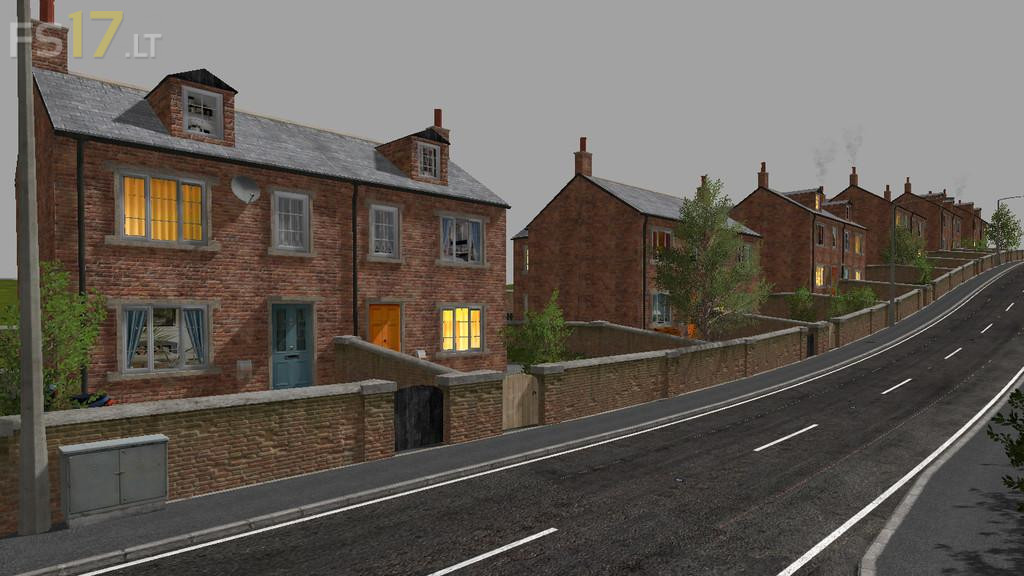
So here is a house kit with a lot of options available, to make a village setup for your project with each building being different, giving the village you are making a very distinctive look. There is 2 versions of houses and each can be made into a terraced look or a detached look, inside the kits there is also options for room appearance and also curtains and lit windows, there is also a extension that can be left in or deleted for another different look. The house setup may look a little difficult to place into your map at first but make sure to have a good look around the mod first before you start making your new villages. Make sure to duplicate the models before removing any of the options first, as once removed you won’t have the option to bring them back, so best way is to place a house and then duplicate it first before removing any items, and continue this until you have all the needed houses for your village.