
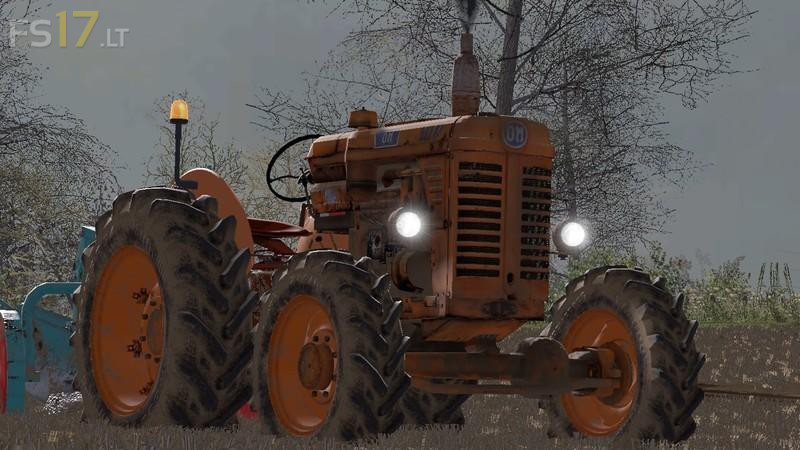
OM 50 R v 2.0
About the mod:
Version 2.0:
* Errors corrected
* New Textures (diffuse, specular, normal)
* IC Control (start, lights, lower back)
* New Sounds (start, idle, run, load, stop)
* New Animations (with left mouse button, we can translate indoor camera from left to right) and new configurations at the shop (2wd and 4wd wheels)
Credits:
neyther
How to install FS17 mods?
Firstly find a mod which you like and want to download. Then download a mod to your PC. Mods are usually in .zip format file. But sometimes it can be in .rar. If a mod file is a .zip format no needed additional actions. If a file is in .rar, then you must unarchive mod with software like WinRar or Zip7. Windows 10 users no need to use software for archives, Win10 itself has a feature to unarchive files.
The next step is to find mods folder in your PC. Usually, it is in Documents/My Games/Farming Simulator 17/2017. Open the "mods" folder and put downloaded .zip archive or unarchived .rar file to this folder.
Last step. Enjoy of FS17 mods!
It’s a shame such a tractor and good model does not have a round steering wheel. Those “angles” really spoil a good job.