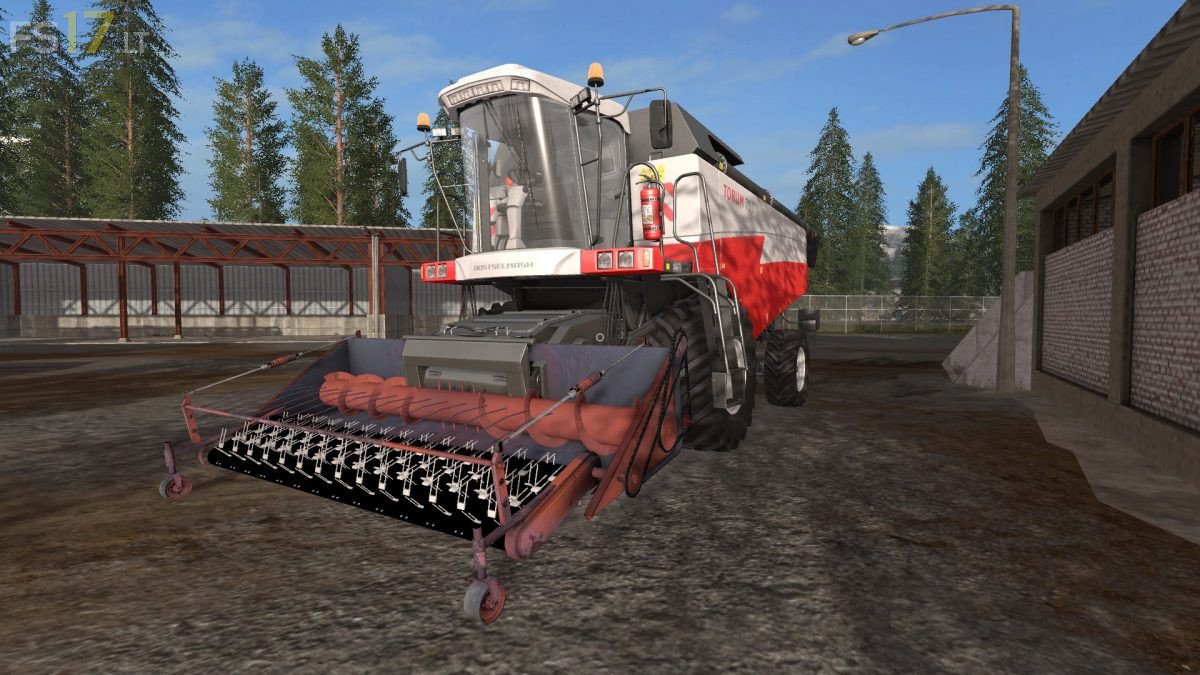
Podborshik Header v 1.0

FS19 mods

About the mod:

– Working width 3 meters
– Working speed 15 km/h
– Selects a beveled crop from a swath, hay, straw or grass
– Good animation in the selection of rolls
– Mounted Header

Credits:
Shnurok, sasha2001kz, Asim Alyatdinov, Silver_KHL

How to install FS17 mods?

Firstly find a mod which you like and want to download. Then download a mod to your PC. Mods are usually in .zip format file. But sometimes it can be in .rar. If a mod file is a .zip format no needed additional actions. If a file is in .rar, then you must unarchive mod with software like WinRar or Zip7. Windows 10 users no need to use software for archives, Win10 itself has a feature to unarchive files.

The next step is to find mods folder in your PC. Usually, it is in Documents/My Games/Farming Simulator 17/2017. Open the "mods" folder and put downloaded .zip archive or unarchived .rar file to this folder.

Last step. Enjoy of FS17 mods!

2 thoughts on “Podborshik Header v 1.0

  • FarmerBob16 says:
    2017-11-07 at 12:10

    nice+mod,+been+looking+for+something+like+this+for+a+while.+Could+you+add+interchangeable+colors+as+well?

    • FarmerBob16 says:
      2017-12-05 at 12:29

      additional comment, mechanics works well but model it self needs some more work done on it, model not complete in some areas

Leave a Reply

Your email address will not be published. Required fields are marked *