

Pure Mechanic System v 1.0 BETA 2

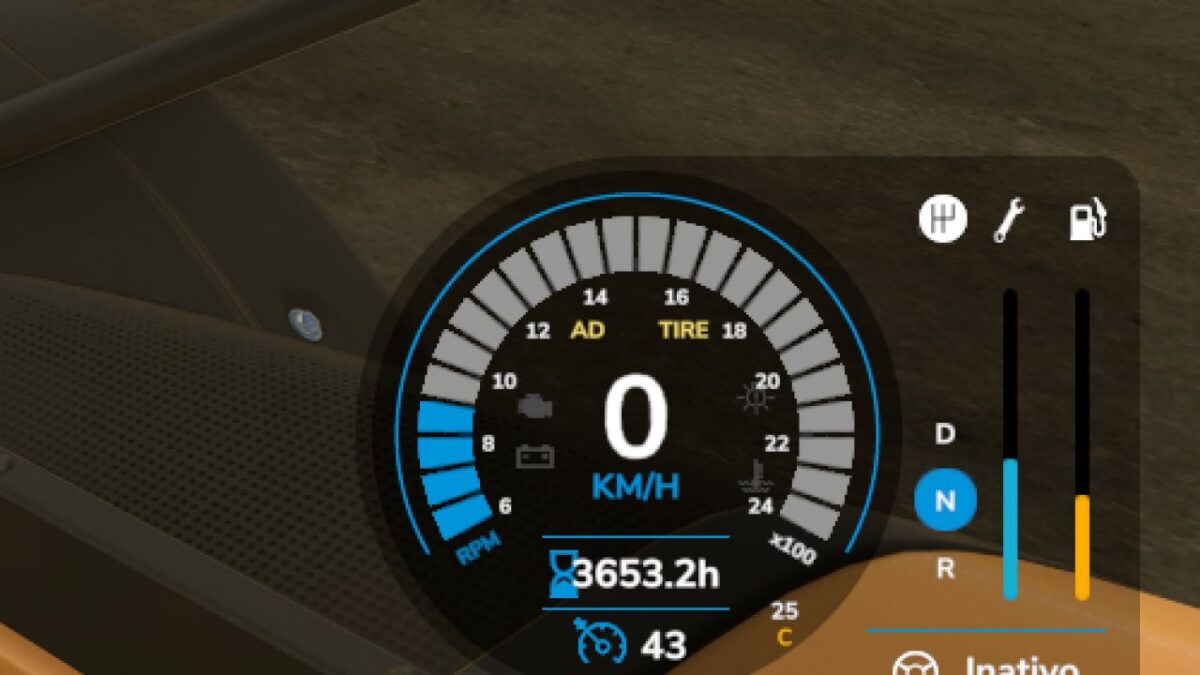
Pure Mechanic System v 1.0 BETA 2
About the mod:
Mechanic, maintenance, inspection and workshop system for Farming Simulator 25.
Includes workshop inspection, fault report, maintenance, general repair and single-part repair.
Some repairs require workshop access and the correct part inside the workshop area.
Keys:
K – to inspect (need to be very close to vehicles or implements)
J – Open tablet, where you can buy itens or make the field maintenance
Multiplayer wouldn’t work 100%
Version 1.0 BETA 2:
* New Translations: Es, Ru, Fr, Pl, Nl
* Fix Interactive Controls
* New Speedmeter Hud (Tire) when you have tire problems
* Fix Scale bugs
* Dirt now cause machinery problems (its slow but after some days will starting apply damage for example air filter)
Credits:
nordikviking