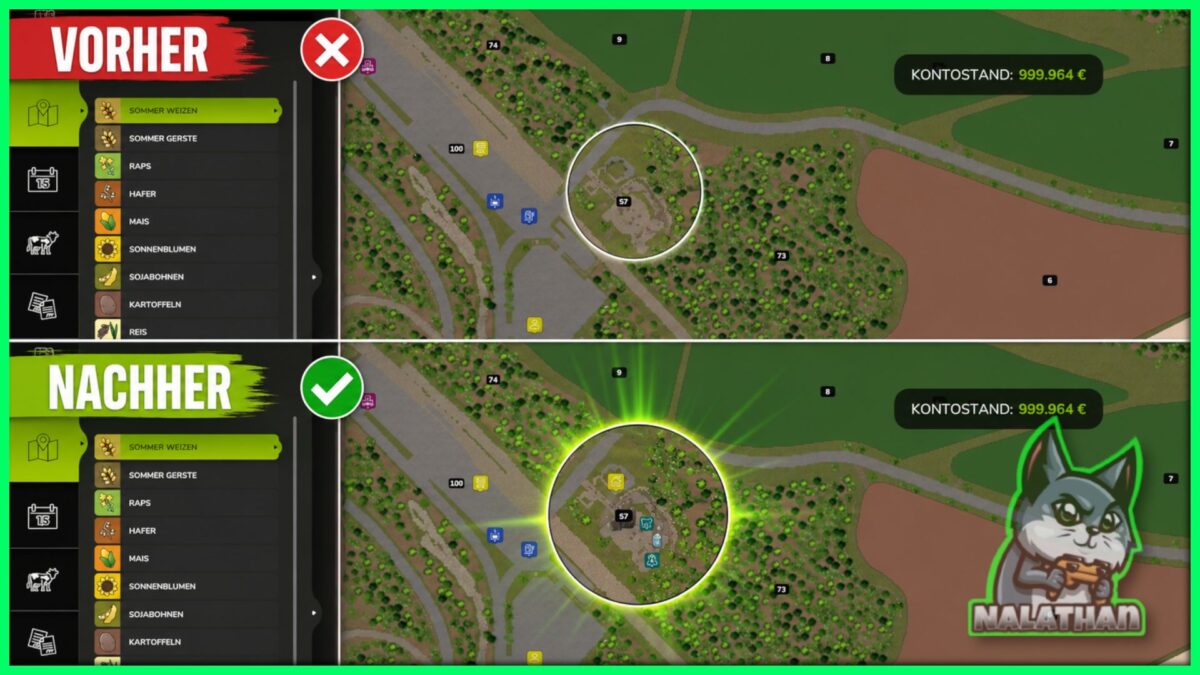
Reveal Hidden Barns v 1.0
On many maps, farms with stables, pens and pastures only appear on the minimap once you’ve bought the land they sit on.
This mod shows these farms on the map right away, so you get a better overview of where the interesting farms are before deciding what to buy.
The purchase itself, prices, and all other game mechanics stay completely untouched – only the map icon is shown earlier.
Nalathan
How do I install Farming Simulator mods?
Find a mod that you like and want to download first. Then, on your PC, download a mod. Mods are typically in.zip format. However, it is sometimes in.rar format. If the mod file is in.zip format, no additional actions are required. If a file is in.rar format, you must unarchive it using software such as WinRar or Zip7. Windows 10 users do not need to use archive software; Win10 includes an unarchive feature.
The next step is to locate the mods folder on your computer. It is typically found in Documents/My Games/Farming Simulator [Your FS game version, e.g. 2022]. Open the "mods" folder and place the downloaded.zip archive or unarchived.rar file there.
The final step. Have fun with Farming Simulator mods!