

Seasonal Crop Stress v 1.2.3

Seasonal Crop Stress v 1.2.3
FS25 farms look lush even when your crops are quietly dying of thirst. This mod changes that.
Real soil moisture physics. Heat evaporates. Rain replenishes. Sandy soil drains fast; clay holds longer. When moisture drops below critical thresholds during the windows that matter most — wheat during heading, corn during pollination — stress accumulates and your yield shrinks. Place a center-pivot irrigator, schedule it, and protect what you’ve grown.
Singleplayer, Multiplayer (host-authoritative), Persistent saves, EN / DE / FR / IT / NL / PL
QUICK START:
1. Load your farm — moisture monitoring activates immediately
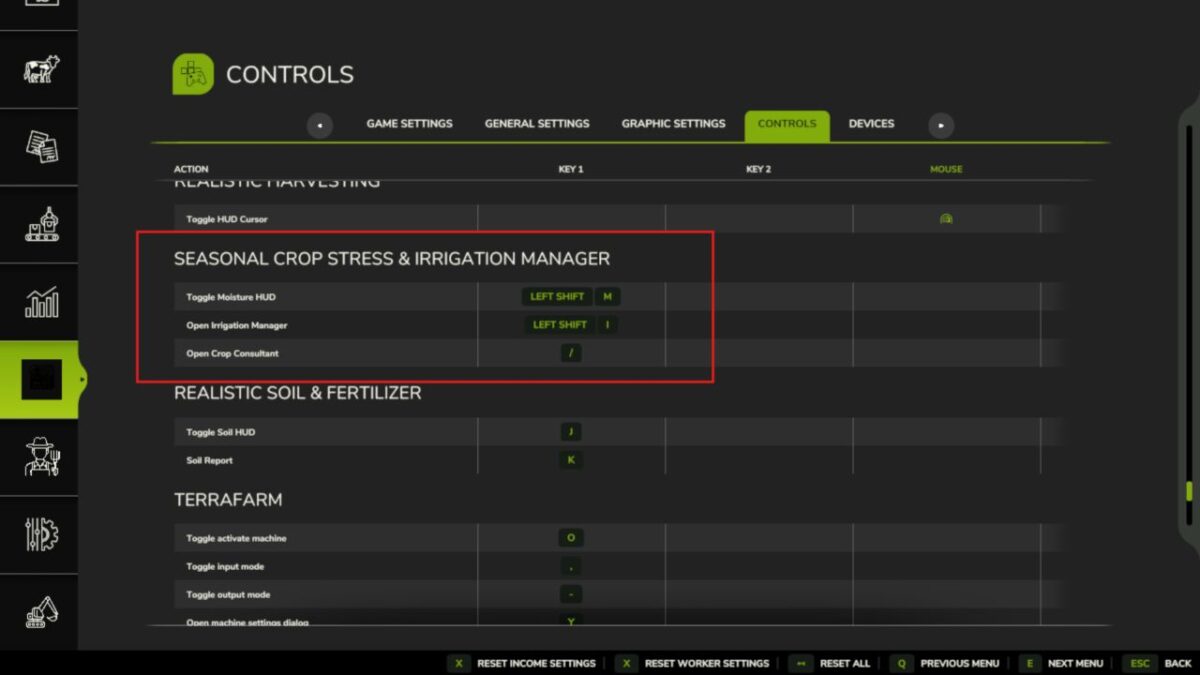
2. Press Shift+M → open the Field Moisture HUD
3. Click a field → see its 5-day moisture forecast strip
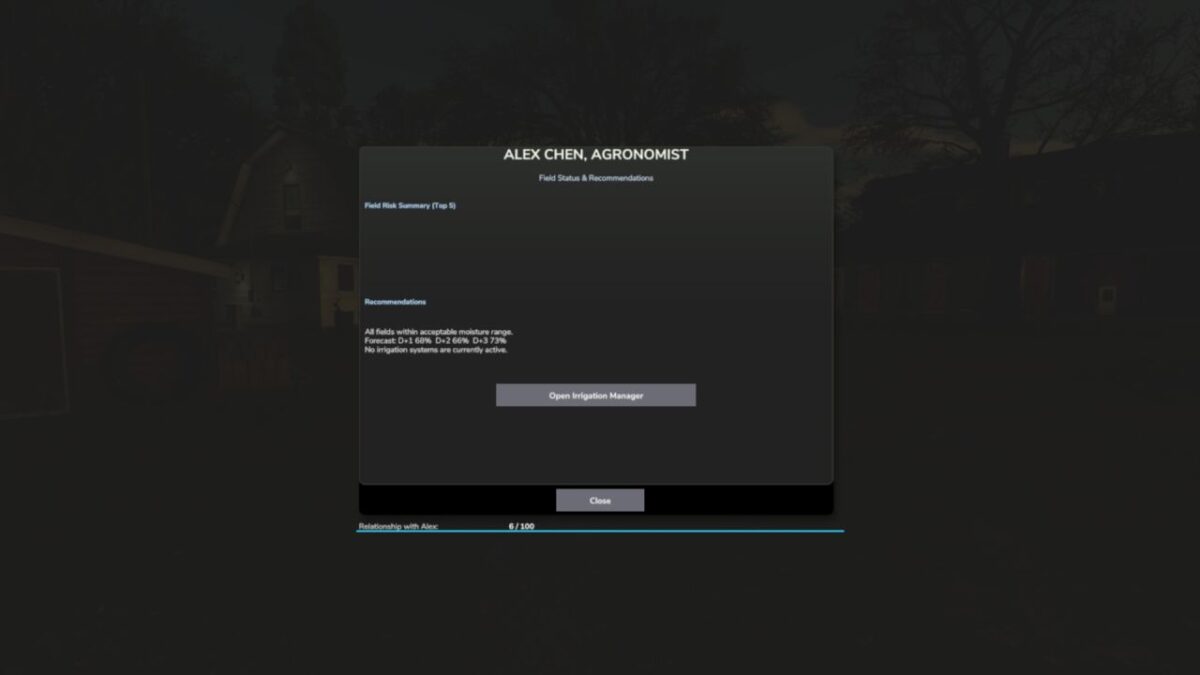
4. Press Shift+C → open the Crop Consultant for risk summary
5. Green = healthy · Yellow = needs attention · Red = irrigate NOW
6. Place a Water Pump near water, then a Center Pivot within 500m
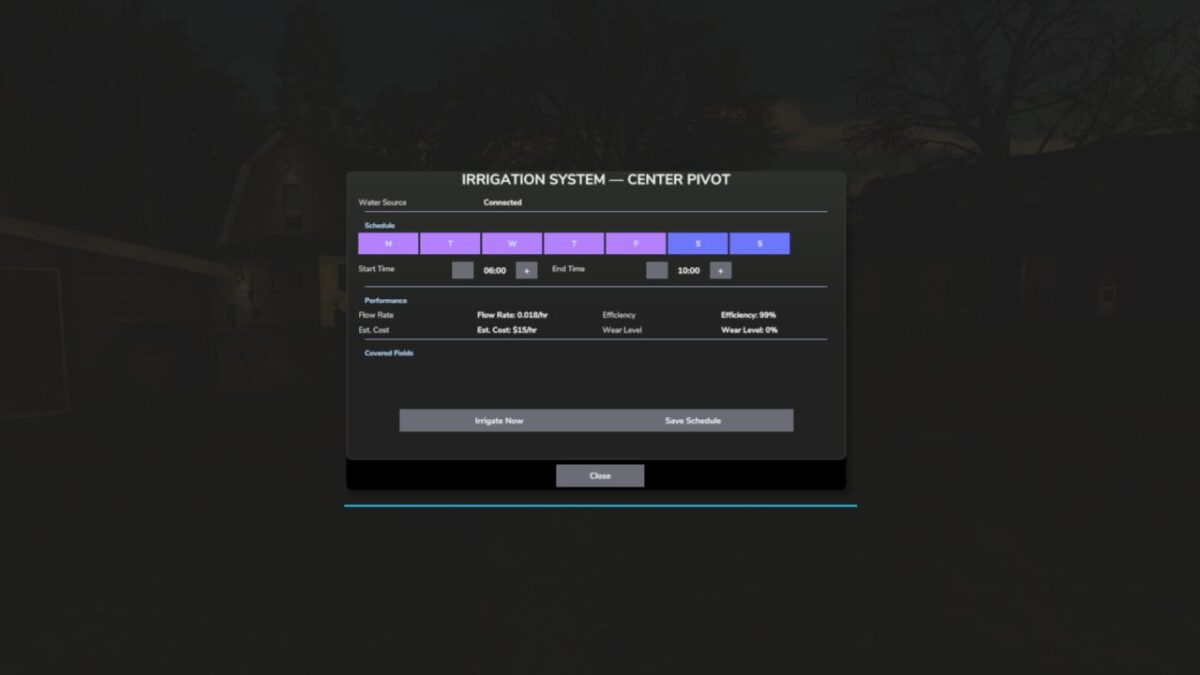
7. Press E near the pivot (or Shift+I) → set your irrigation schedule
8. At harvest, drought-stressed fields yield less — plan ahead
Water your fields or lose your harvest.
Version 1.2.3:
* This update fixes the long standing issue where players on dedicated servers saw no field data in the mod’s menus, and brings a major new way to monitor your fields: the in-game Crop Moisture Monitor
* DEDICATED SERVER FIX field moisture and stress data now syncs to all clients when they join. The Crop Moisture Monitor no longer shows a blank screen on dedi servers.
* CROP MOISTURE MONITOR a new tab in the ESC pause menu (look for the crop icon). Shows every field’s moisture level, stress %, and irrigation status at a glance. Includes a farm wide overview with average moisture, yield loss estimate, and healthy/warning/critical counts. No more needing to open the HUD overlay everything is in the menu.
* IRRIGATION TAB the monitor’s second tab lists all fields sorted by driest first. Click any irrigated field to jump straight to its schedule dialog.
* FIELD FILTER toggle between all fields and only your owned fields using the filter button in the monitor.
* MAP OVERLAY soil moisture is now shown as a colour coded overlay on the in-game map (green = healthy, yellow = warning, red = critical).
* RANDOM WORLD EVENTS if you run FS25_RandomWorldEvents, heat waves and droughts now increase crop stress accumulation dynamically.
* ALEX CHEN the Agronomist NPC’s relationship level now saves and loads correctly across game restarts (requires FS25_NPCFavor).
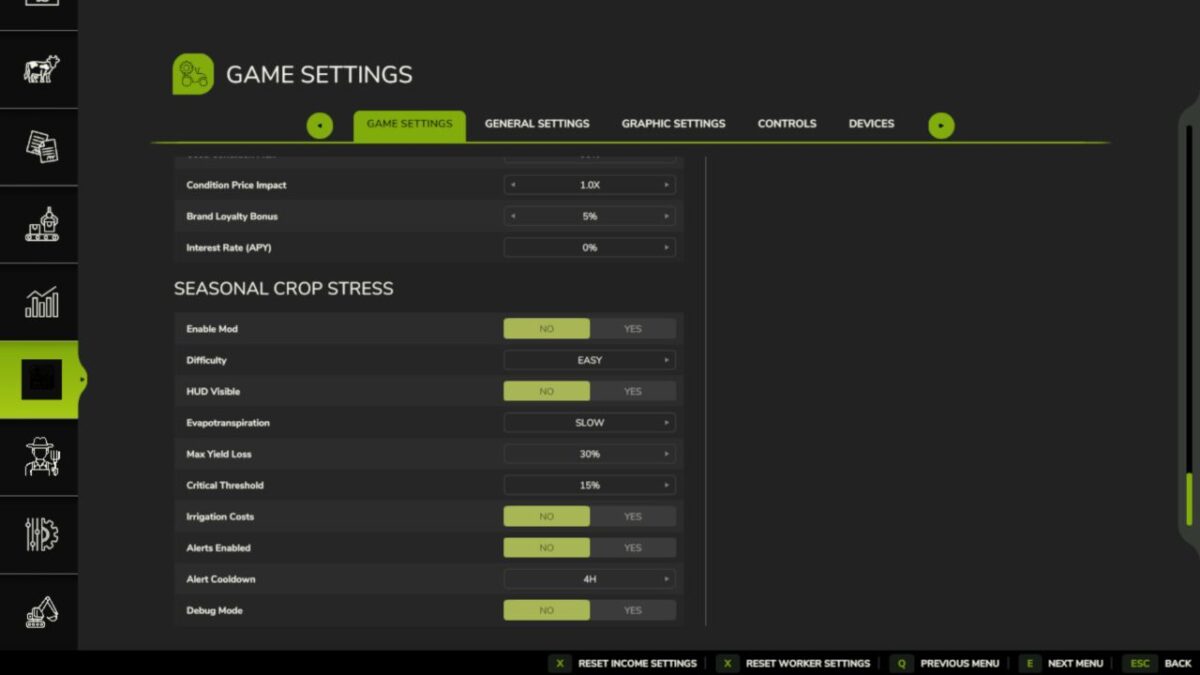
* SETTINGS PANEL press Shift+S to open the mod settings panel withou going into the ESC menu.
* DANISH TRANSLATION full Danish localisation added (thanks to community contributor West).
* Various fixes to the HUD overlay, translation files, and UI layout.
* Save compatibility: no migration needed your existing save loads normally.