

Seasons Geo: Minnesota USA v 1.0

Seasons Geo: Minnesota USA v 1.0
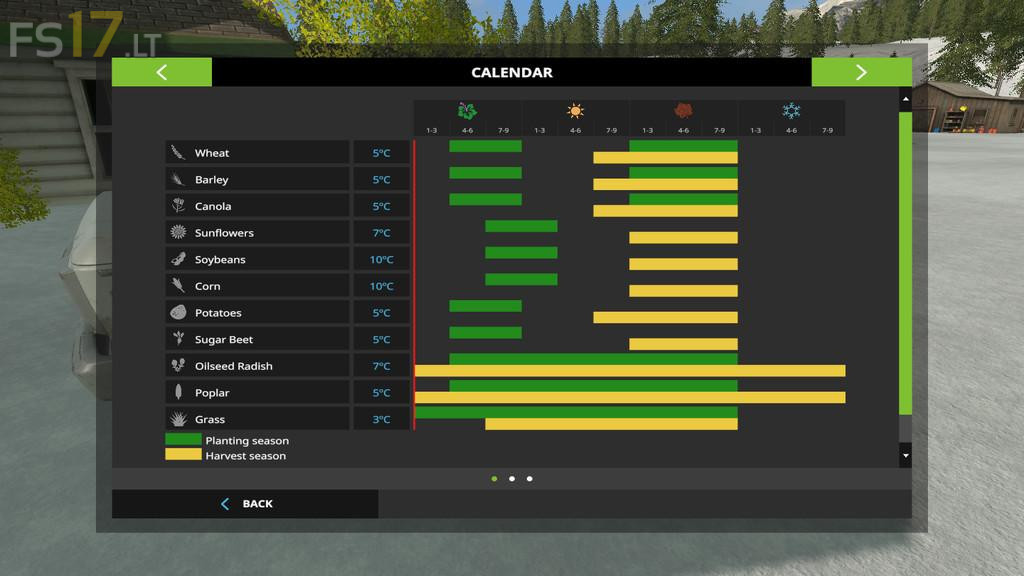
Do you want to experience farming in the conditions of Minnesota USA? Welcome to the Northern Great Plains of the USA. Here you can experience all four seasons from the cold of winter (Average January temperature of -5 C or 23 F) to the heat and humidity of summer (Average July Temperature 28 C or 82.4 F). Snow is possible here from October all the way up to May, though it will likely fall mostly during November through March. The growing seasons here are shorter, so you will need to plan carefully to get all your work done. This mod allows for growing of all standard FS 17 crops, except Sugar Cane, although the most common crops here are Corn and Soybeans. Wheat, Barley, Sunflowers, Potatoes and Sugar Beets can be found here, while Canola isn’t usually seen here. The weather for this mod was generated from the City of Rochester, Minnesota.