

Sell Price Multiplier v 1.0

Sell Price Multiplier v 1.0
About the mod:
Sell Multiplier lets you change how much money you earn when selling produce, products, bales, wood, and other supported sellable items.
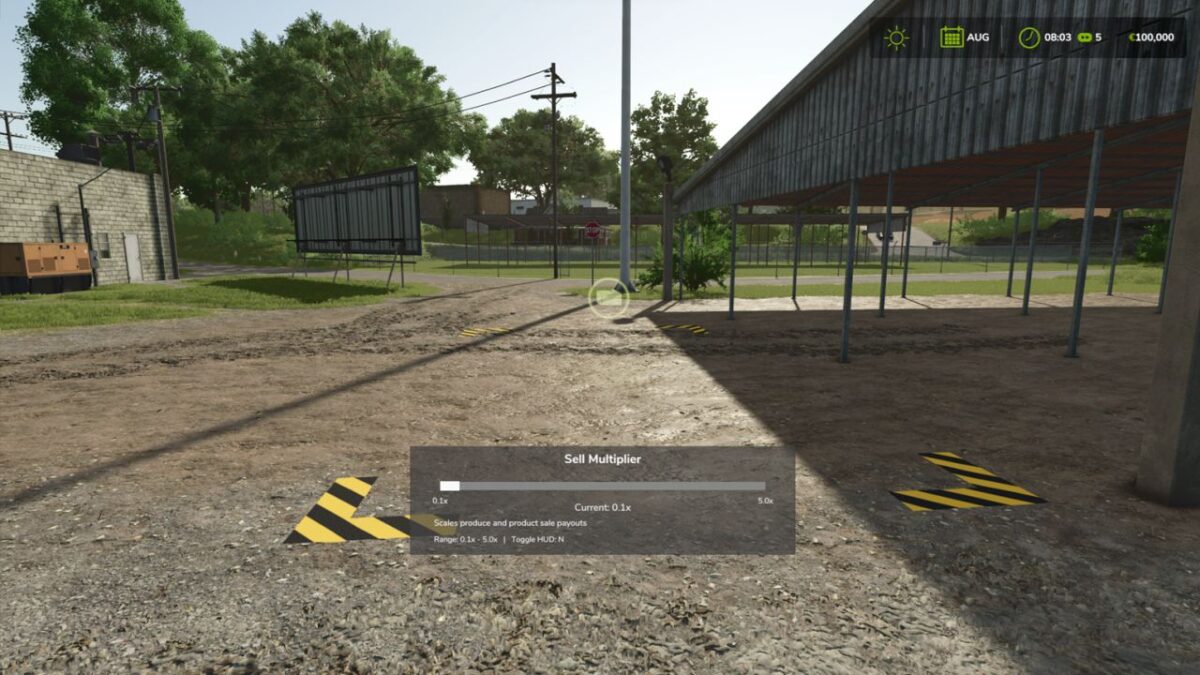
Open the HUD with the assigned input in the Controls menu (default: M) and adjust the sale multiplier with the on-screen slider. The multiplier supports decimal values from 0.1x to 5.0x, so you can lower payouts for a harder challenge or raise them for a faster progression style. Changes apply to supported sale payouts while the mod is active.
Features:
Adjustable sell multiplier from 0.1x to 5.0x
Decimal slider control for fine tuning
Works with produce, products, bales, and wood sales
Rebindable HUD toggle in the Controls menu
Simple in-game HUD for quick changes
Credits:
plutogaming91