

Slurry Pipe System v 1.0.0.9

Slurry Pipe System v 1.0.0.9
Realistic physical slurry pipe system for Farming Simulator 2025.
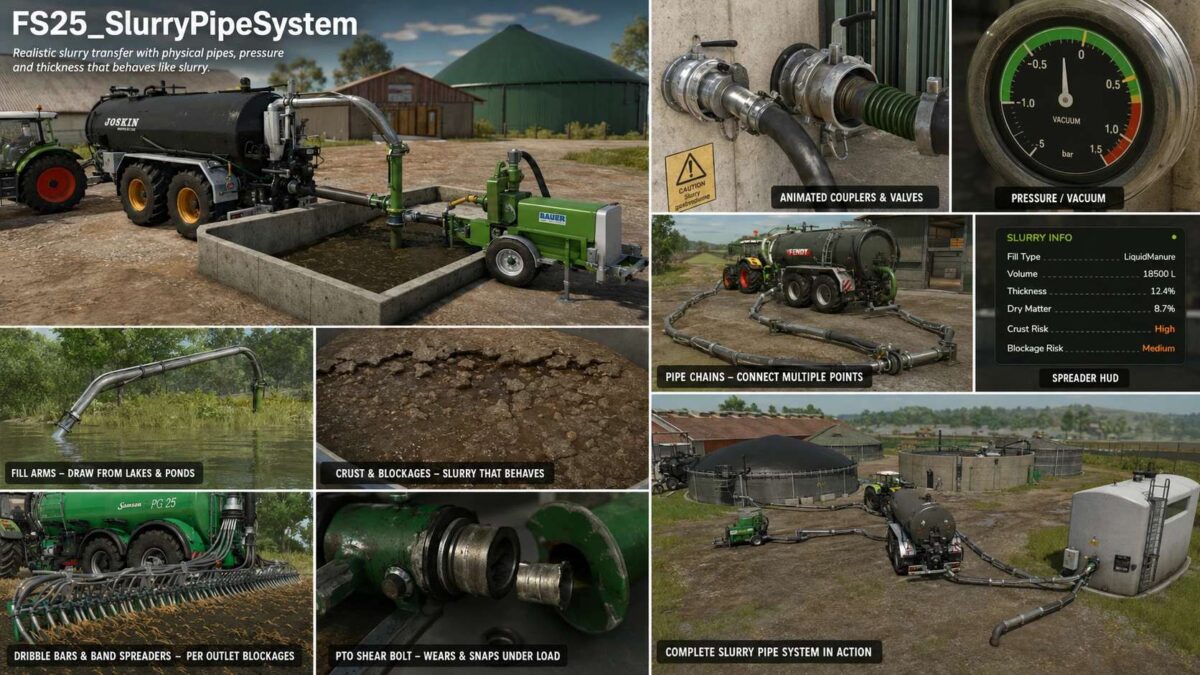
Replaces vanilla “drive into a trigger and fill” mechanics with a tactile system where you physically connect tanker fill arms or pipe chains, run a PTO-driven pump, build pressure, control flow direction, and watch slurry move through real plumbing — with a slurry that actually thickens, crusts and blocks if you neglect it.
What it does
Plumbing & transfer
Fill arms swung out of the tanker by joystick into open slurry pits or rubber boot ports on buildings and other vehicles.
Pipe chains — multi-segment pipes laid by walking from one coupler toward another, locked into place when both ends overlap valid couplings.
Direct bez pipes — a single connecting pipe between two nearby couplers, for quick pump transfers between a tanker and a building.
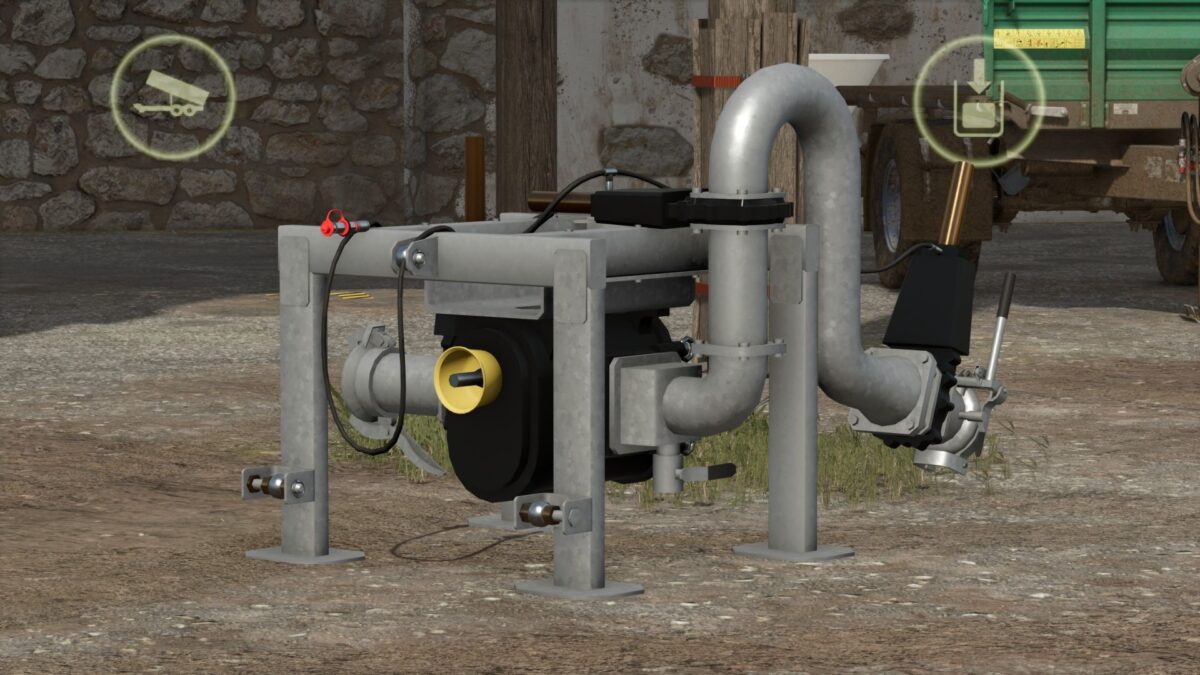
Conduit pump (PTO Slurry Pump) — a passive pump trailer that lets two pipe chains transfer through it.
Animated couplers and valves — clamp handles close on connect, valve wheels rotate on open.
Coloured pipes — pick from a palette per pipe segment, stored per save.
Multi-fill-type support — works with LIQUIDMANURE and DIGESTATE; transfers automatically pick whichever fill type is actually present.
Pumps & pressure
Pump types — vacuum (stored ±bar pressure model with a gauge), HVP high-volume pump, conduit pump station, and openTop passive vessels (e.g. nurse tanks).
Pressure model — vacuum tankers build, hold, taper and purge a stored charge that drives fill and discharge; spread behaviour scales with pressure rather than a simple on/off.
PTO shear bolt (opt-in) — wears and snaps under load while turning with the PTO engaged; walk-up hold-to-repair.
Slurry that behaves like slurry
Thickness / dry matter — slurry thickens as dry matter concentrates; thickness affects flow and spread.
Crust & blockages — an unmixed store crusts over the season; crusted, lumpy slurry can block spreader outlets and the macerator. Mixing clears the risk; adding water dilutes thick slurry.
Agitation — a manager-driven agitator works on any registered vehicle with an agitator tip node, no specialization required.
Water intake — fill arms can draw water straight from map lakes and ponds wherever the map provides SPS water planes.
Spreading
Dribble bars & band spreaders — per-outlet blockage modelling, distributor macerator, and a spreader HUD.
Fertiliser / herbicide sprayers — load liquid fertiliser or herbicide through the same coupler-and-pipe system via a dedicated sprayer integration, operated from a single walk-up pump control. No pressure model on sprayers — flow is a flat rate.
Version 1.0.0.9:
Architecture:
* SlurryPipeManager.lua (12,065 lines) split into a core file plus eight domain modules (SPSM_Chains, SPSM_Couplers, SPSM_Flow, SPSM_Pressure, SPSM_Consistency, SPSM_Spreader, SPSM_Sprayers, SPSM_IBC)
* Pure relocation, mechanically verified byte identical to V1.0.0.8.
* Scripts folder reorganised into domain folders (debug/, chains/, couplers/, shearBolt/, blockage/, hud/, events/, agitators/, util/, water/, herbFertSprayer/, manager/, overrides/, settings/)
* New central debug registry (scripts/debug/SPSDebugConfig.lua): one named on/off channel per file, runtime-switchable via the spsDebug console command
* All channels ship OFF
Performance (dedicated servers):
* Vehicle config lookups were loading and parsing vehicle XML from disk on every call, from per tick trigger hooks and per frame discharge gates the reported ~45 km/h speed caps and steering lag on busy servers
* Both finders are now cached per configFileName (negatives included)
* One disk read per vehicle model per session
Multiplayer fixes:
* Placeable side hose disconnects are now owner keyed (the event carries the placeable), so every machine resolves the exact coupling fixes “friend detaches, still attached on my end until he drives off”
* Selling a placeable now broadcasts authoritative disconnects for every live bond before teardown, and duplicate placeable registration (the stale “ghost pipe” generation on guests) is guarded out
* New placeable detach handler registry: chains anchored or bonded to a sold placeable (animal pens, docking stations) are now fully removed with correct coupler close animations on every machine: sprayer pipe disconnects on sell are broadcast pending queues referencing the sold placeable are purged
* Future placeables (separator etc.) plug into the same registry
* Disconnect events now log an [SPS MP RX] line on receivers
Sprayer store system (new):
* SPS xml now controls a store’s fill types: coupler declared types are seeded into the placeable’s Storage at load no map/base xml edits needed (storageFillTypeControl=”store” opts a modder store out)
* Per coupler capacity=”X”: same type couplers sum into that type’s storage capacity: without it the store’s own capacity applies
* Dynamic tank compartments: fillTypes=”ANY” (or a category/name list) plus capacity makes a coupler one physical tank it locks to the first liquid that flows through it and unlocks only when drained empty, then the type vanishes from the info panel
* Works with basegame and script mod liquids (SoilFertilizer etc.)
* Locked compartments persist in the savegame and sync to clients (event + join dump)
* ANY couplers pre seed the base “sprayer” category so basegame liquids always show on the store display: aggregate levels self heal from older saves
* Connecting picks the coupler nearest the PLAYER when several are in reach walk to the tank you want
* Sprayer placeable couplings accept node=”…” (i3dMappings, matching the slurry placeable schema) as well as mountNodeName
Robustness:
* Map mod folders can be renamed freely: bundled Witcombe config match paths no longer include the folder name, and both placeable register paths bail cleanly if a path matched config finds none of its nodes (wrong placeable)
* Water manifest matching is case insensitive, supports title alternatives (titles=”A;B”) and opt in substring matching (titleContains=): player folder renames never affected it