

TopGun Back Blade Snow Plow v 1.0

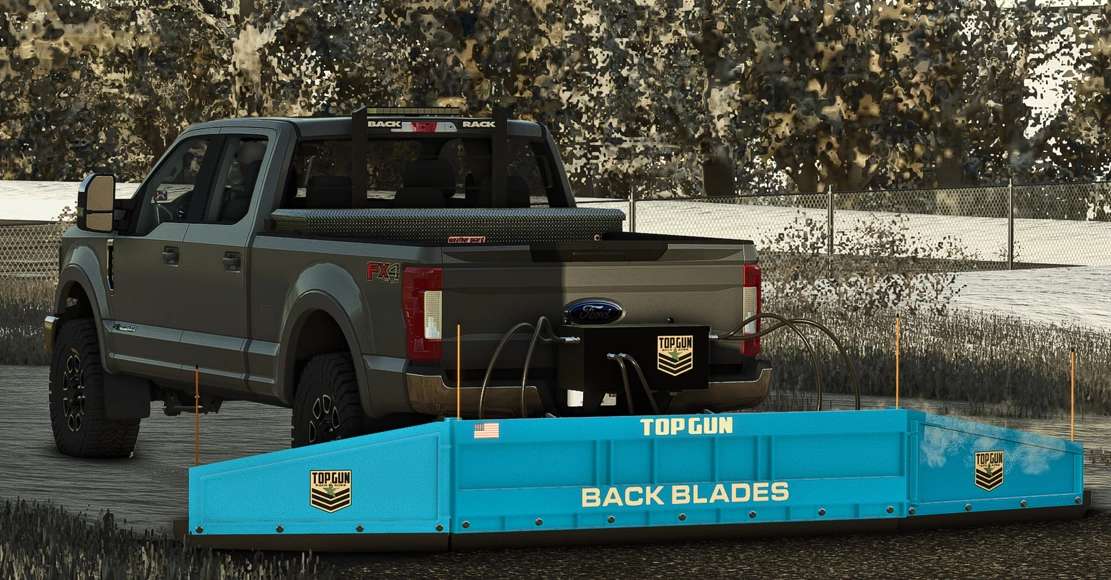
TopGun Back Blade Snow Plow v 1.0
Upgrade your winter maintenance equipment with the TopGun BackBlade SnowPlow for Farming Simulator 25. This rear-mounted snow blade is designed to make clearing roads, farmyards, parking lots, and driveways fast and efficient. Attach it to your pickup truck or compatible vehicle and push snow with ease during the harshest winter conditions.
The BackBlade features a durable design inspired by real-world snow removal equipment, making it a great addition to any snow service or municipal roleplay. Whether you’re maintaining your own farm or keeping public roads clear, this mod delivers reliable performance and realistic functionality.
Features
Rear-mounted TopGun BackBlade snow plow
Ideal for snow removal during winter
High-quality model and textures
Compatible with supported pickup trucks
Perfect for roleplay, farms, and municipal maintenance
Multiplayer compatible
Stay prepared for every snowfall and keep your roads clear with the TopGun BackBlade SnowPlow.