

Transaction Log v 1.0.0.2

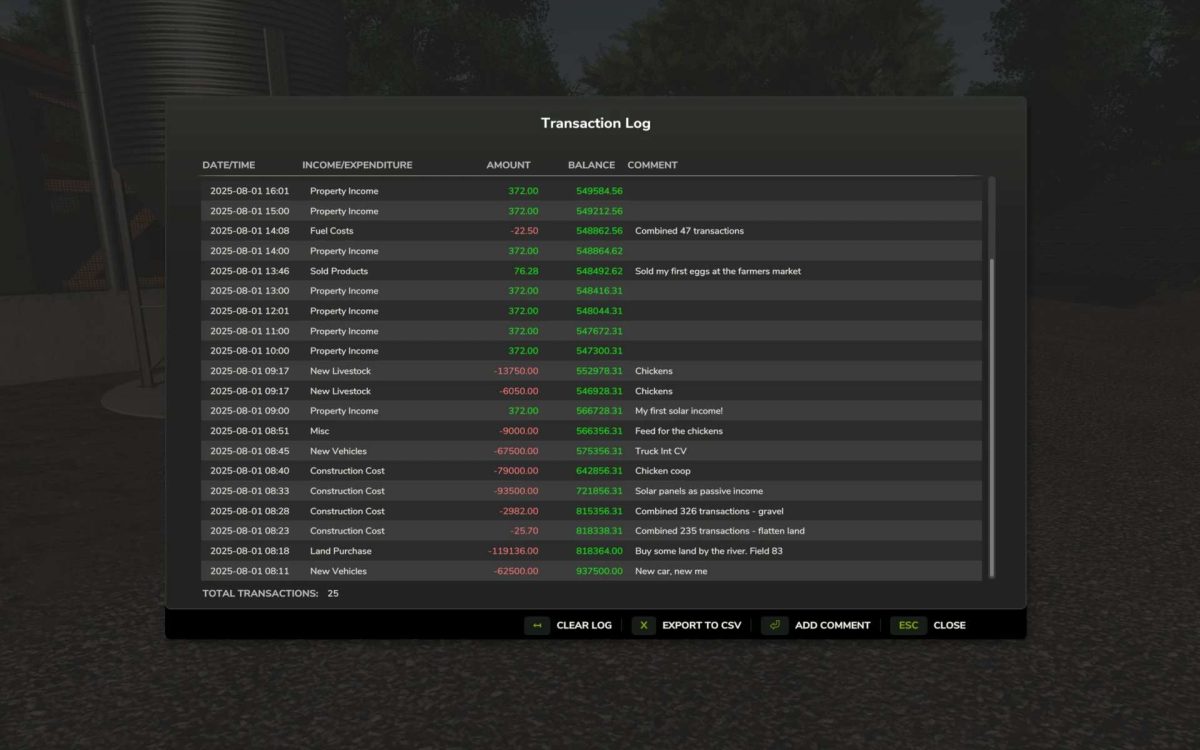
Transaction Log v 1.0.0.2
For the micromanagers out there who want to keep track of their farm’s transactions, this mod adds a transaction log to the game.
Default key binding is Right Shift + T to open the transaction log interface. You can change this in the game settings under “Controls”.
Transaction Logging: Automatically tracks all financial transactions (income and expenses) in real-time
Transaction combining: Groups frequent small transactions (landscaping, fuel purchase etc) to reduce log clutter.
GUI Interface: View transaction history in an in-game dialog (accessible via RightShift+T)
Transaction Details: Display in-game date/time, transaction type, amount, and current farm balance
Add Comments: Edit and add custom comments to individual transactions
Persistent Storage: Automatically save and load transaction data with your savegame
Export to CSV: Export transaction history to CSV files in the mod settings directory for external analysis
Clear Transaction Log: Remove all stored transactions with a confirmation dialog