
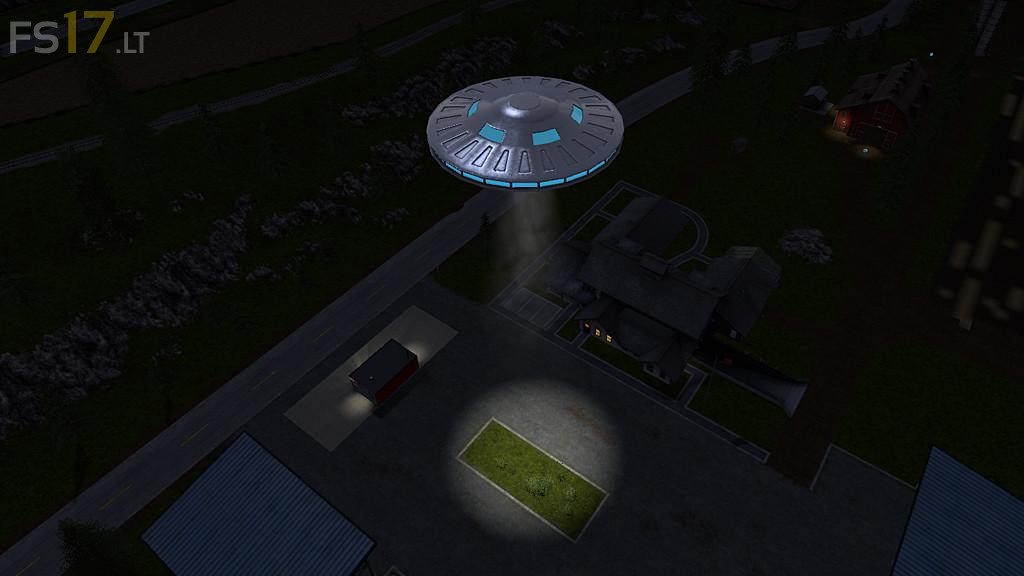
UFO Sighted v 1.0

FS19 mods

About the mod:

– Placeable Mod (copy to the mods folder / buy in the shop)
– Only visible at night
– Contains 2 real light sources
– Rotates

Credits:
m4pj3cts

How to install FS17 mods?

Firstly find a mod which you like and want to download. Then download a mod to your PC. Mods are usually in .zip format file. But sometimes it can be in .rar. If a mod file is a .zip format no needed additional actions. If a file is in .rar, then you must unarchive mod with software like WinRar or Zip7. Windows 10 users no need to use software for archives, Win10 itself has a feature to unarchive files.

The next step is to find mods folder in your PC. Usually, it is in Documents/My Games/Farming Simulator 17/2017. Open the "mods" folder and put downloaded .zip archive or unarchived .rar file to this folder.

Last step. Enjoy of FS17 mods!

3 thoughts on “UFO Sighted v 1.0

  • Albert says:
    2017-03-20 at 20:17

    If you place more than one UFO on a map, you cannot sell them anymore. If you try to sell one, you have to point at the one you want to sell, but they are too high in the sky to point to it.

  • Jack Bachop says:
    2017-08-29 at 07:53

    Quit the game. Select the game you want and disable the UFO mod before you start the game.
    Save the game exit and re-enable UFO mod. That worked for me.
    Cheers
    Jack

  • darren wilders says:
    2021-05-16 at 08:32

    PLEASE MAKE THIS FOR fs19

Leave a Reply

Your email address will not be published. Required fields are marked *