

Underhaug Multisvans Pack v 1.0

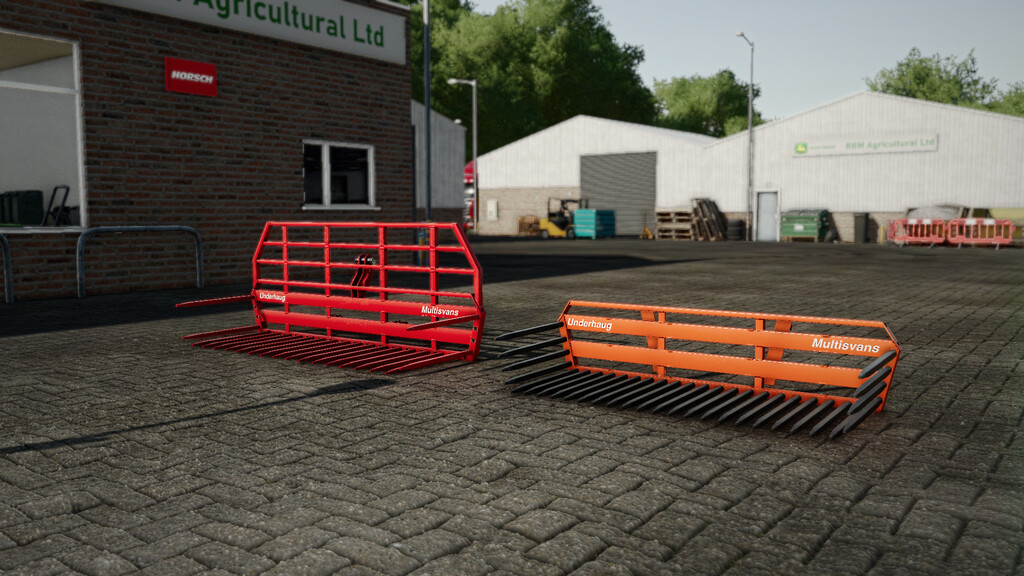
Underhaug Multisvans Pack v 1.0
About the mod:
The Underhaug Multisvans is a staple in Norwegian agriculture, produced by the Norwegian brand Underhaug in Jæren. As the name states, it’s a multi-use tool, commonly used for hay, stones, and transporting various items.
Underhaug Multisvans 3M:
– Price: 4000$
– Capacity: 2100L-4200L
– Suits: Three-point, frontloader, wheel loader
– Category: Misc
– Configs: Color, tines, decals
Underhaug Multisvans 2,5M:
– Price: 3700€
– Capacity: 1600L-3200L
– Suits: Three-point, frontloader, wheel loader
– Category: Misc
– Configs: Color, tines, decals
Credits:
Grubby