
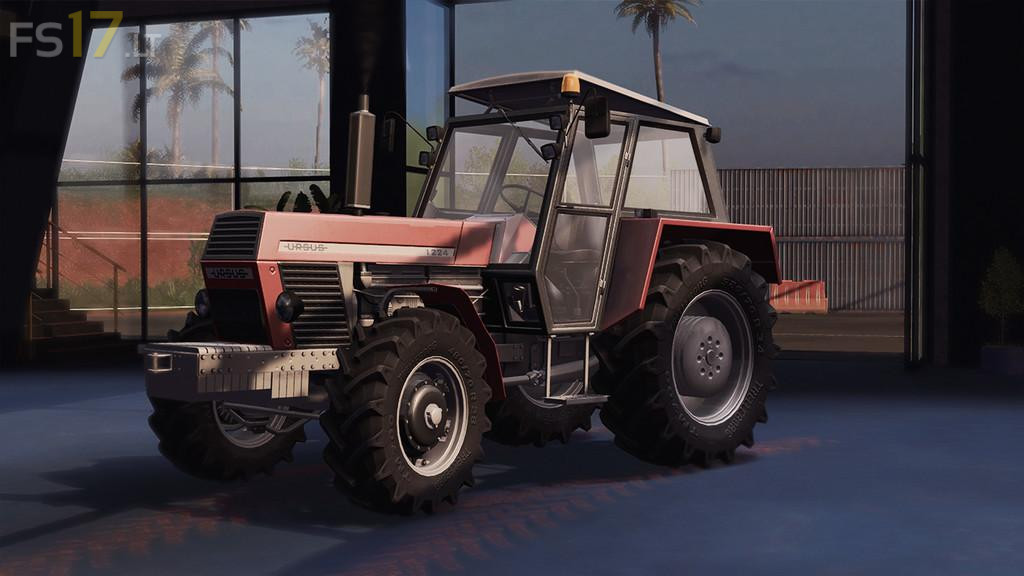
Ursus 1224 v 1.2

FS19 mods

About the mod:

Price: 53800 €
Max. power: 117 hp
Max. speed: 35 km/h
Maintenance: 190 € / day

Configurations:
– Frontloader attacher
– Frontloader console
– Front weights
– Tires
– Engine
– Lights

Color configurations:
– Rims
– Body

Functions:
– IC Panel (doors, back window, top window)
– Sounds doors animations
– Doors & back window open from the outside
– Seat suspension
– Passenger
– Movable gears
– Movable pedals: gas, brake, clutch
– Movable hand gas
– Moving axle
– Real engine sounds
– Movable cardan shaft
– Movable RPM display
– Warning light
– Dynamic hoses

Version 1.2:
* A lot of new color and design configurations
* Some things have been corrected

Credits:
CatFan18 Mods, Czarnel Edits

How to install FS17 mods?

Firstly find a mod which you like and want to download. Then download a mod to your PC. Mods are usually in .zip format file. But sometimes it can be in .rar. If a mod file is a .zip format no needed additional actions. If a file is in .rar, then you must unarchive mod with software like WinRar or Zip7. Windows 10 users no need to use software for archives, Win10 itself has a feature to unarchive files.

The next step is to find mods folder in your PC. Usually, it is in Documents/My Games/Farming Simulator 17/2017. Open the "mods" folder and put downloaded .zip archive or unarchived .rar file to this folder.

Last step. Enjoy of FS17 mods!

Leave a Reply

Your email address will not be published. Required fields are marked *