

Volvo FH16 Profiliner v 1.0.2.5

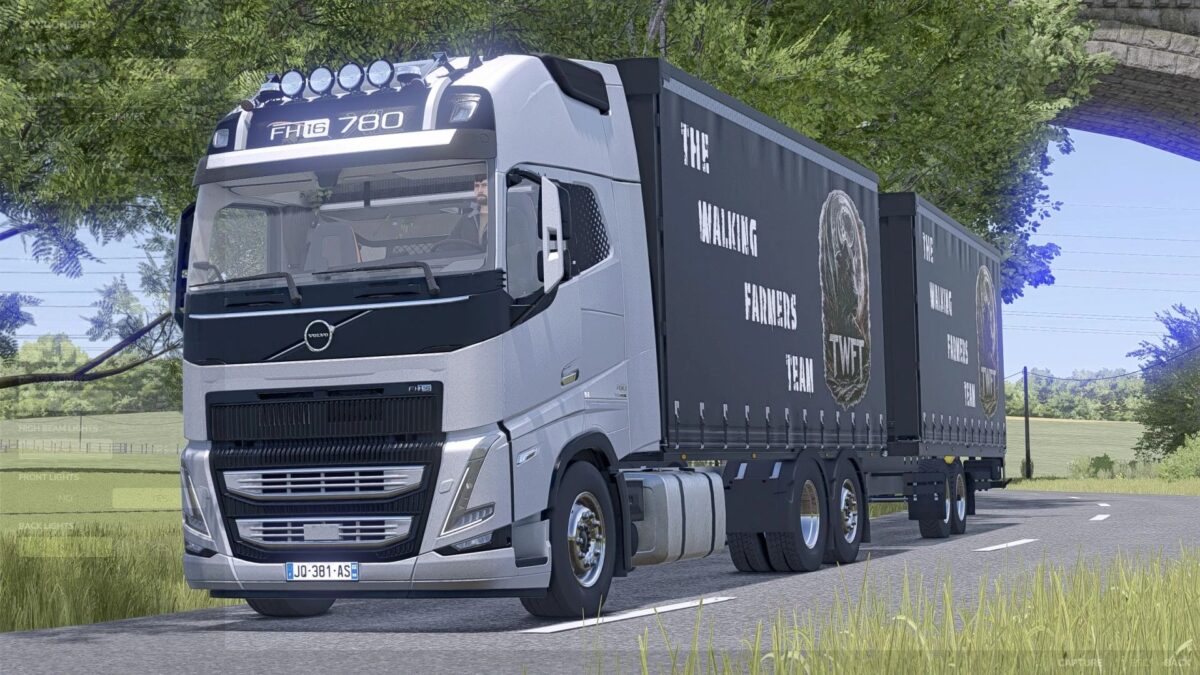
Volvo FH16 Profiliner v 1.0.2.5
The Volvo truck is the perfect choice for use in Farming Simulator, boasting powerful performance and a modern design.
The following can be loaded:
Sheep 12
Pigs 16
Cows 6
Horses 4
Chickens 88
Combined with the appropriate trailer, it enables the efficient transport of large quantities of harvested crops and goods over long distances.
Thanks to its stable handling and realistic details, the combination provides an authentic gaming experience.
Ideal for those who value power, reliability, and style.
FH16 ProfiLiner Truck
Cost in standard configuration: €137,000
Configurations are standard for FH16
Can carry approximately 30 standard pallets
Multi-color
DPW ProfiLiner Trailer (Tandem)
Cost of the trailer: €20,500
Can also transport approximately 30 pallets
Multi-color
Forklift attachment
DPW ProfiLiner Trailer (Turntable)
Cost of the trailer: €20,500
Can also transport approximately 30 pallets
Multi-color
Forklift attachment
LiveStockTrailer Body
Sheep: 12
Pigs: 16
Cows: 6
Horses 4
Chickens 88
Version 1.0.2.5:
* Livestock Trailer added